Robot for profitability research after a signal in currency arbitrage.

In this article, we will talk about analyzing order book movements after a basic signal has occurred. This is necessary to analyze the opportunity for front-running slow robots working with market orders.
1. Creating a robot for analyzing movements.
To create an instance of the robot, as in other cases, you need to open the simplified trading interface and click on the button to «Add bot»:
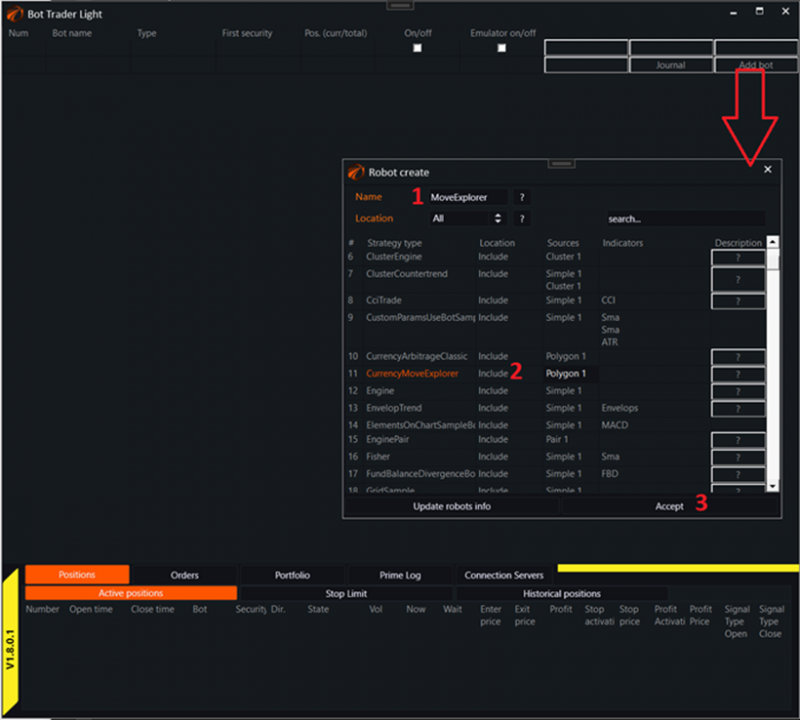
1. Enter a unique name for the robot.
2. Select the type of robot. In this case, it is CurrencyMoveExplorer. You need to click on it with the left mouse button to highlight the robot's name in orange.
3. Click the "Accept» button.
2. Connecting sequences in trading.
The connection to the server and the creation of instrument pair sequences for currency arbitrage are described in this article and are fully applicable to this robot: link
To continue, you must:
1. Connect to the server.
2. Set up instrument pair sequences for trading.
Recommended initial settings:
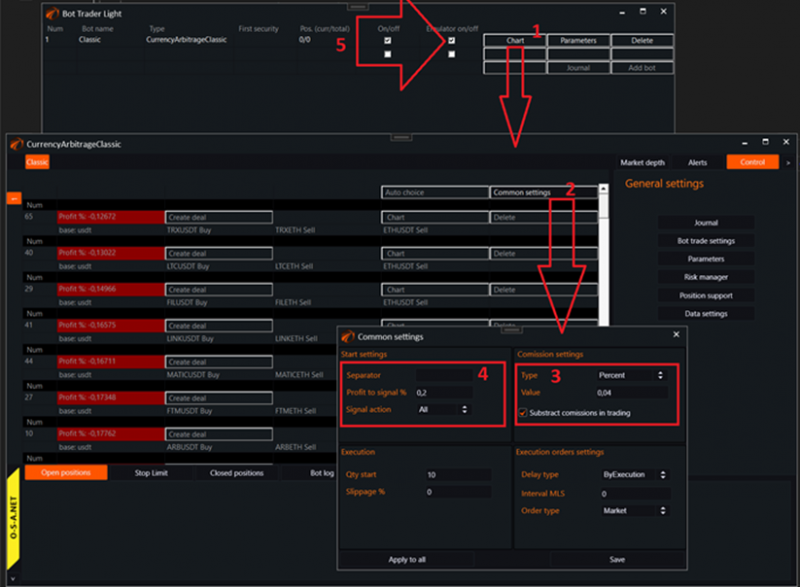
1. Call the robot's interface.
2. Call general settings.
3. Recommended settings for the minimum specified commission. Even if you pay it in another currency.
4. Recommended minimum settings for the generated signal for the robot to see them.
5. Note that the "Emulator» mode is enabled. It is not necessary to immediately enable live trading until you understand everything.
3. Robot parameters.
Accessed from the simplified trading interface by clicking on the "Parameters» button:
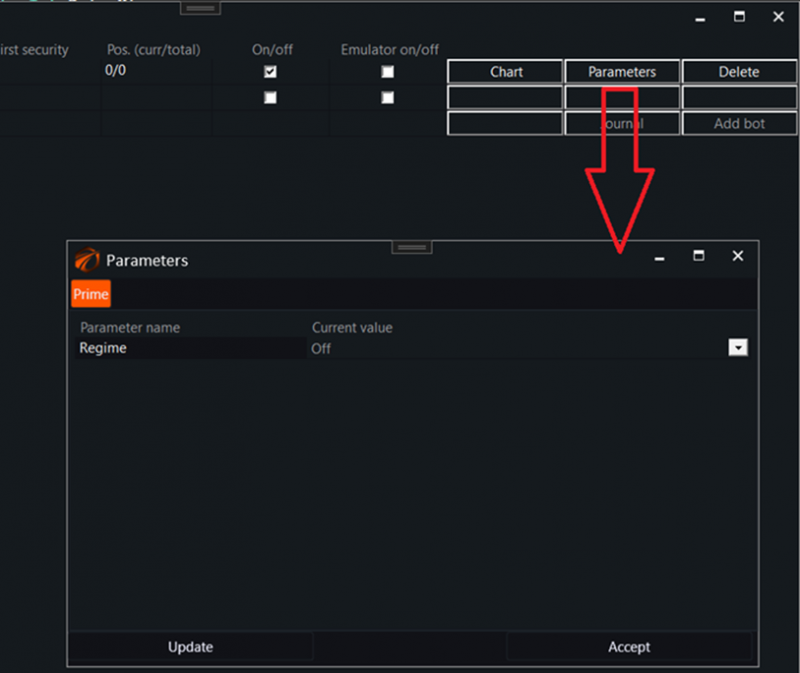
General mode. On / Off.
4. How the robot works and what it does.
Once a signal arrives from BotTabPolygon that the profit has exceeded the signal value, the robot begins to log the current profit for the pair. Once every 200 milliseconds.
The signal looks like this:
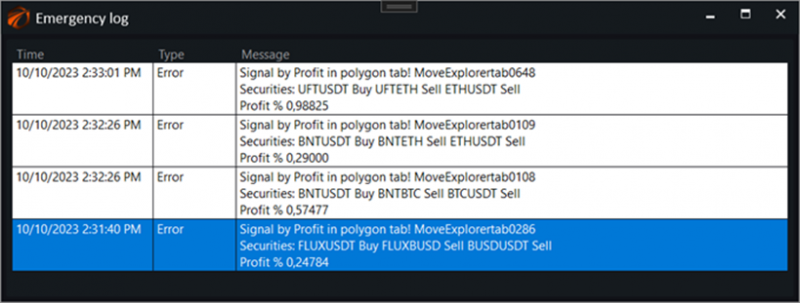
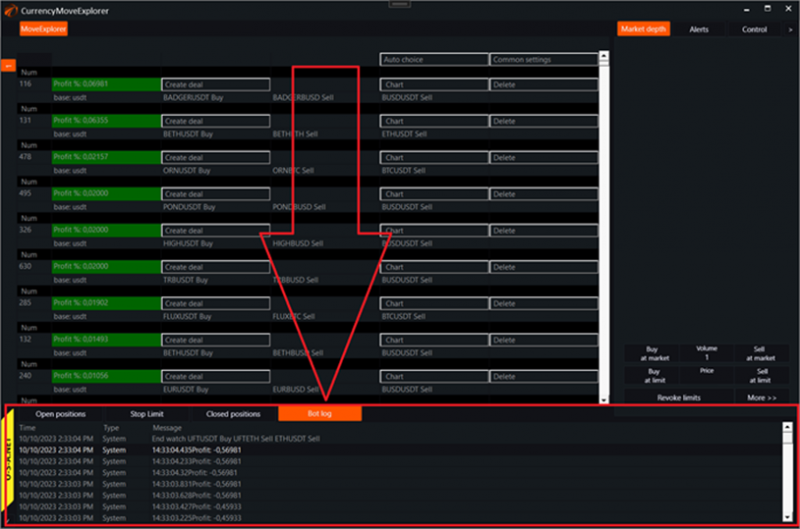
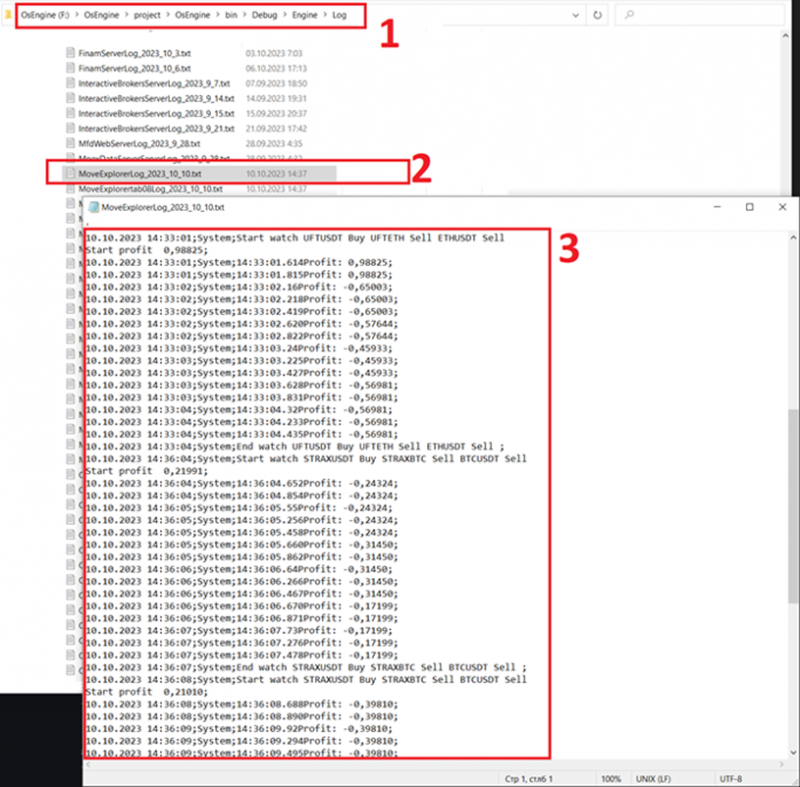
Profitability records for the pair after the signal can be viewed in the robot's log:
But it's better to do this from the file system. Open the log file directly:
5. Robot code overview.
The robot's source code is located within the project here:
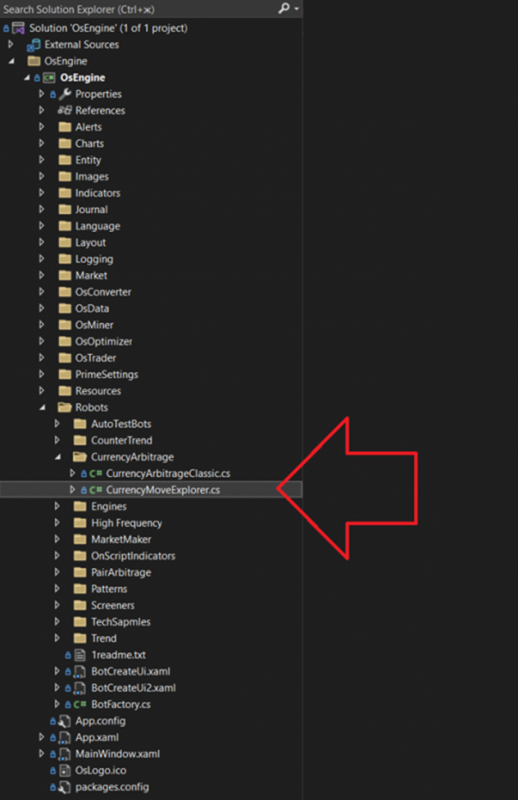
Link to this robot on GitHub: https://github.com/AlexWan
The entire code is 113 lines.
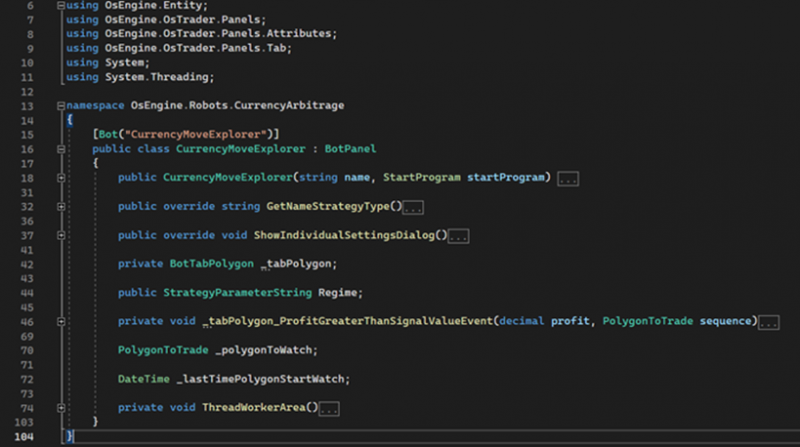
Uses standard for OsEngine robots.
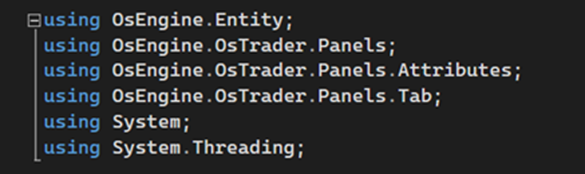
Except for the last point. The robot uses an additional thread that is responsible for saving profitability data. Therefore, there is System.Threading here.
Fields.

1. BotTabPolygon source where signal calculations, sequence settings, and trading logic take place.
2. Parameter. On / Off.
Constructor.
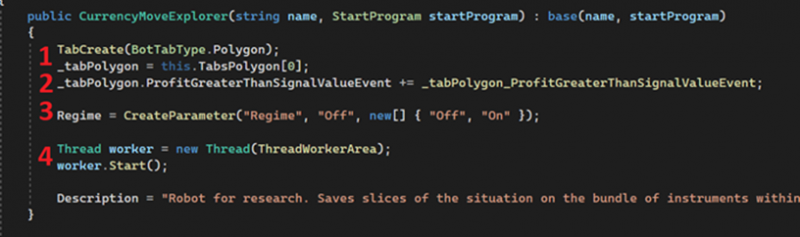
1. Creation of a source for currency arbitrage and saving it as a class field.
2. Subscription to the event of exceeding the signal value profitability within the sequence.
3. Creation of the robot's parameter.
4. Creation of a thread responsible for saving profitability for 3 seconds after the signal.
Logic.
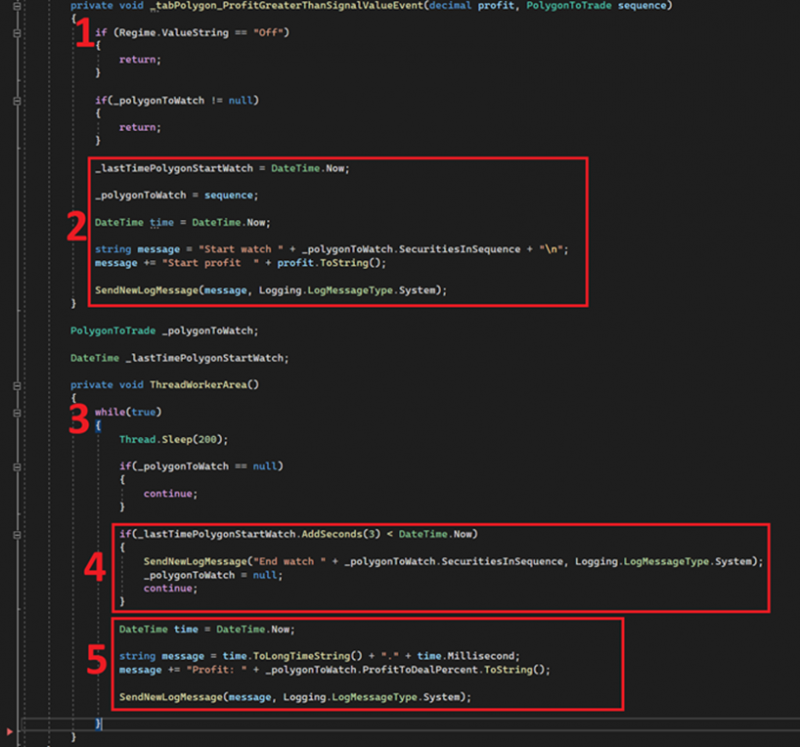
1. Event handler for exceeding the profitability signal.
2. Mechanism for starting to collect information on the profitability of the sequence.
3. Thread writing profitability for the sequence after the signal.
4. Mechanism to stop recording profitability for the instrument sequence.
5. Recording profitability for the instrument sequence in the log.
Os Engine terminal support: https://t.me/osengine_support_english