A ready-made robot for classic currency arbitrage.

In OsEngine, there is a built-in robot for classic currency (triangular) arbitrage called CurrencyArbitrageClassic. In this post, we will look at the procedure for creating it, its parameters, its logic, and also examine its source code.
Creating a robot for classic currency arbitrage.
To create an instance of the robot, as in other cases, we need to open the simplified trading interface and click the "Add robot" button:
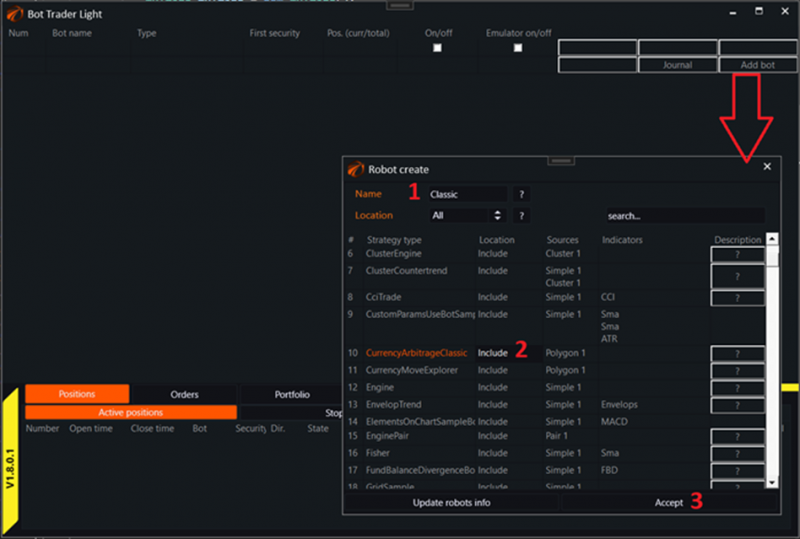
1. Enter a unique name for the robot.
2. Select the robot type. In this case, it is CurrencyArbitrageClassic. Click on it with the left mouse button to highlight the robot name in orange.
3. Click the "Accept" button.
Connecting sequences for trading.
The connection to the server and the creation of sequences for currency arbitrage are described in this article and are fully applicable to this robot. To continue, you must:
1. Connect to the server.
2. Configure instrument pairings for trading.
Recommended starting settings:

1. Call the robot's interface.
2. Access general settings.
3. Recommended settings for the minimum specified commission, even if you pay it in another currency.
4. Recommended minimum settings for the generated signal for the robot to recognize them.
5. Take note that the "Emulator" mode is enabled. You don't necessarily need to start live trading right away until you understand everything.
Robot parameters.
Called from the simplified trading interface by clicking the "Parameters" button:
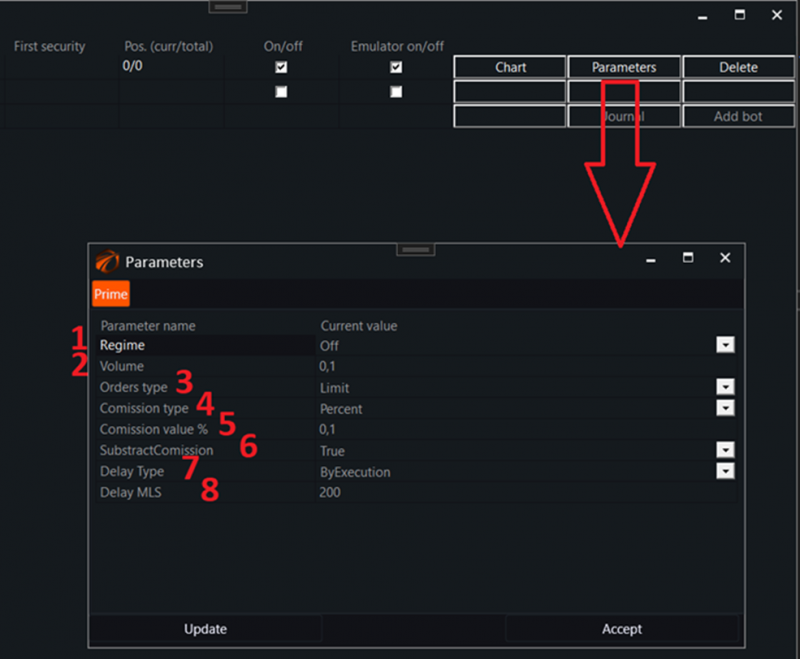
1. General mode. On / Off.
2. Initial volume to be used.
3. Order type to be used:
-
-
- Limit.
- Market.
-
4. Commission type to be used:
-
-
- None - absent.
- Percent - in percentages.
-
5. Commission size to be used if the commission type is in percentages.
6. Whether to subtract the commission from the volumes traded after the first deal.
7. Type of delay between orders.
8. Delay in milliseconds to be used if the corresponding type of delay is selected.
How the robot works and what it does.
Once a signal is received from BotTabPolygon that the profit has exceeded the signal value, the robot starts placing orders for the pairing according to the settings.
Review of the robot's code.
The source code of the robot is located inside the project as follows:

The entire code consists of 113 lines, which mainly consists of service code.

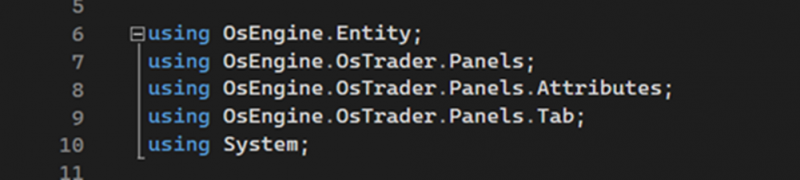
Standard usings for robots in OsEngine.
Fields:

1. The BotTabPolygon source, where signal calculations, sequence settings, and trading logic occur.
2. The parameters we saw earlier in the interface.
Constructor:

1. Creating a source for currency arbitrage and saving it as a class field.
2. Subscribing to the event of profit exceeding the signal value within the sequence.
3. Creating parameters for the robot.
Logic:
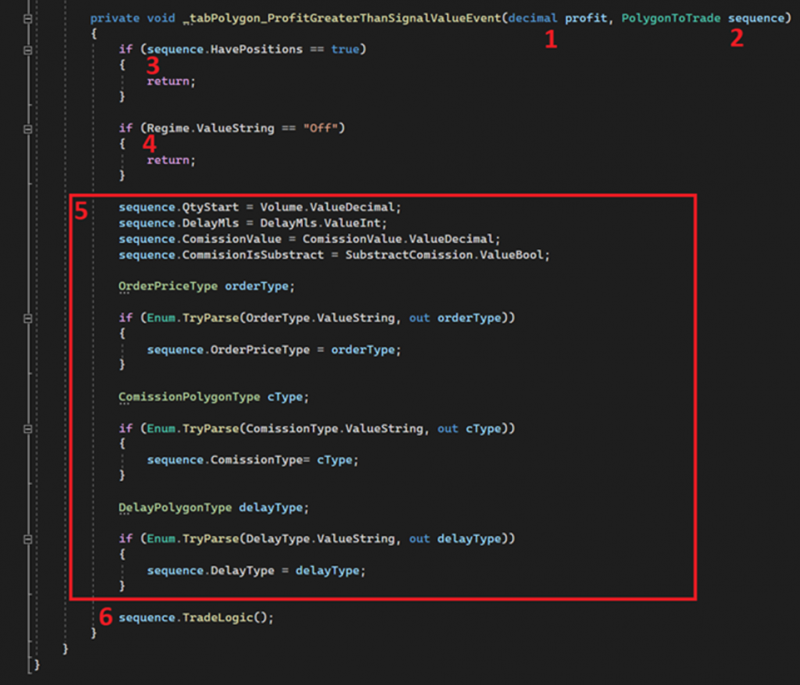
1. The first parameter: the profit for the current pairing of type decimal.
2. The second parameter: the sequence itself, which is responsible for calculating profitability and contains the trading logic.
3. If there are any positions for the pairing, exit the method.
4. If the robot is in the Off position, exit the method.
5. This large block copies the robot's settings to the pairing for everything to go correctly. It could have been done without it, leaving all settings to the pairing's discretion, but at the time of writing the code, it seemed that this would be more convenient.
6. Call the method to trade the pairing.
If you have any difficulties or questions, please write to the support chat. Link