Example of one-legged index arbitrage in trend. Trading based on index.
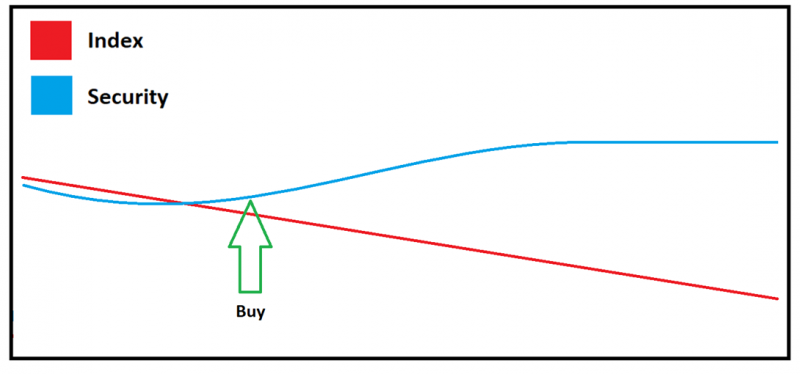
Trading idea:
To take instruments that are moving strongly and impulsively against the broad market and trade them in the direction they are deviating towards.
1. Robot sources:
1. Index. BotTabIndex for generating the index.
2. Screener. BotTabScreener to select N instruments from the market and trade them all simultaneously.
2. Indicators:
1. Correlation, needed for dynamically filtering instruments.
2. Chart of "Minimum residues from the difference between instruments with an optimal multiplier."
3. Moving averages. One on the index, the second on the instrument.
4. Parabolic on the traded instruments. To close the position if we are not moving in the right direction and the impulse has ended.
3. Robot logic:
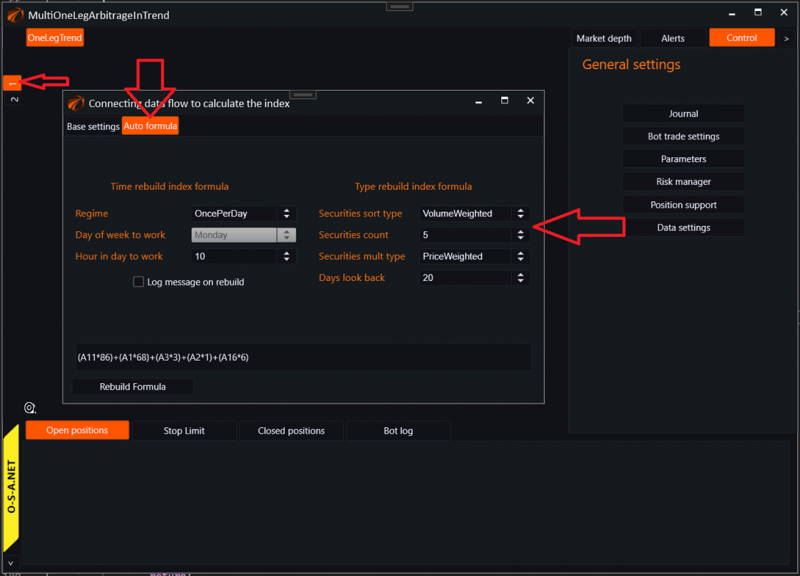
1. Build a broad index, selecting securities by volume and weighting by price.
2. Check each instrument for correlation with each index update.
3. If the instrument passes the correlation check, check each instrument for deviation from the index using "Minimum residues."
4. If the instrument deviates more than the standard deviation multiplied by a multiplier, trade for further acceleration.
5. Exit from the position using a trailing stop as a percentage calculated from the average deviation of intraday volatility.
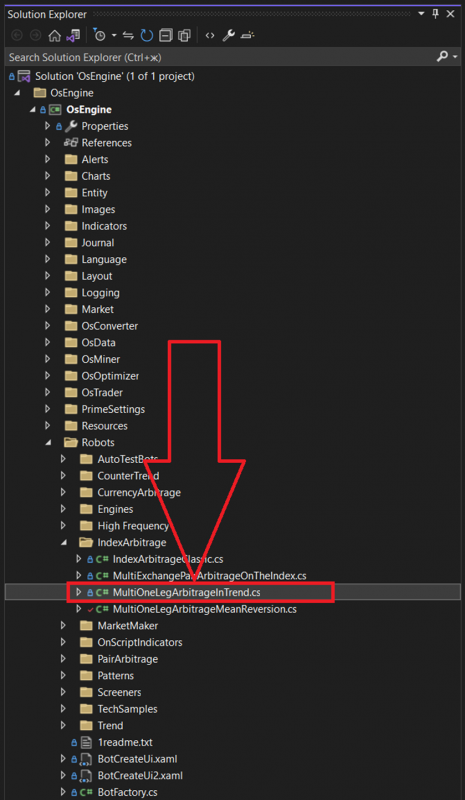
4. Source code in the project.
Link to GitHub: https://github.com/AlexWan/OsEngine
Constructor:
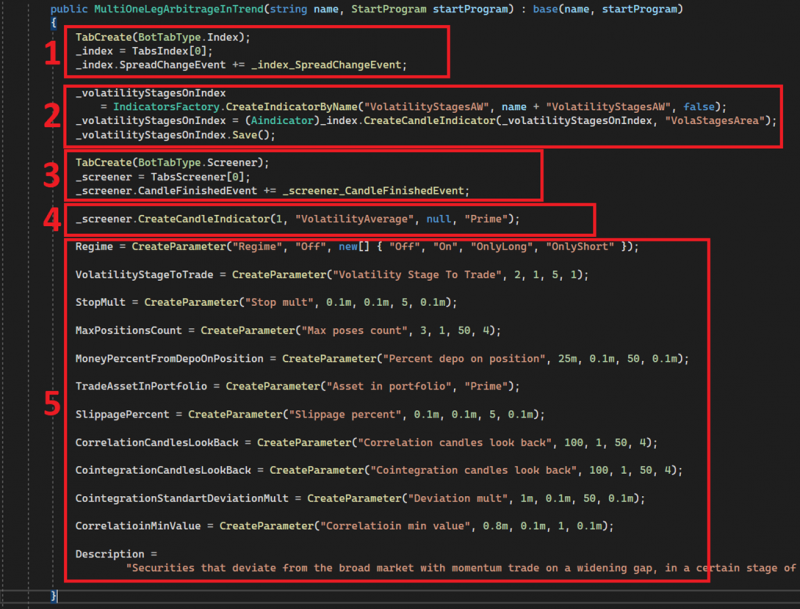
1. Creating the index (BotTabIndex) and subscribing to its update event. Position opening logic is in this event.
2. Creating a volatility indicator and sending it to the Index.
3. Creating a screener (BotTabScreener) and subscribing to the candle update event for any instrument loaded into it. Position closing logic is in this event.
4. Creating an average volatility indicator for each instrument in the screener. The multiplier for the trailing stop is calculated from this indicator.
5. Initializing strategy parameters.
Where to look in the code:
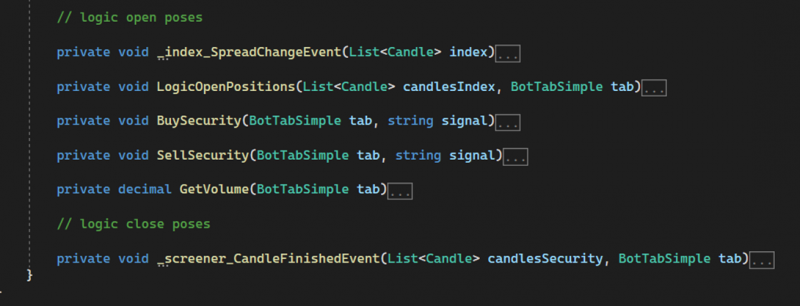
Blocks of position opening and closing logic are highlighted with comments.
5. Robot settings.
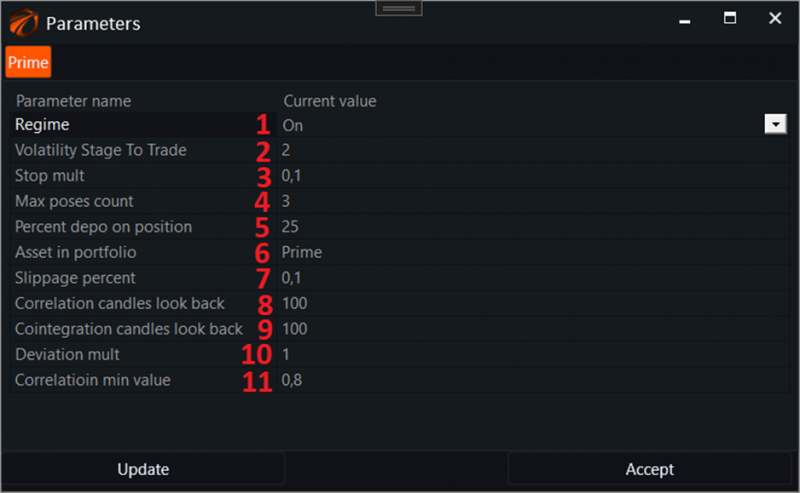
1. Regime. Operating mode:
a. On - all trading modes are enabled.
b. Off - disabled.
c. OnlyLong - only long positions allowed.
d. OnlyShort - only short positions allowed.
2. Volatility Stage To Trade. Volatility stage in which position openings are allowed.
3. Stop mult. Multiplier for the instrument's volatility indicator to determine the distance for the trailing stop.
4. Max poses count. Maximum allowed number of simultaneously open positions.
5. Percent depo on positions. Percentage of available funds per position.
6. Asset in portfolio. Name of the currency unit in the portfolio.
7. Slippage. Slippage for the order in %.
8. Correlation candles look back. Period for calculating correlation between the index and instrument.
9. Cointegration candles look back. Period for calculating the chart of minimum residues between the instrument and the index.
10. Deviation mult. Deviation for standard deviation on the chart of minimum residues with an optimal multiplier.
11. Correlation min value. Minimum correlation value to open a position with the instrument.
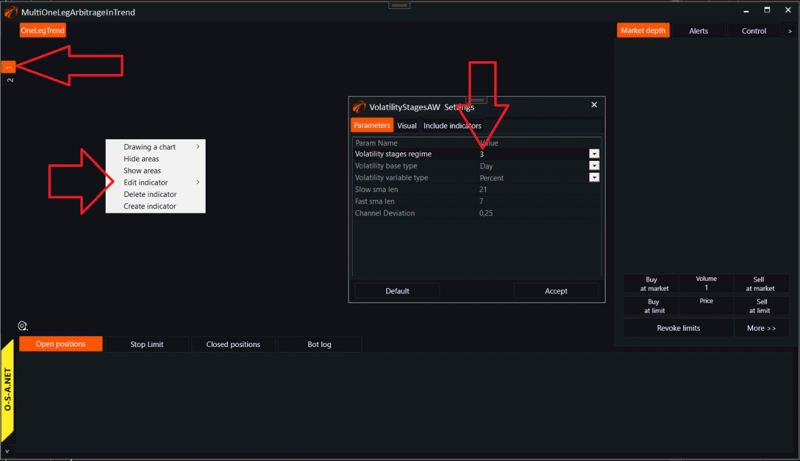
6. Settings for the volatility stages indicator.
The volatility stages indicator can and should be called from the index chart by right-clicking:
The average volatility indicator should be called from the screener source by right-clicking:
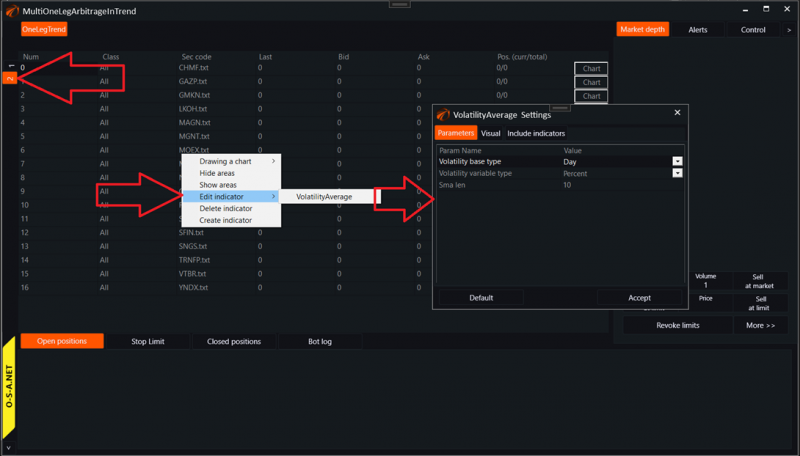
There is a separate, comprehensive article on volatility indicators: https://os-engine-eng.com
7. Launching the robot in the tester.

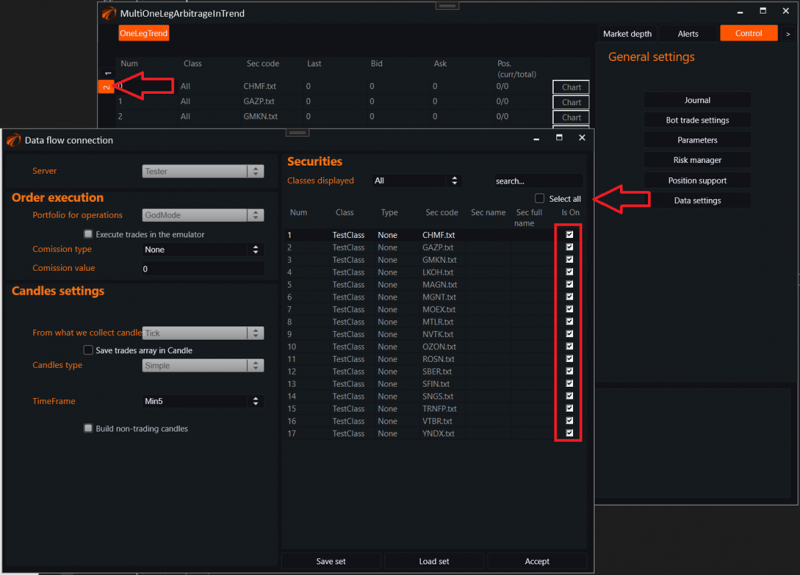
In the exchange emulator settings, I have connected a network of the TOP 20 securities from MOEX:
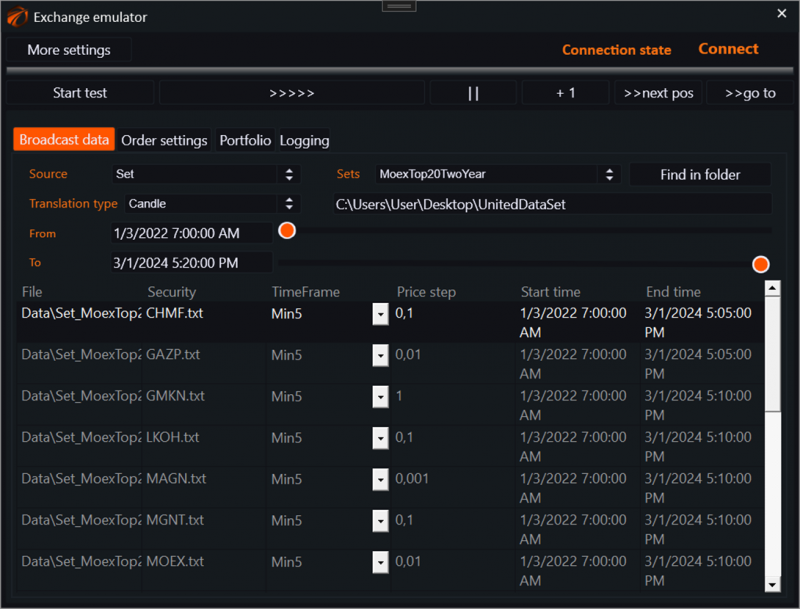
In this case, it is a 5-minute timeframe. But in our office we have Intel Core i9 13th generation, and I can afford such low data types. I recommend you to use the HOURLY option.
Creating a robot. Open its chart and adjust the data sources:
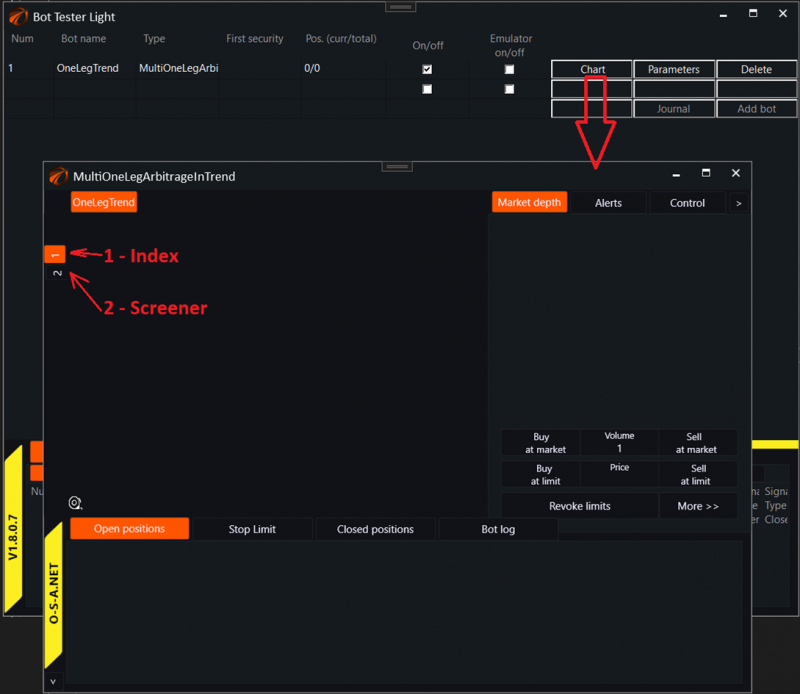
All securities from the source have been added to the Index:
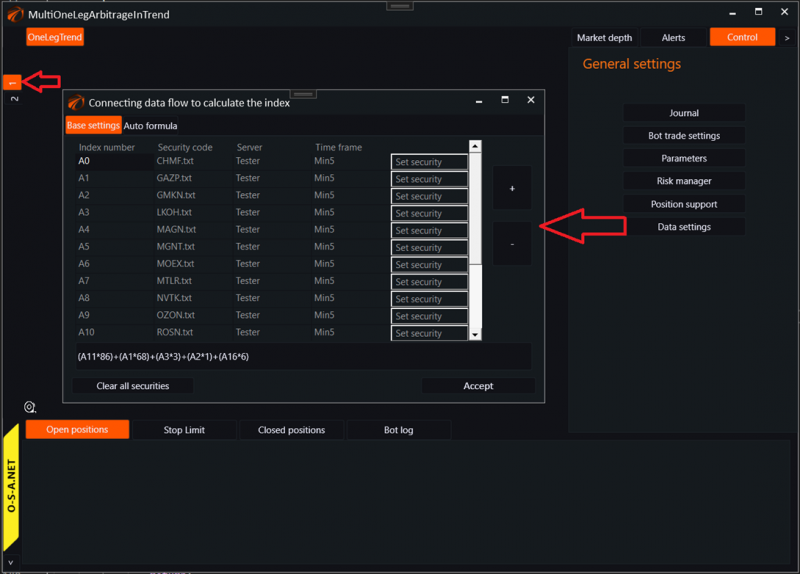
The Index also has an auto formula configured:
All securities are connected to the screener:
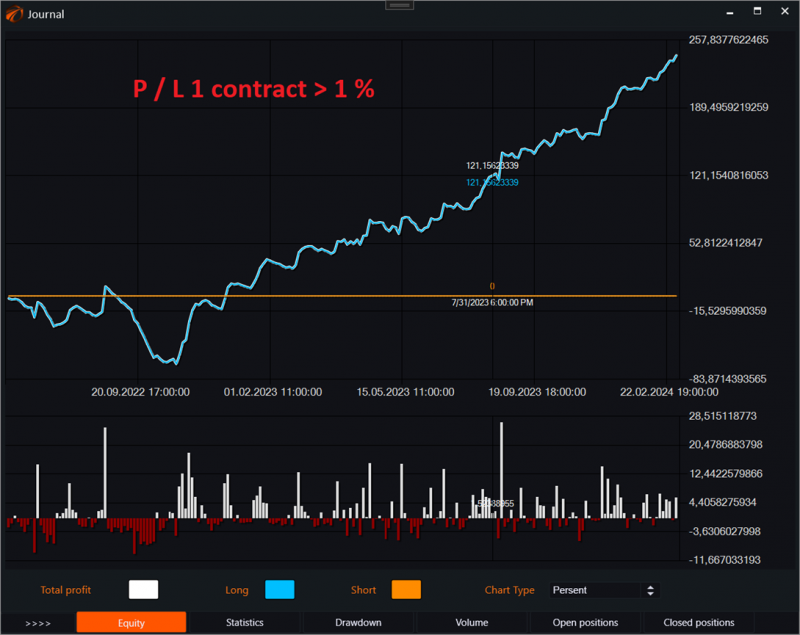
8. One of the testing options.
The essence of this robot, among other things, lies in the use of volatility stages to allow or prohibit entries. For example, in this case, volatility stage 2 has been selected, in which it is possible to trade, and the indicator is set up to have three stages, focusing on the channel's center. That is, to enter when the volatility is standard. Stages of heightened volatility and stages with its absence are not for opening positions.

If you have any difficulties or questions, please write to the support chat. Link
OsEngine: https://github.com/AlexWan/OsEngine