CloseAtStopMarket

The CloseAtStopMarket method sets a stop-loss for a position. The logic for checking the stop activation is handled in the terminal. It can be described as a conditional order that transforms into a real Market-type order only upon the fulfillment of specified conditions.
public void CloseAtStopMarket(Position position, decimal priceActivation)position – the position for which a stop-loss needs to be set;
priceActivation – the price upon reaching which a real order will be sent to the exchange;
An example of usage can be found in the robot's code: https://github.com/AlexWan
In this example, an already open position is passed to the method, where a stop order is set for the position:
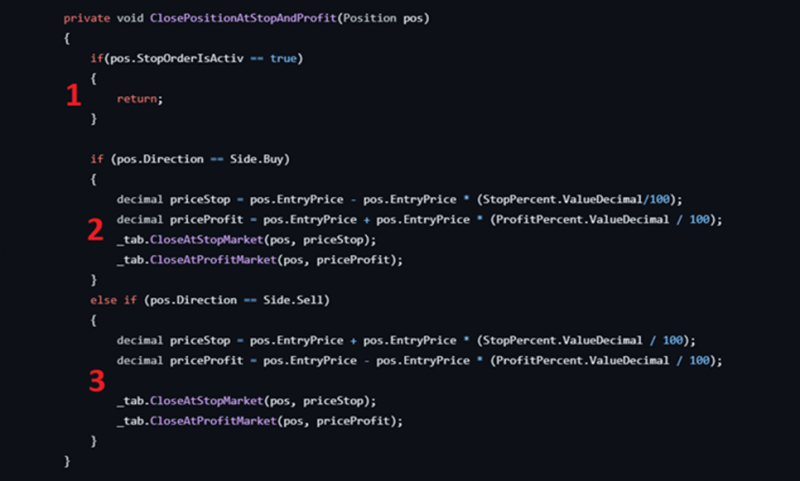
1. Check if there is a stop order set for the position.
2. For a Buy position, set a stop-market order below the market.
3. For a Sell position, set a stop-market order above the market.
Important note 1:
The stop-loss can only be set after the position has been opened, that is when its open volume is greater than zero. The PositionOpeningSuccesEvent is particularly suitable for this purpose. It signals to the robot that at least one trade has gone through for the opening order. We will set the stop-loss in the handler for this event.
Important note 2:
Upon the execution of this type of order, any CloseAtProfit order will be canceled if one had been set for the position.
If you have any difficulties or questions, please write to the support chat. Link