OsData and Tester. We download order book snapshots and run tests on them.
In this post, we will learn how to save order book snapshots with you and then run robots on the order books in the trading.
In OsEngine, order books can be downloaded from trading connectors via OsData. The tester then supports this data. Let's see how to do it.
1. OsData and downloading data.
Open the OsData interface and connect to the connector from which you want to save order books:
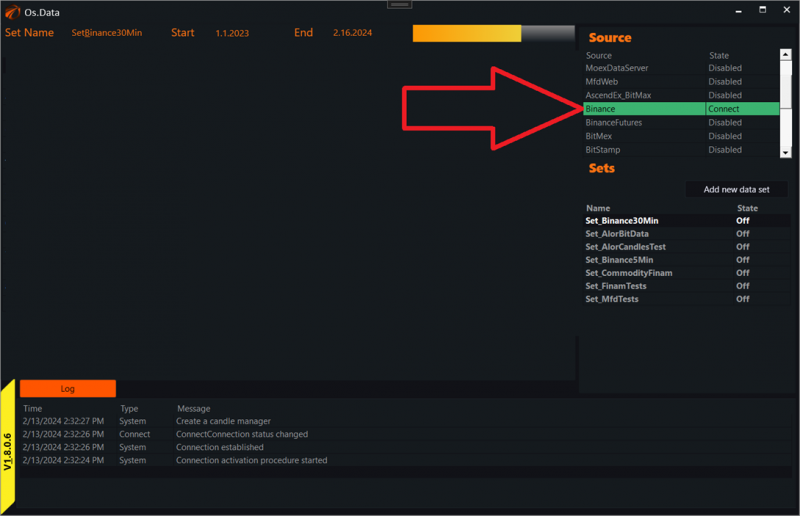
In this case, it's Binance.
Now create a new set and configure it:
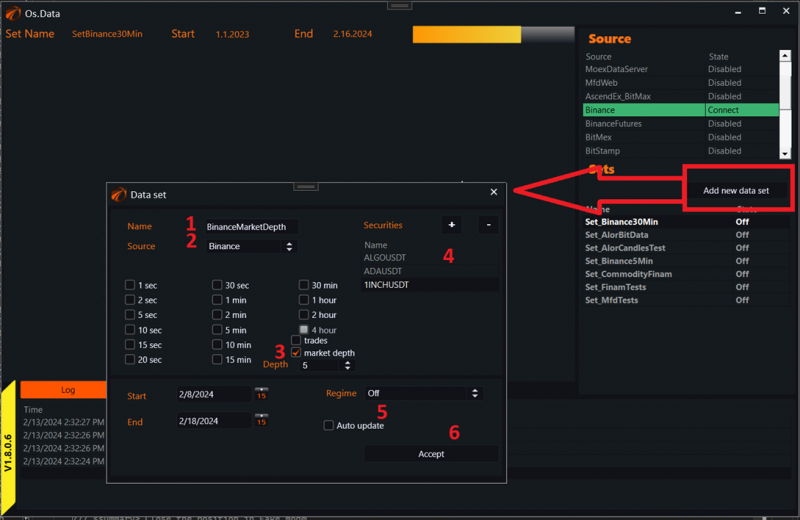
1. Give the data set a descriptive name.
2. Choose the connector you connected to.
3. Enable the type of data to download as "Market depth". Next to it, you can choose the depth of the saved data.
4. Add securities for which to download data.
5. Set the data set to ON mode.
6. Click Accept.
IMPORTANT!!!
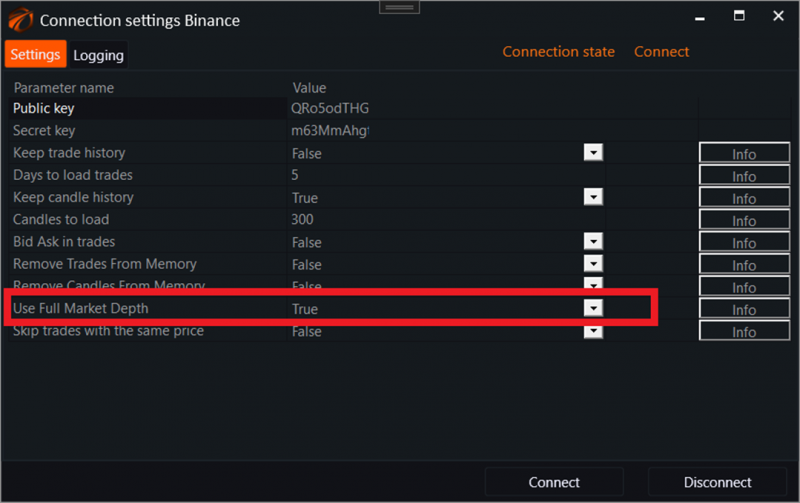
Do not forget that in order to save order books, OsData needs these order books. And the connector of the exchange to which you are connecting must be active to receive them:
2. Data in the file system.
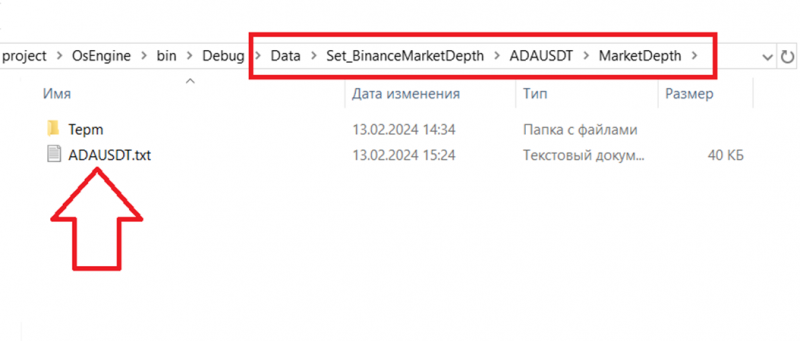
Next to the OsEngine exe file, there is a Data folder. In it, you will find the data set that you created and data for a specific security, here:
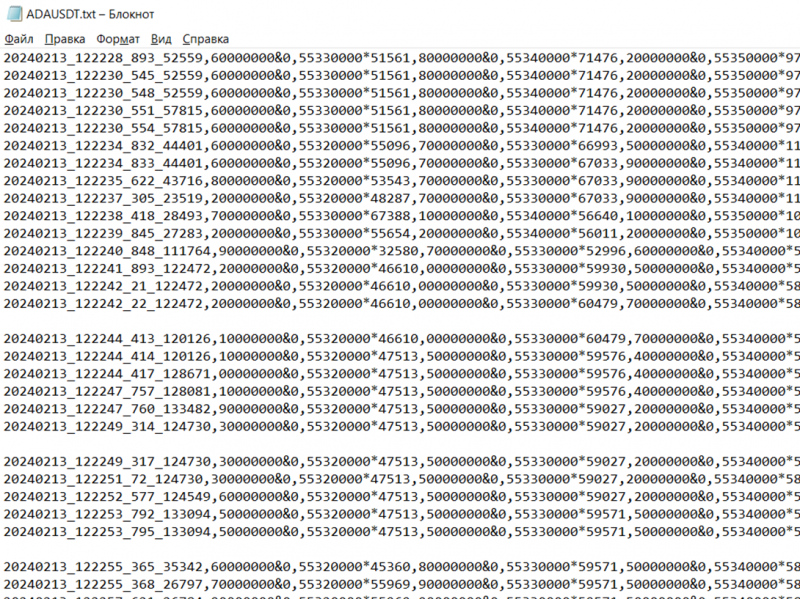
Within the file are the order book snapshots:
3. Tester on order book data.
Switch back from OsData to the Tester:
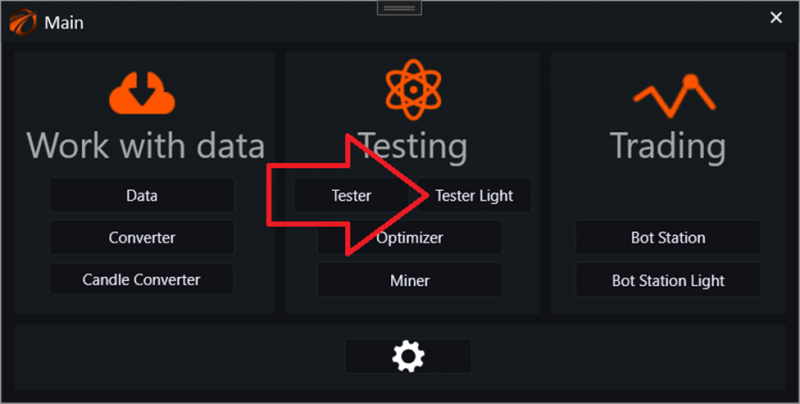
Access the connection to the testing core:

And enable our data set:
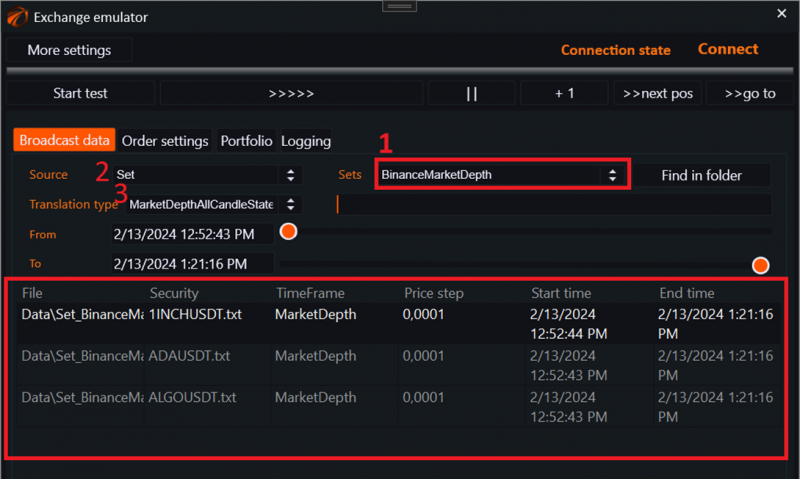
1. Select the set with order books.
2. Select the data source type - SET.
3. Select the data transmission type:
a. MarketDepthAllCandleState - all candle changes.
b. MarketDepthOnlyReadyCandle - only ready candles.
4. Create a robot and connect to the order books.
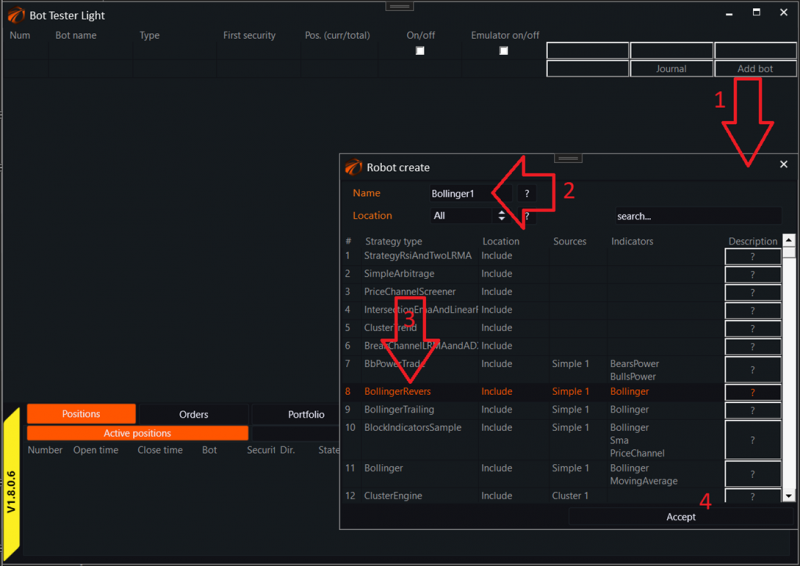
1) Click the "Create robot" button in the tester.
2) Give it a Name.
3) Select a robot from the list.
4) Click Accept.
Now enter the robot itself:
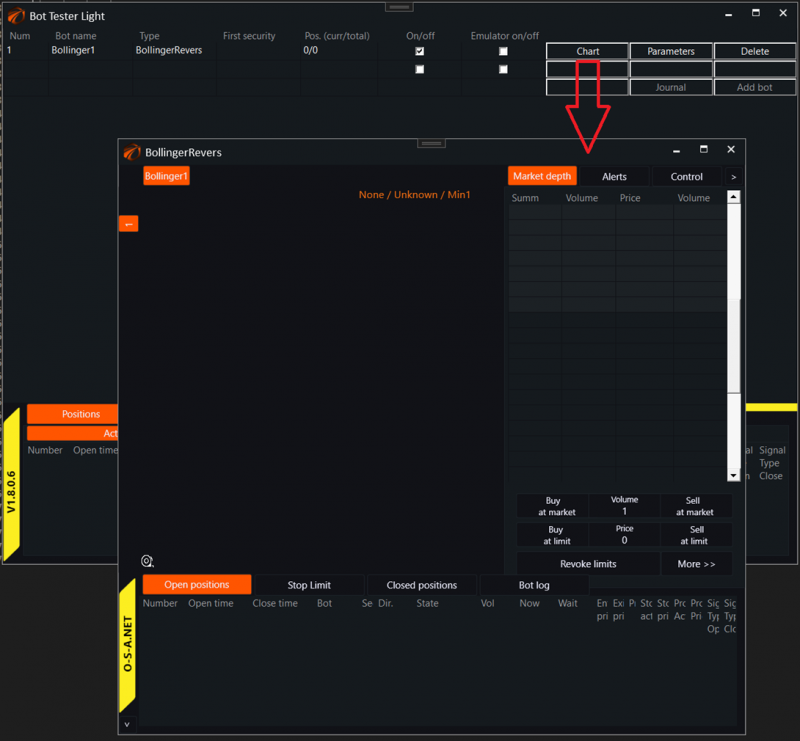
Next:
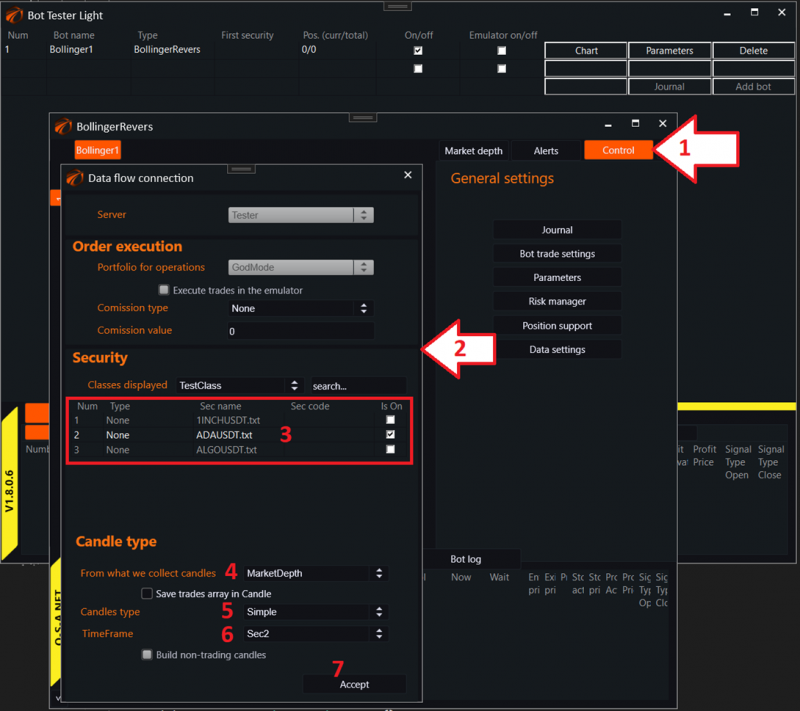
1. Go to the "Control" tab.
2. Access the data settings.
3. Select a security.
4. Remember to switch the candle building type in MarketDepth. This way, candles will be built around order book centers.
5. Candle building type Simple.
6. Any time frame.
7. Click the "Accept" button.
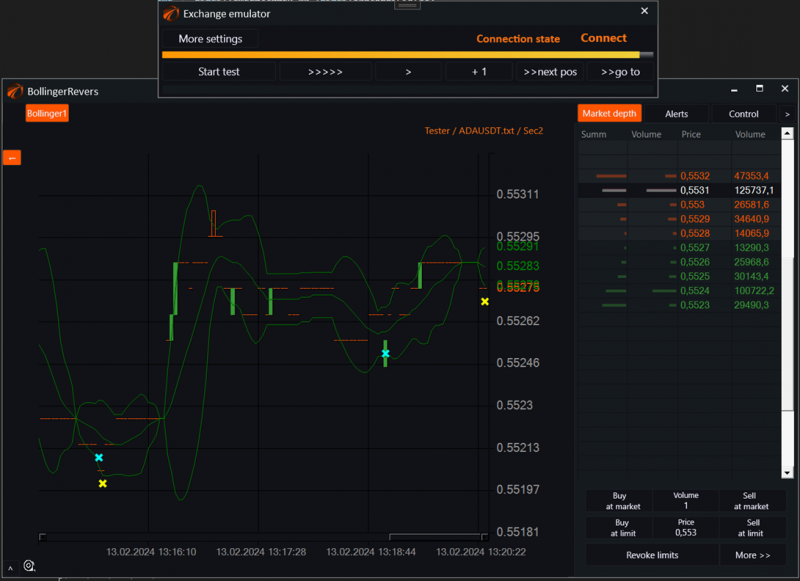
After that, turning on market emulation, we will see that the data is flowing:
Good luck with your algorithms!
If you have any difficulties or questions, please write to the support chat. Link
OsEngine: https://github.com/AlexWan/OsEngine