Volume Weighted Index.

In this article, we will talk about the Volume Weighted Index. This is when, using multipliers, the share of a security within the index is adjusted to depend on the trading volume that the securities receive. In OsEngine, such a weighting type can be created in a couple of clicks, with a recalculation once an hour, day, or week. For any stocks available through your broker.
1. Calculation of the Volume Weighted Index. Part 1.
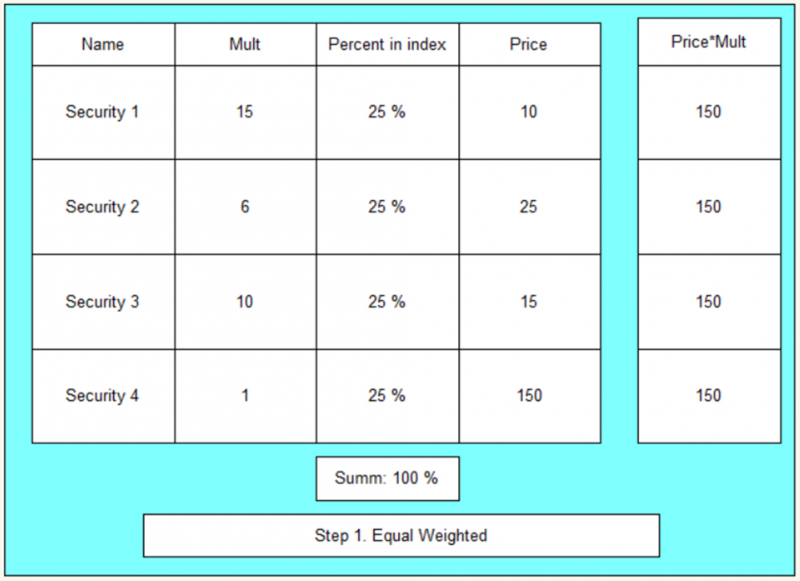
First, we select multipliers for its price so that the share of each security is equal. In this case, it would be 25% if we have four securities.
The logic is as follows:
1. For the most expensive security, we take a multiplier of 1. This security will be the benchmark.
2. For the rest of the securities, we select multipliers so that they have the same weight as security 1.
3. We add up the final values.
2. Calculation of the Volume Weighted Index. Part 2.
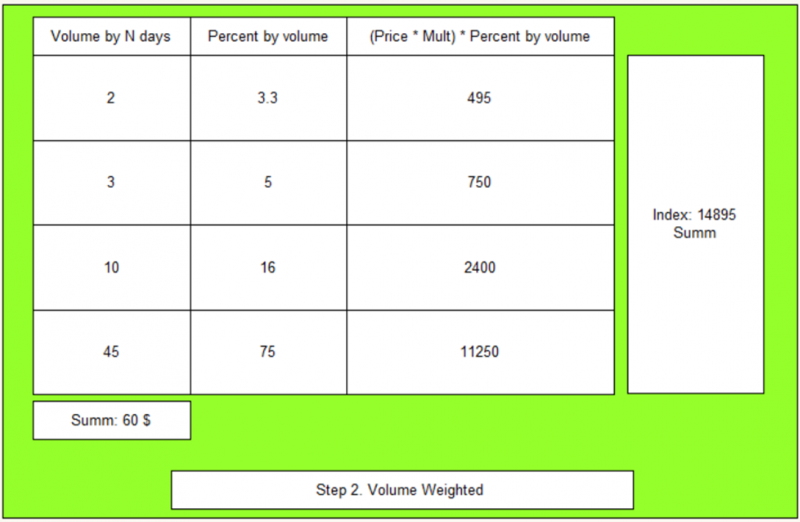
At this stage, we calculate multipliers for the securities in the index that correspond to the volume they occupy in the total trading volume of these securities.
3. How to include the Volume Weighted Index through the auto formula in OsEngine.
In the index settings window, you need to select the desired weighting type - Equal Weighted:
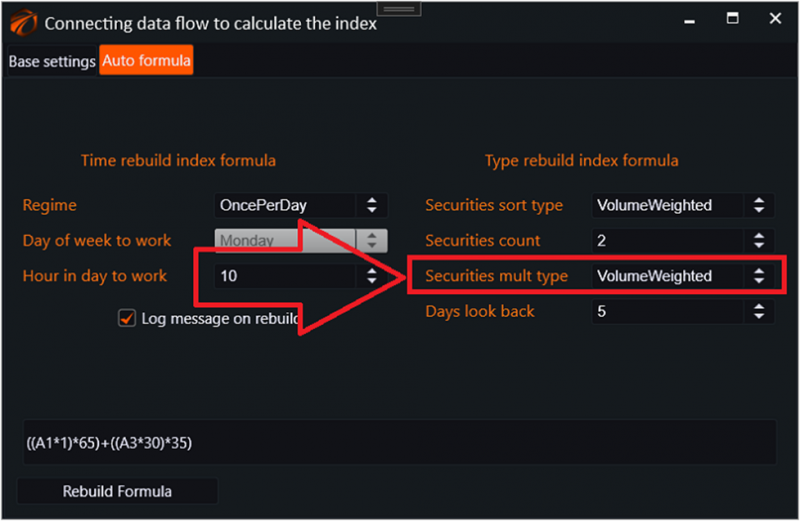
This is how the auto formula for the Volume Weighted Index looks like, with an example of two securities.
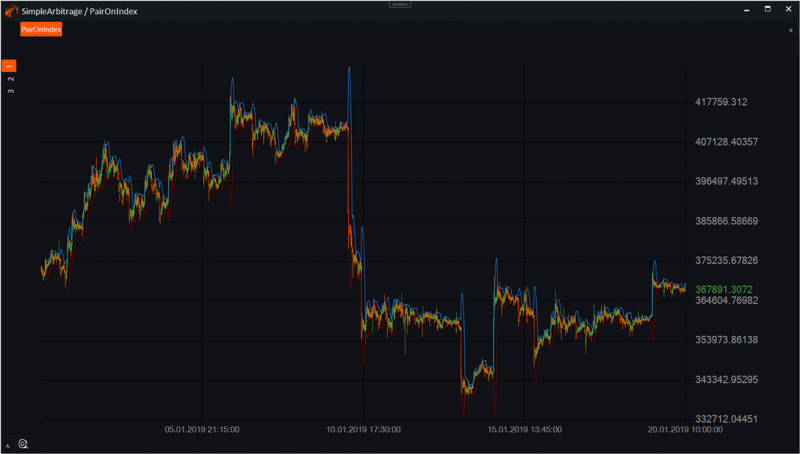
Ultimately, we get a candlestick chart of the index where you can apply any indicators available in OsEngine, and from which you can take trading signals.
4. Source code.
The indexing is done in the BotTabIndex file, in the IndexFormulaBuilder class:
https://github.com/AlexWan/OsEngine
In the method:
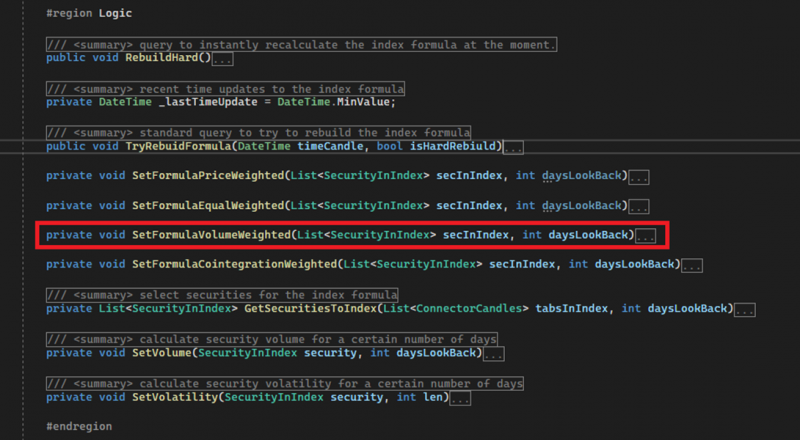
The logic is divided into different types of weighting. By methods.
* If you find any errors in the source code, please make sure to contact support.
https://t.me/osengine_official_support
Good luck with your algorithms!