Volume Adaptive Candles in OsEngine
In this article, we will discuss Volume Adaptive candles in OsEngine. These are candles that are constructed as trading volumes pass through. In this modification, the candles can adapt their size based on the trading activity of the previous days. This allows for backtesting two or four years ago while keeping the candle sizes consistent, despite the fact that intraday and intrawweek volumes can change.
1. Features of Volume Adaptive Candles Modification.
The concept of volume candles has entered the world of trading relatively recently, as a response to the need for more precise and detailed analysis of market activity. Unlike traditional Japanese candles, "Volume" candles focus not only on price changes but also on trading volume levels.
This modification of Volume candles – Volume Adaptive – differs from its less adapted counterpart for deep testing by dynamically changing the volume size for the closing of the candle, distributing the volumes of the previous days among the number of candles we wish to see on the current day.
Thus, Volume Adaptive candles enable deep backtesting of robots using these candles. This applies to data from 10 years ago, 5 years ago, and even yesterday. In all cases, the procedure for adapting these candles will adjust to the volumes traded for the given security in a specific time frame.
2. Calculation of Volume Adaptive Candles.
In the settings of these candles, there are several variables. Let's take a look at them:
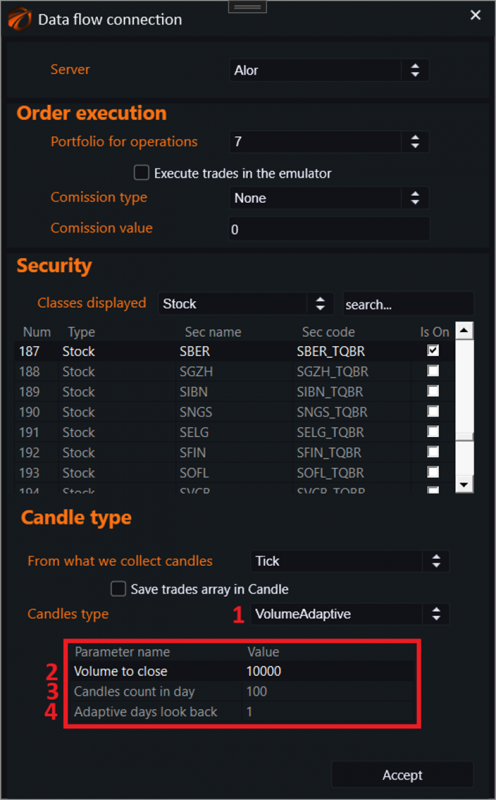
1. Select candle type – VolumeAdaptive.
2. Volume to close – the volume within the candle after which the candle closes.
3. Candles count in day – the number of candles within a day for which the algorithm should adjust the volume from the previous N days.
4. Adaptive days look back – the number of previous days over which intraday volumes will be averaged for the adaptation algorithm.
The overall idea of the operation is simple:
1. During the first day of operation, the candle collector uses the settings for closing the candle defined by the user in the Volume to close parameter. Once the volume specified in this parameter is reached within the candle, the candle closes. This results in normal OHLCV with the volume adjusting over time.
2. When the first trade from the new day arrives, the algorithm switches to the volume adaptation module within the candles.
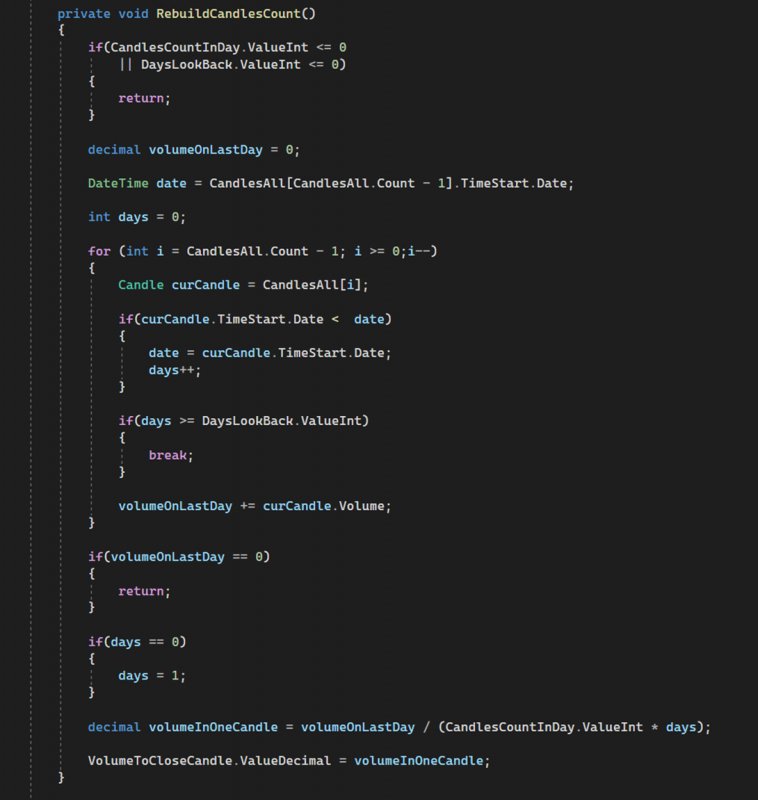
3. The average volume from the past N days is taken and divided by the number of candles set by the user in Candles count in day. The resulting value becomes the new volume for closing the candle and is recorded in the Volume to close parameter.
The adaptation algorithm is described in this method within the series:
3. How to Trade Using Volume Adaptive Candles?
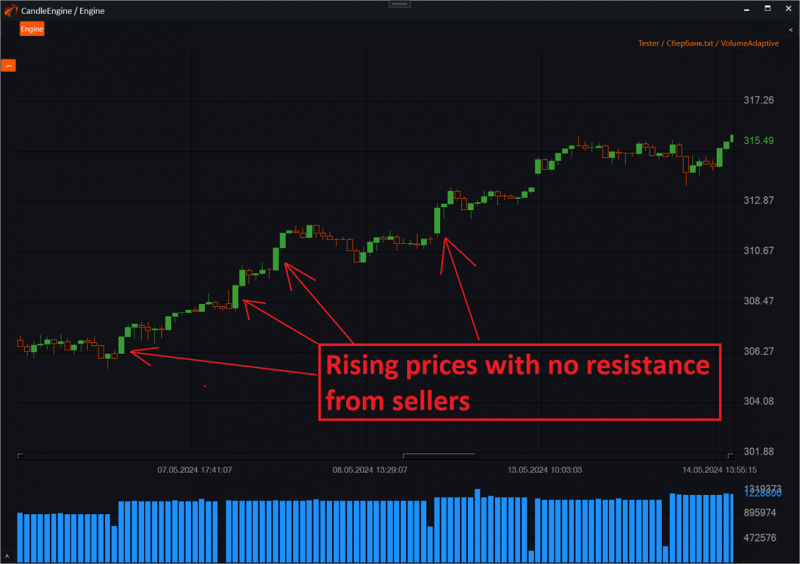
The main idea behind these candles is that larger percentage movements in the candles on such a chart indicate weakness among buyers or sellers. This occurs because the same efforts can move the market much further.
For example, if we have a large rising candle relative to the others nearby, it indicates that there were few sellers, and they are giving up without a fight… This creates a local opportunity to participate in the upward movement while no one wants to sell.
4. How to Launch Volume Adaptive Candles in Os Engine.
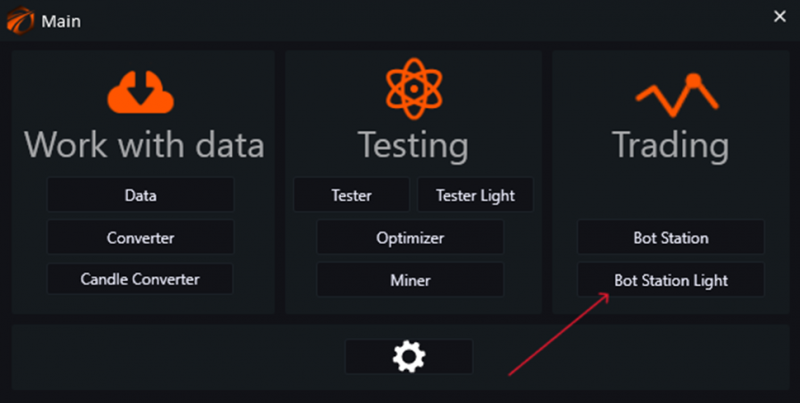
Open the main menu in Os Engine and go to "Bot Station Light".
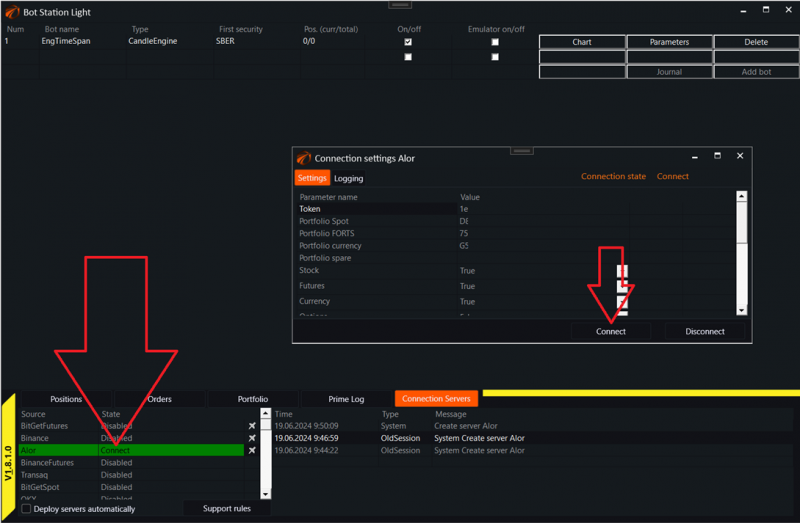
Connect to the "ALOR" connector or any other:
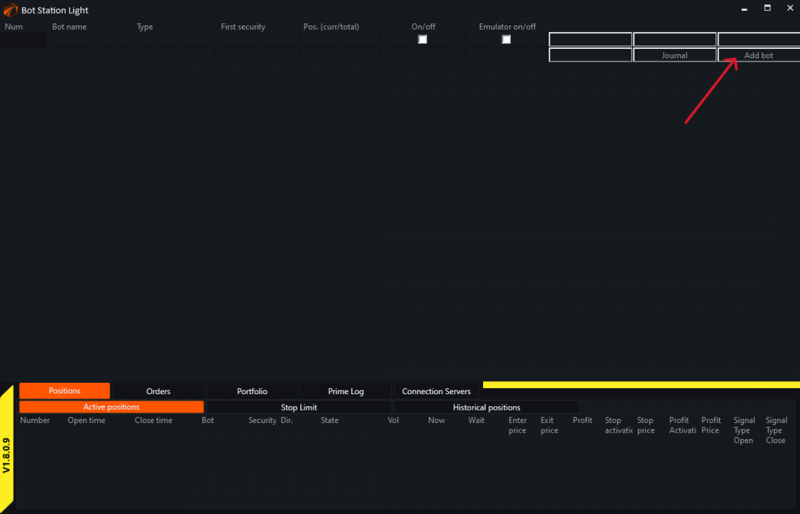
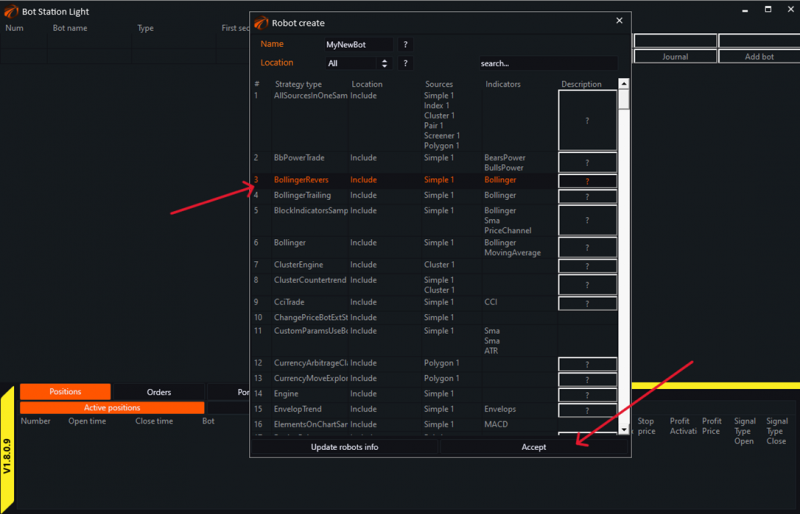
Next, create a trading robot; in this case, it will be Bollinger Revers:
Now, go to the data stream connection menu for the robot:
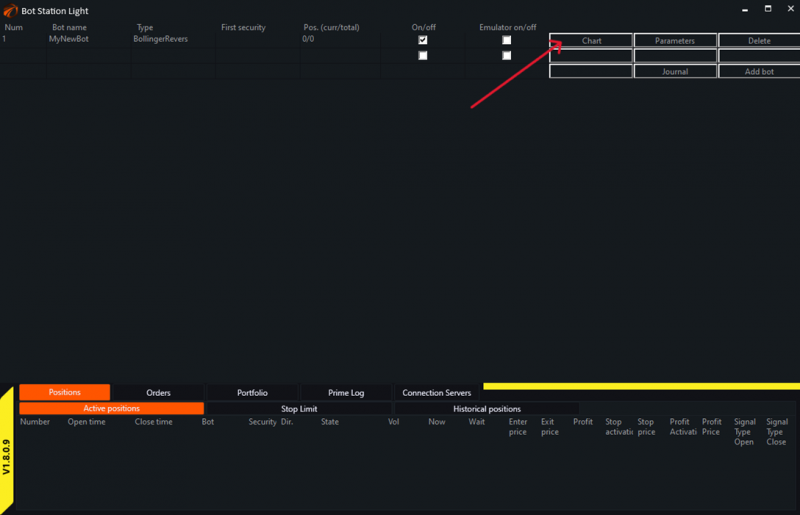
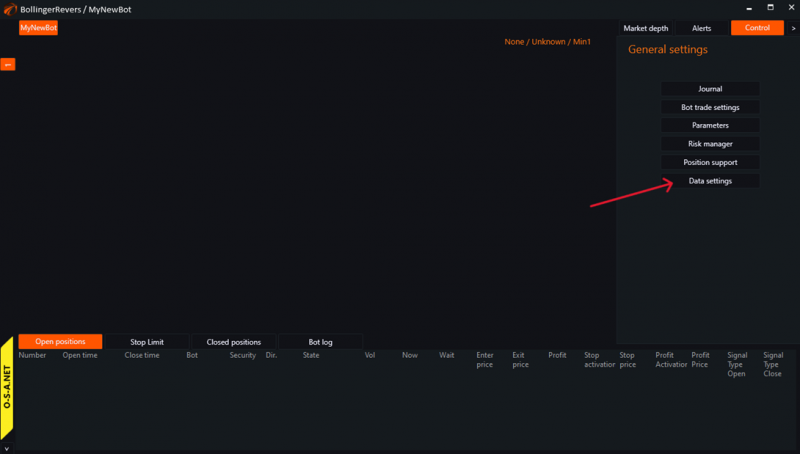
Select any instrument from the list; in our case, it will be "Sber":
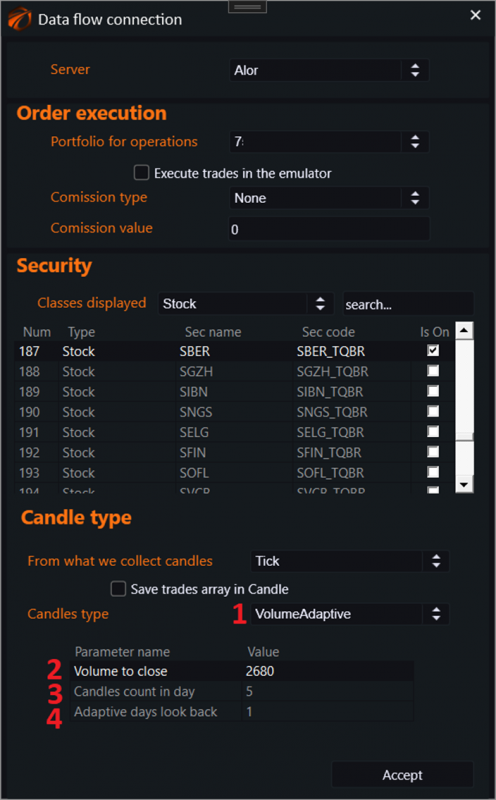
1. Select candle type – VolumeAdaptive.
2. Volume to close – the volume within the candle after which the candle closes.
3. Candles count in day – the number of candles within the day for which the algorithm should adjust the volume from the previous N days.
4. Adaptive days look back – the number of previous days over which intraday volumes will be averaged for the adaptation algorithm.
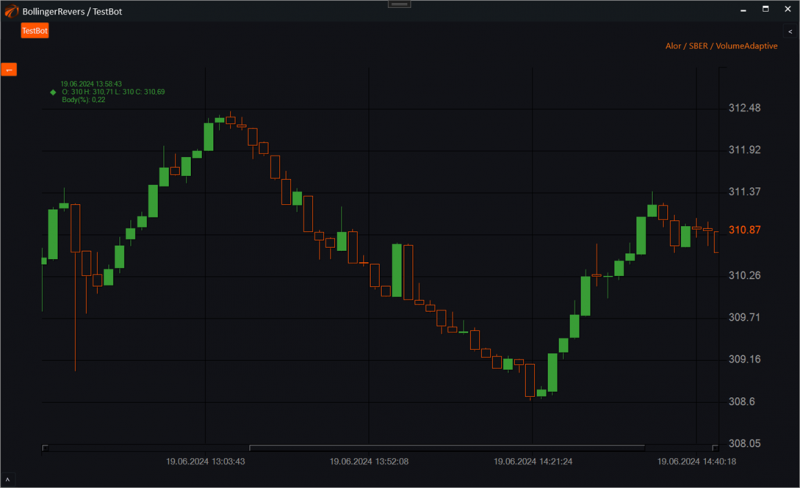
After the settings, we see a chart with "VolumeAdaptive" candles:
IMPORTANT!!!
Remember that the chart can adequately adjust to the market and the number of candles you set only after accumulating at least one day's worth of trade history, and the adaptation itself will occur during the first trade at the opening of the second day.
5. Where to Find the Source Code for Candle Assembly in OsEngine.
The source code for candles in OsEngine is publicly available on the GitHub platform.
After downloading OsEngine to your PC, you can find the source files within the project here:
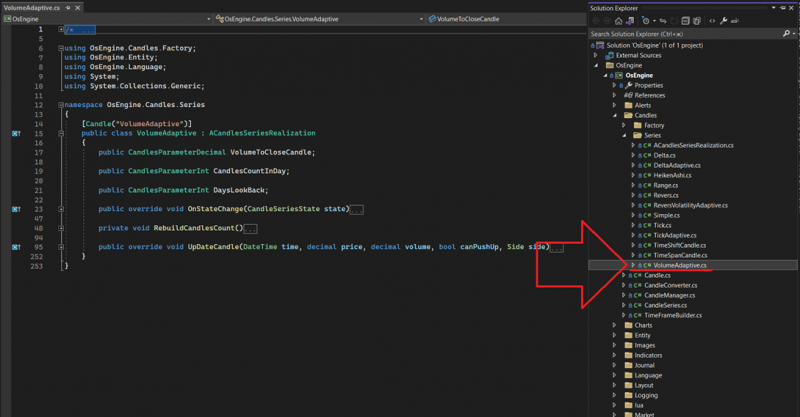
Good luck with your algorithms!