Os Data. Transaction history. Market Depth.
You can test bots not only on candlestick data but also on transaction history and order book. This instruction will describe the algorithm for downloading historical data for such tests.
Please note that not all exchanges support this type of historical data. Therefore, we will do this for the Binance exchange.
1. Open OsEngine:

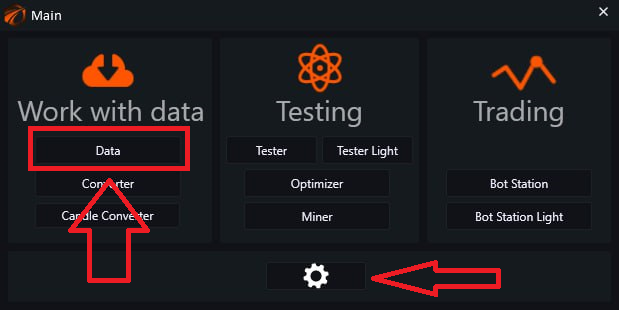
In the main menu, go to the «Data» tab. If necessary, go to the settings and change the language to a more comfortable one.
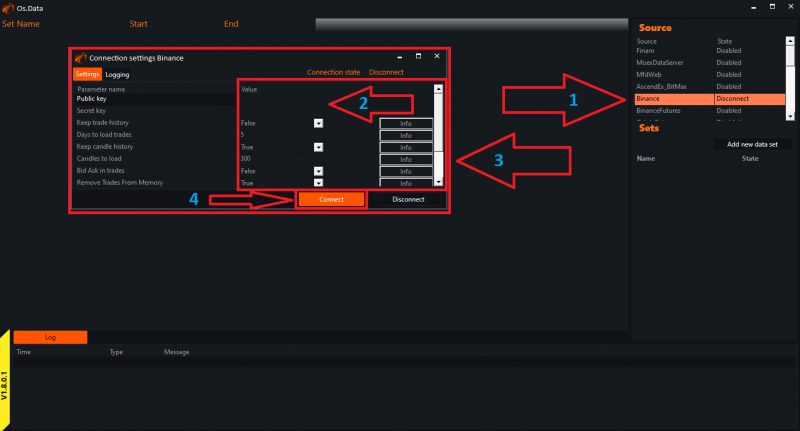
After opening the settings window in the «Source» tab, locate Binance and double-click it with the left mouse button. Then, paste your API Key and Secret Key. Adjust the settings if necessary and click on «Connect».
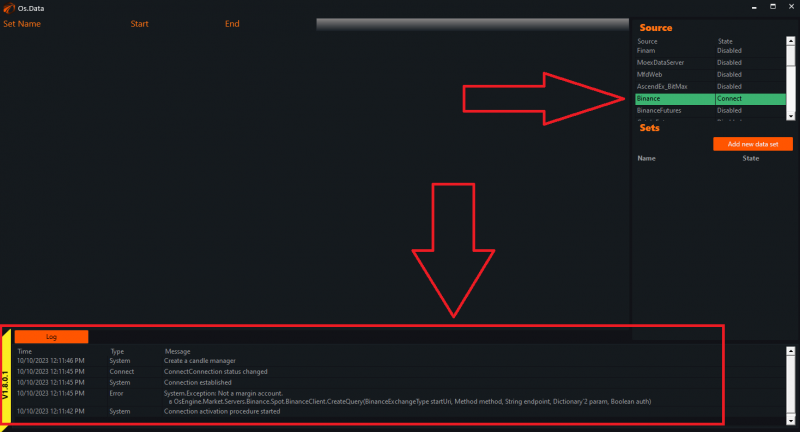
Now wait for a few seconds for the connection and loading of securities:
- Right-click on the empty field under the «Sets» tab.
- Select «Add».
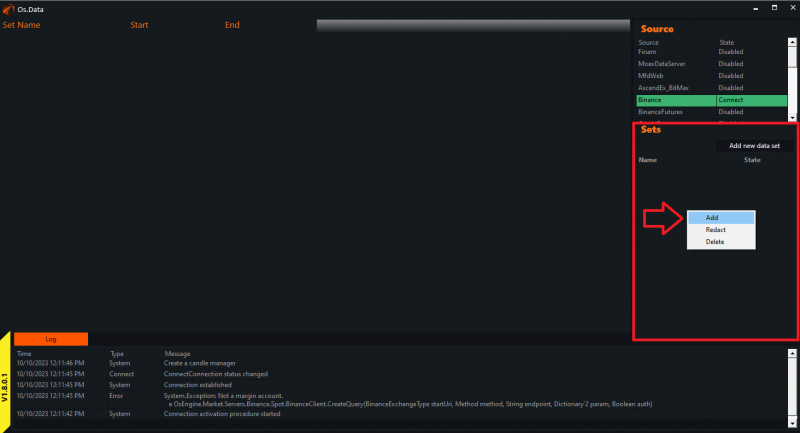
The settings menu opens up, where we perform standard actions.
In the «Name» field, enter the name of the dataset in a way that you will understand later for which exchange and what data you downloaded.
«Source» refers to the connection connector. Click on the arrows and select Binance.
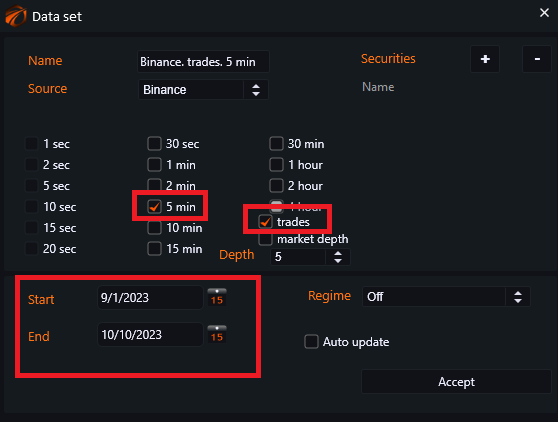
Check the boxes next to the timeframe(s) that you want to download.
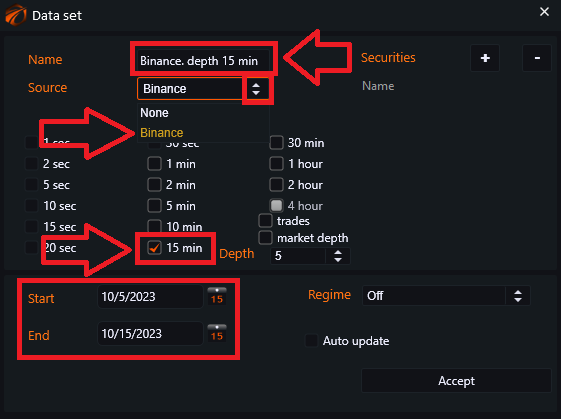
Set the period for downloading data (from a few days to several years):
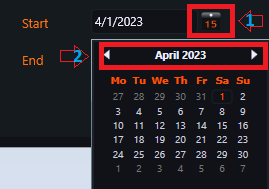
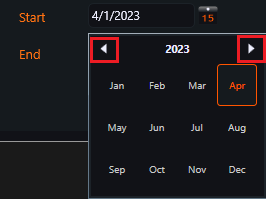
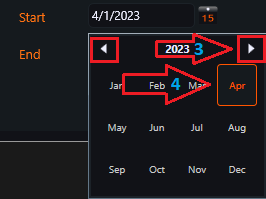
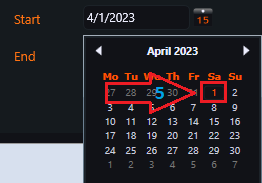
«Securities» - the menu for selecting instruments:
- Click on the «+» sign:
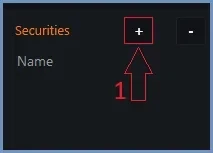
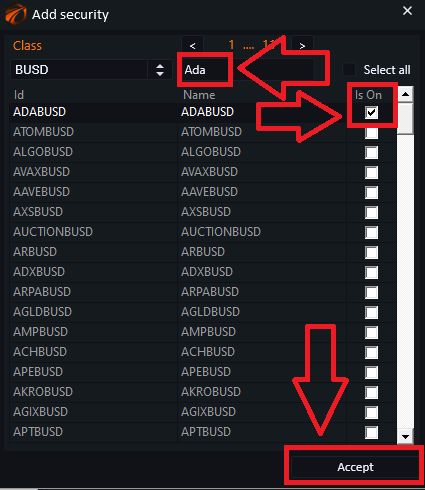
Choose the asset class from the drop-down menu:
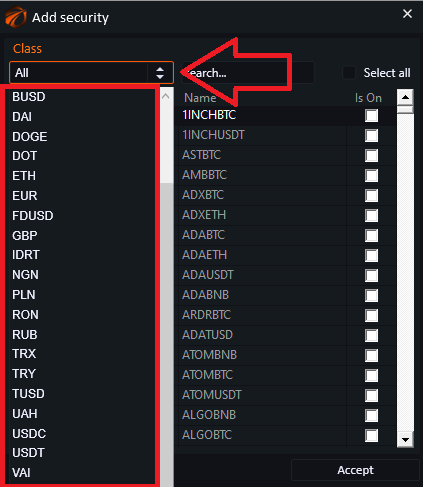
Since there are many securities, you can use the search box to make the process easier:
Click on the empty field, enter the name of the instrument.
Check the box next to the name of the desired security.
Click «Accept».
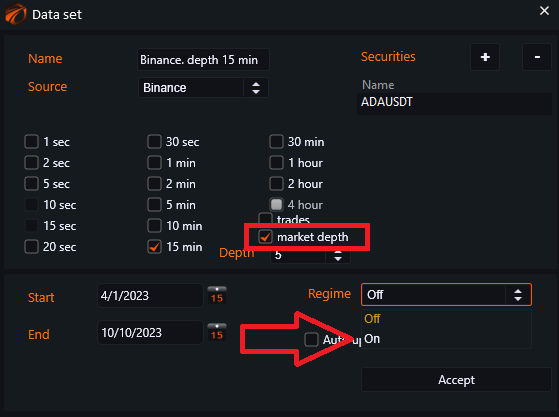
And now, the most important step! Check the box next to «market depth» and switch it to «On» mode.
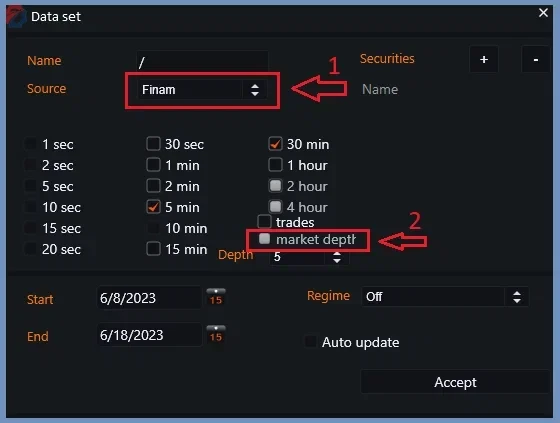
Please note that not all exchanges support this type of historical data.
Let's go back to Binance. Click on the «Accept» button.
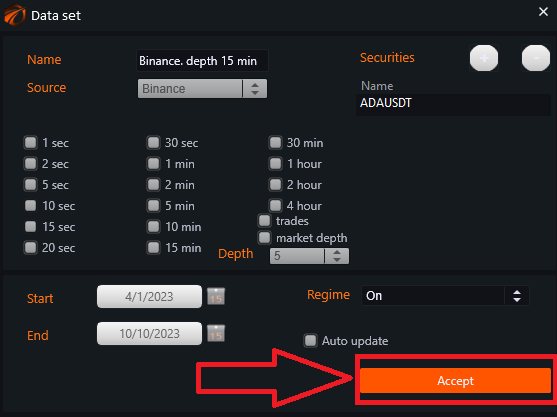
The data is being downloaded.
1. The progress bar shows how much is left until the download is complete.
2. Load % indicates the percentage of data that has been downloaded.

3. By clicking on «Chart», a graph will appear:
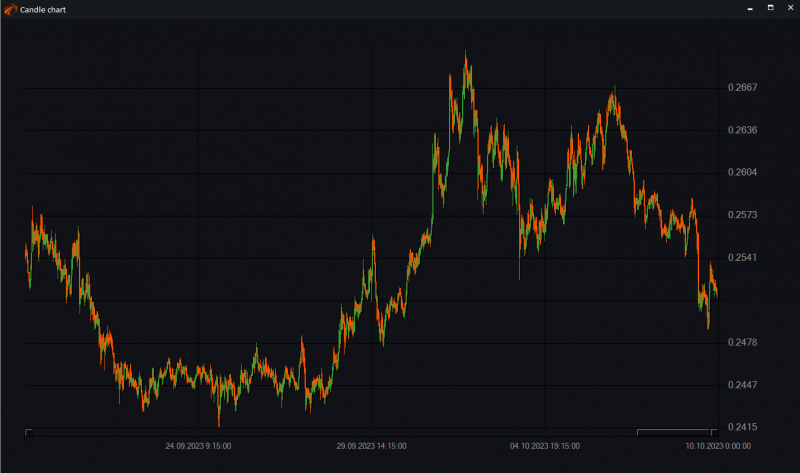
Transaction history.
Everything is the same as for the order book, just check the box next to the word «trades».
Wishing you successful tests and profitable trading!
If something didn't work out or if you have any questions, please feel free to reach out to our support chat.