Trading robots for WOO Api.
In this article, we will learn how to connect OsEngine to the Woo exchange (woo.org). Let's see how to configure our library for creating robots to connect to Woo Api.
1. Getting API keys on Woo.
To connect to the exchange, you need to create API keys and get an Application ID.
Go to the website here:
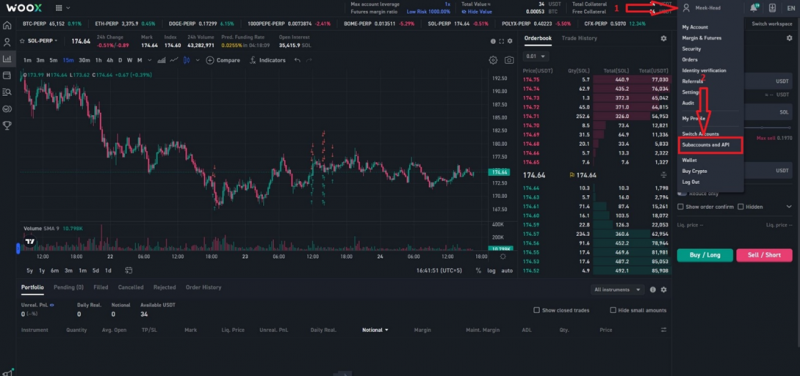
A window for creating access keys to Woo Api will open:
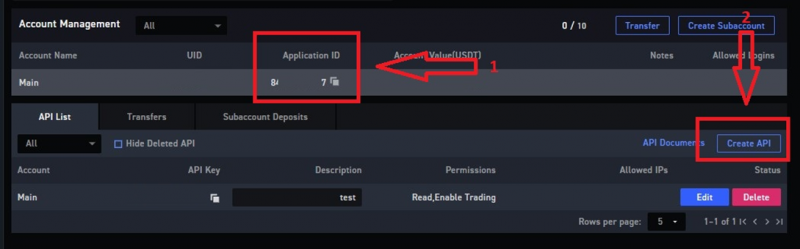
1. Here is the Application ID.
2. Click on "Create API".
Fill in the fields as shown in the example:
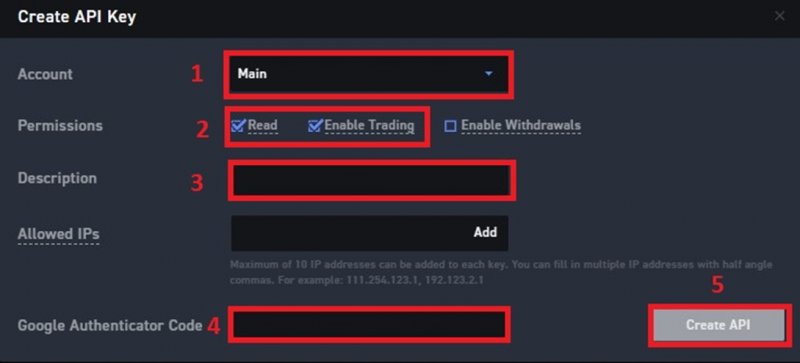
1. Select an account/subaccount.
2. Select the checkboxes as shown in the example below.
3. Key name.
4. Enter the Google Authenticator code.
5. Click on the "Create API key" button.
Copy the Application ID, API Key, and API Secret. It is essential to copy the API Secret here, as it cannot be recovered later.
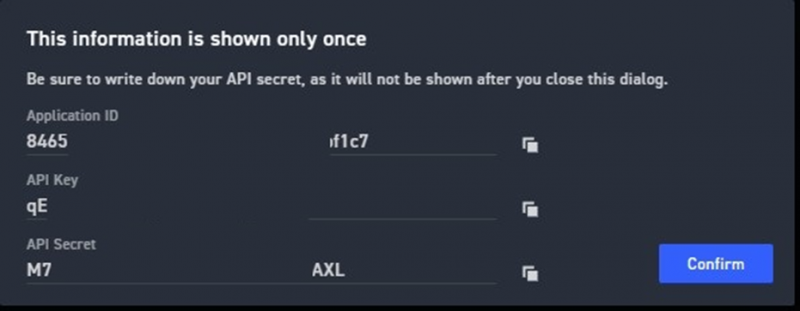
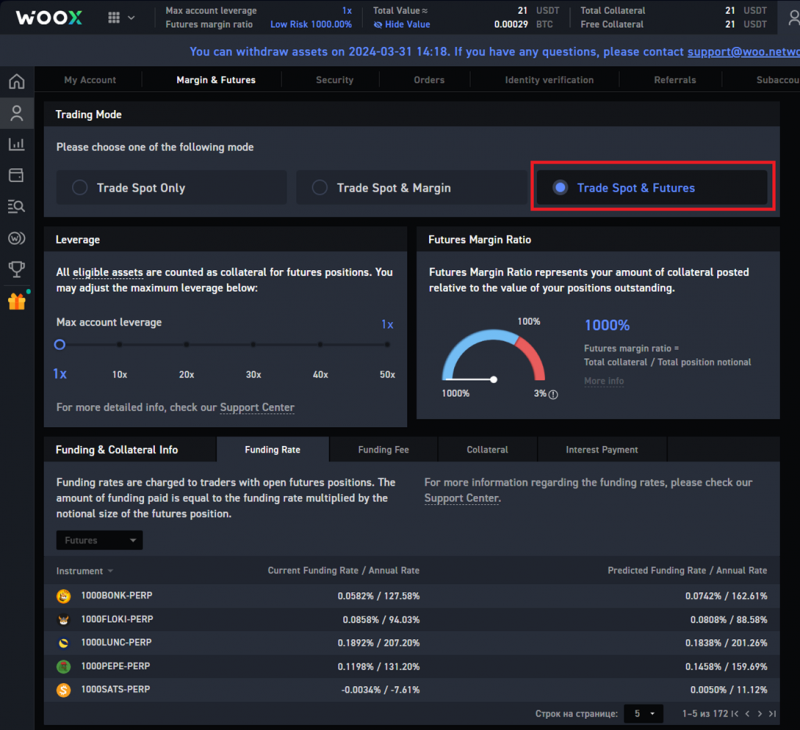
Futures need to be enabled separately, here:
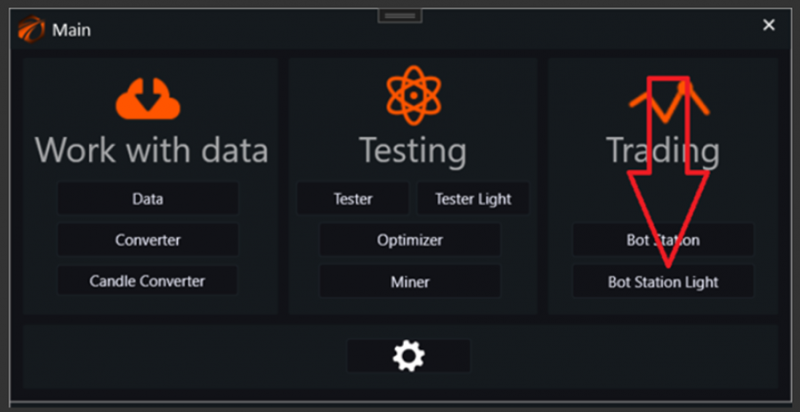
2. Open OsEngine and go to connection settings.
In the main menu, go to Bot station light:
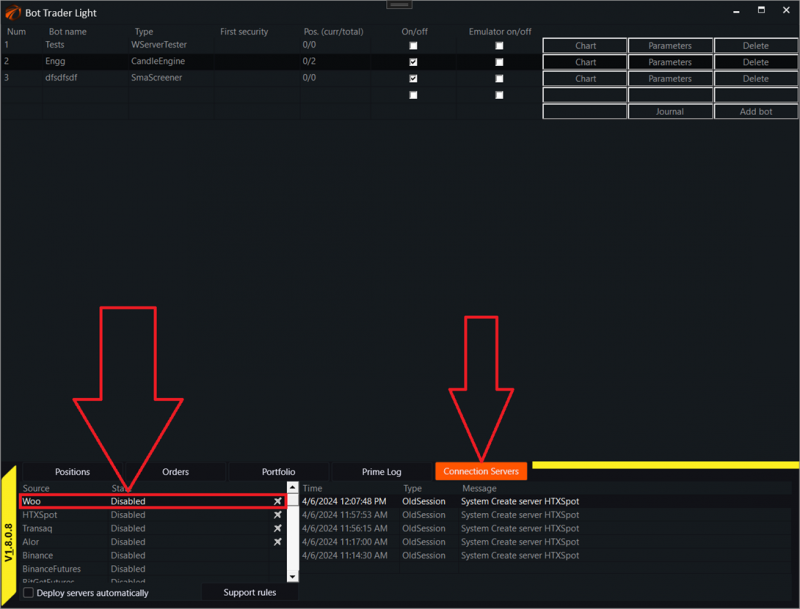
Next, go to connection servers and select the "Woo" connection:
A settings window will open:
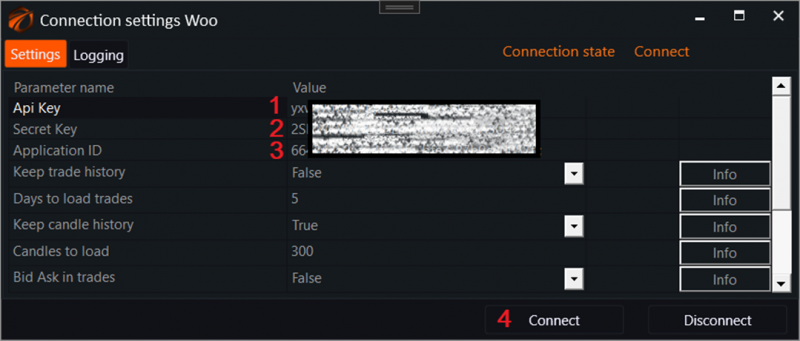
1. Enter the API Key in the first field.
2. Enter the API Secret in the second field.
3. Enter the Application ID in the third field.
4. Click on the "Connect" button!
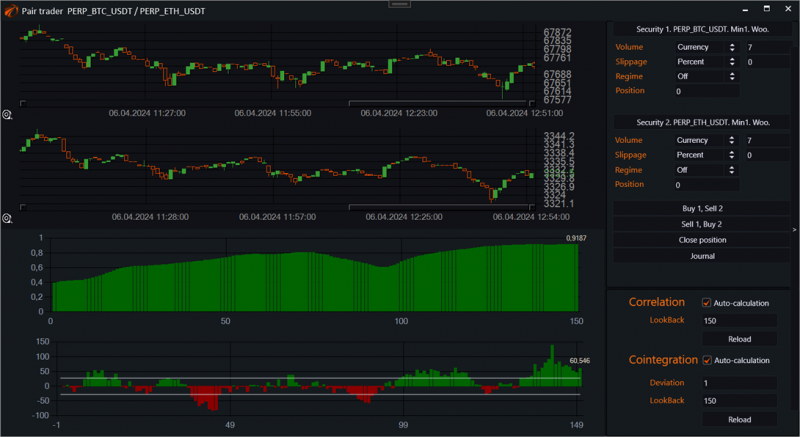
3. Turn on any robot and start trading!
Good luck with your algorithms!
If you have any difficulties or questions, please write to the support chat. Link