Trading robots for Pionex API.

In this article, we will learn how to connect OsEngine to Pionex OpenApi. Pionex is a centralized cryptocurrency exchange (CEX) that offers over 400 trading pairs. Currently, trading via API is only available in the SPOT section.
Be sure to register using the link provided
This way, you will get a 10% discount on commissions.
1. What to do on the broker's website.
To connect to the exchange, you need to create API keys. To do this, go to the API Management section.
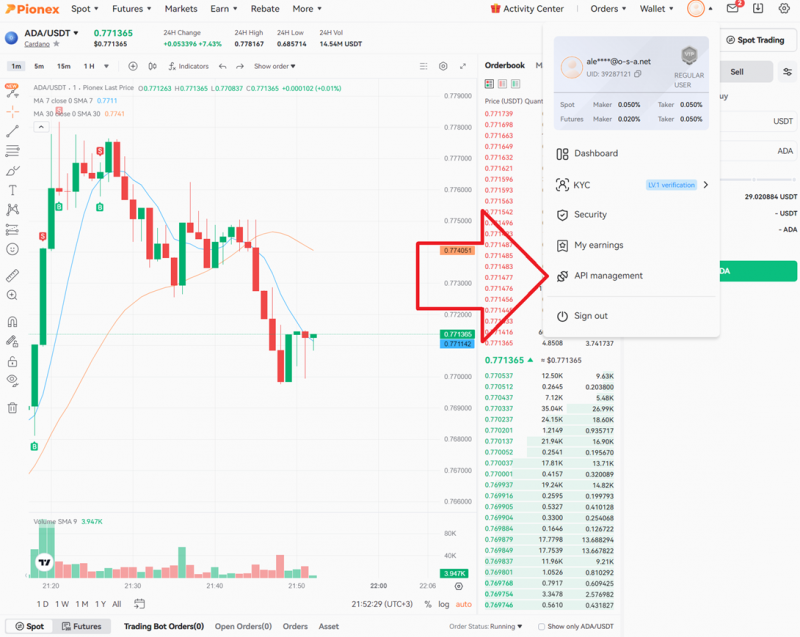
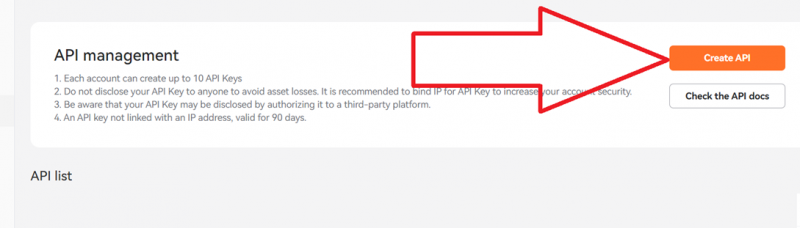
Click on Create API:
Enter the key name, specify restrictions, and you can allow access only from a trusted IP address.
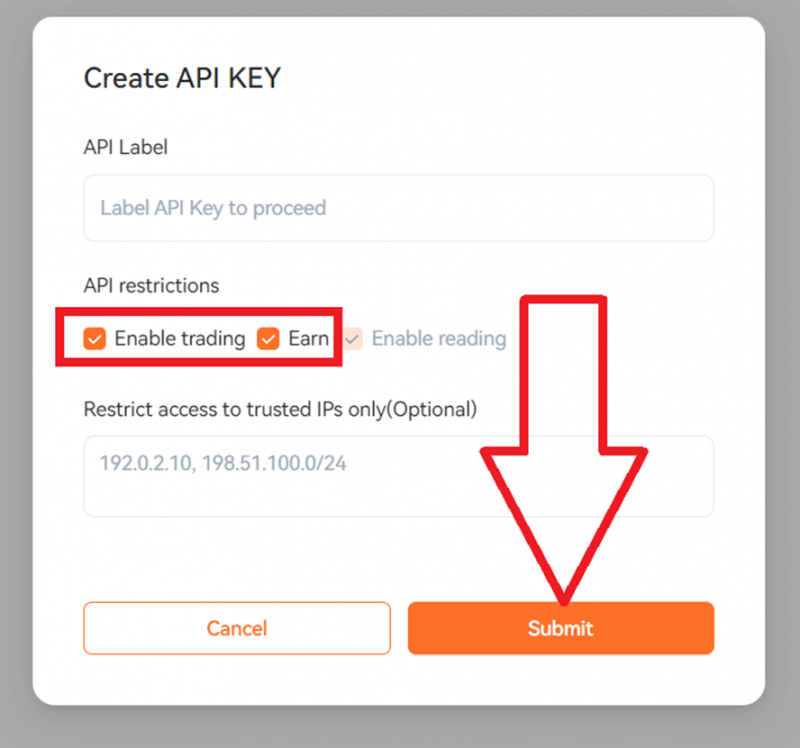
In the API creation message, copy the obtained keys to a secure location. These data will be needed to input into OsEngine. These are the access keys to Pionex API.
2. Open OsEngine and go to the connection settings.
In the main menu, go to Bot Station Light:
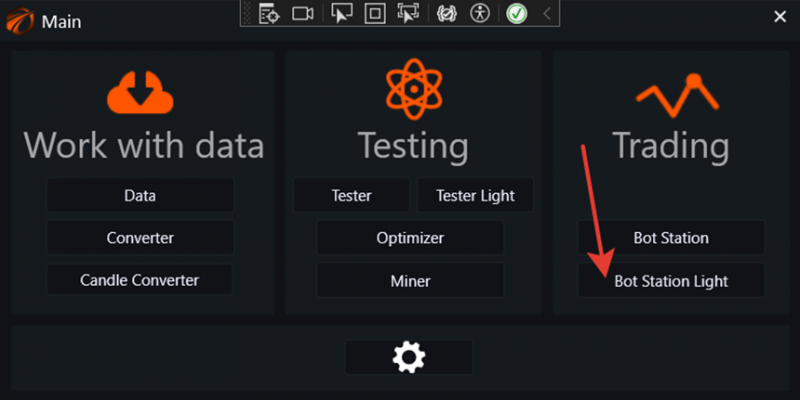
Then go to the server connections and select the "PionexSpot" connection:
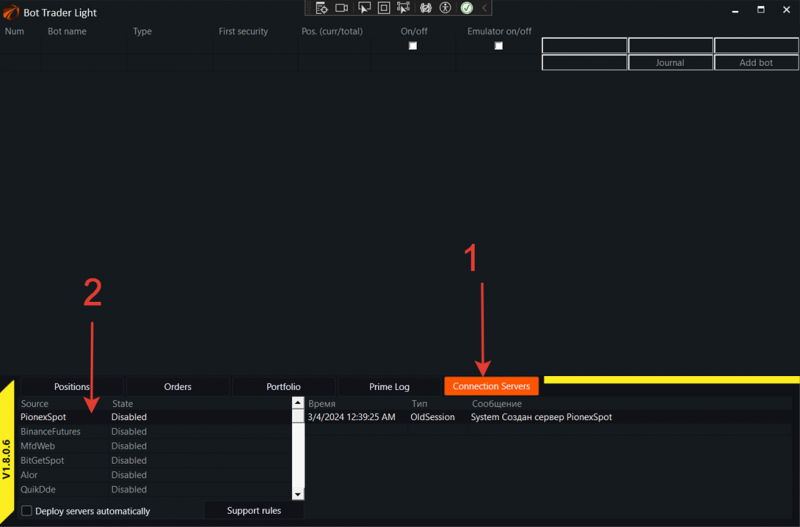
A window to connect to the Pionex exchange will open:
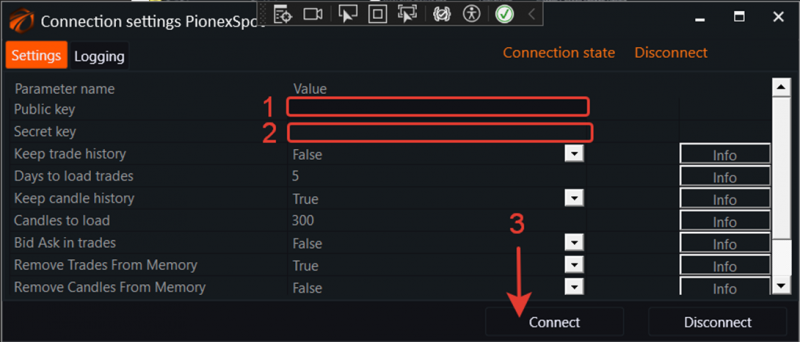
1. Enter the API Key in the first field, copied from the API keys page.
2. Enter the Api Secret in the second field, copied from the API keys page.
3. Click on the "Connect" button!
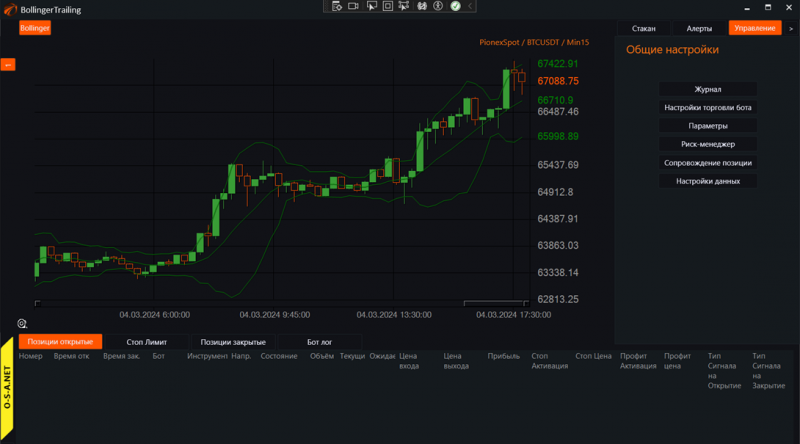
3. Enable any robot and start trading!
IMPORTANT DETAILS
Minimum trading volume is 10 USDT!
When buying, the commission is taken from the currency being bought. Therefore, you will have fewer coins in your wallet than you specified in the purchase volume, and this number may have a large fractional part. Each currency has a limit on the length of the fractional part when placing an order. Therefore, when selling a currency, you may have fractions of coins remaining in your balance.