Trading robots for Gate IO api

In this article, we will learn how to connect OsEngine to the Gate IO cryptocurrency exchange through the API. For those who are hearing about OsEngine for the first time, it is a ready-made terminal and ecosystem for algorithmic trading with hundreds of free built-in robots, a tester, layers for creating robots, and much more.
Be sure to register using the following link.
You will get a discount on commission of 30%!!
1. You need to create API keys for connection.
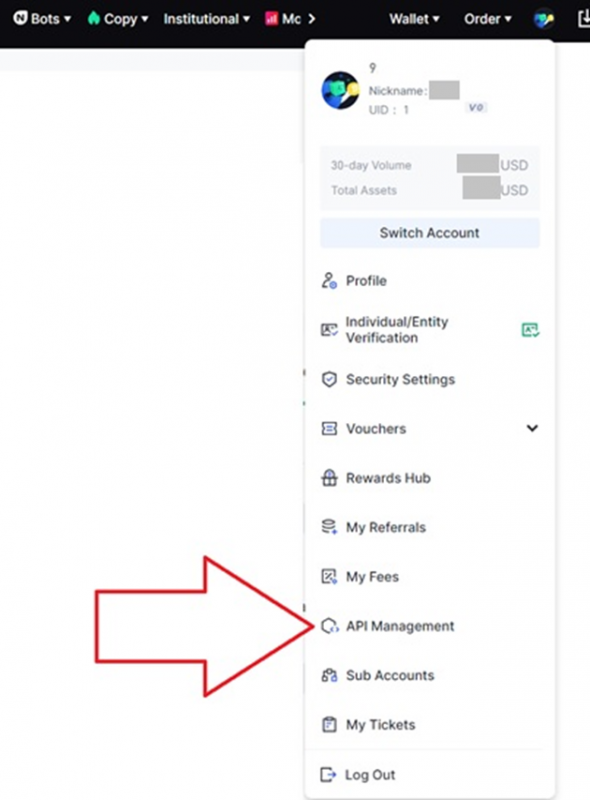
If necessary, complete the KYC identity verification process. In the personal account, go to API Management:
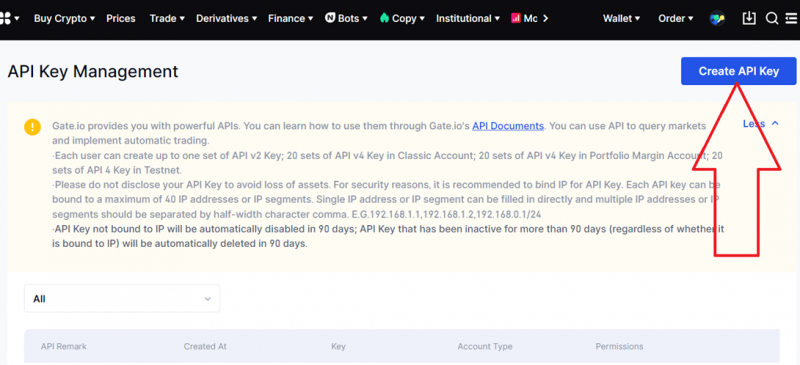
Click the button to create an API key:
And choose the required permissions for OsEngine:
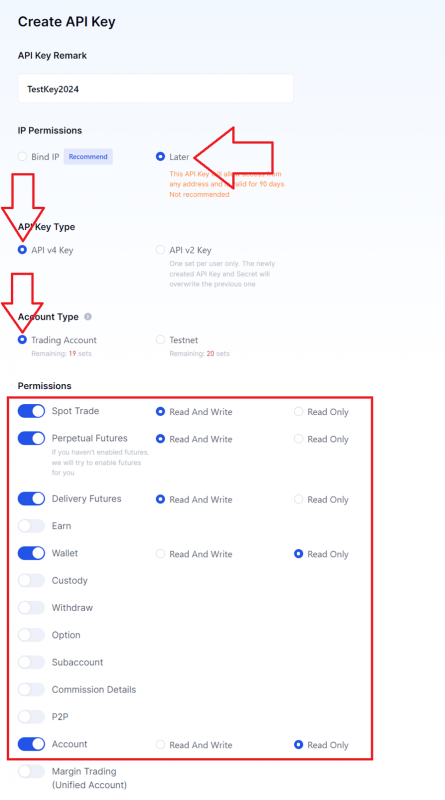
Agree to everything else that pops up. Now we need this window:
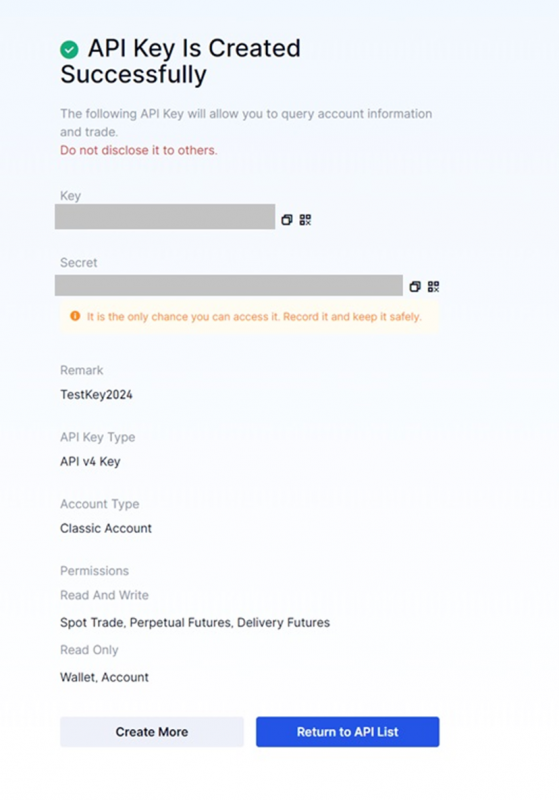
Carefully save the Key and Secret from the window above. We will need them when connecting to OsEngine.
Also, when connecting to the futures exchange, you will need to separately know the UID of your account, which can be found here:
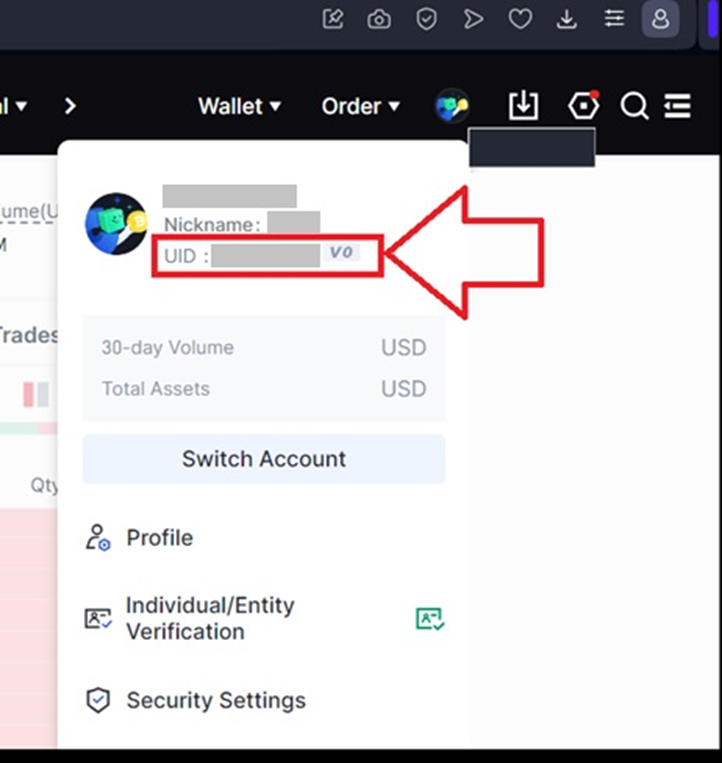
2. Connect to Gate IO from OsEngine.
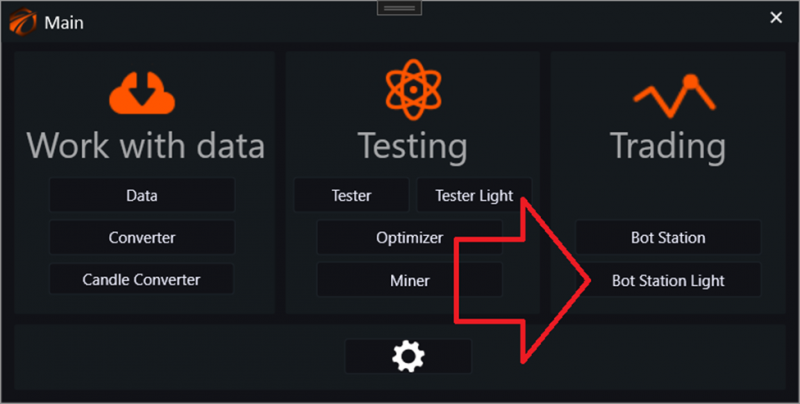
In the main menu, choose the lightweight station for launching robots:
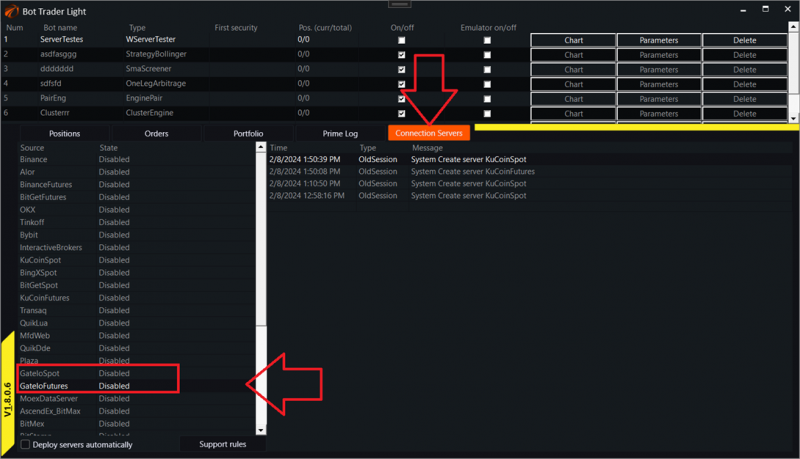
Select the GateIoSpot or GateIoFutures connection:
In the window that opens, configure access to the platform:
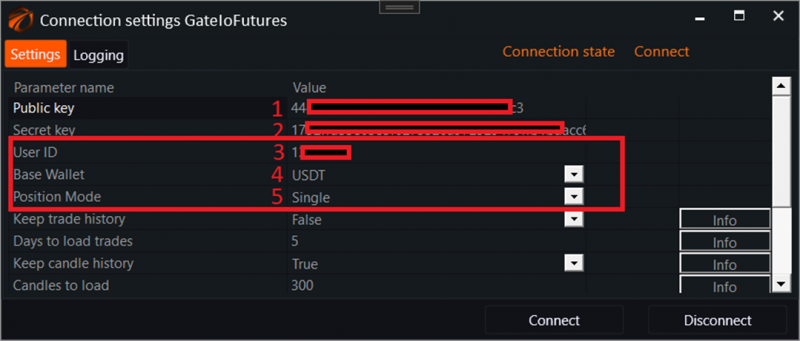
1. Public key that we obtained in the personal account.
2. Secret key.
3. UID of your account. This is necessary when trading futures.
4. Base asset of your futures account.
5. Method of controlling positions in opposite directions for a single asset. If you don't know what this is, leave it as Single.
Click connect.
After this, you can use OsEngine as intended. Connect robots and trade.
IMPORTANT!!!
As of today, there are about 200 FREE trading robots with open source code built into OsEngine, with the ability to customize them to your needs. Take advantage of this!
If you have any difficulties or questions, please write to the support chat. Link