Trading robots for BingX Api.
In this article, we will learn how to connect OsEngine to BingX. For those who are hearing about OsEngine for the first time, it is a ready-made terminal and ecosystem for algorithmic trading with dozens of free built-in robots, a tester, layers for creating robots, and much more.
Be sure to register using the link: https://bingx.com/invite/OQLHEXTU
It will give you 30% Cashback on commission for all sections of the exchange!
1. Creating an API key on the BingX exchange.
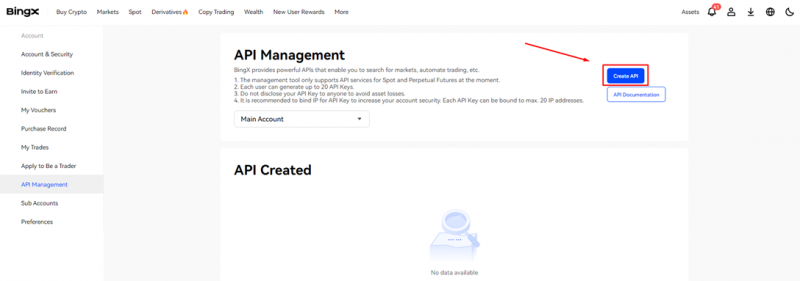
To do this, go to this section on the exchange website and click Create API. Then enter the code that will be sent to your email.
After successfully confirming the code, you will create an API key. In order for this API to work with spot and futures, you need to edit it by clicking the Edit button and then checking these points.
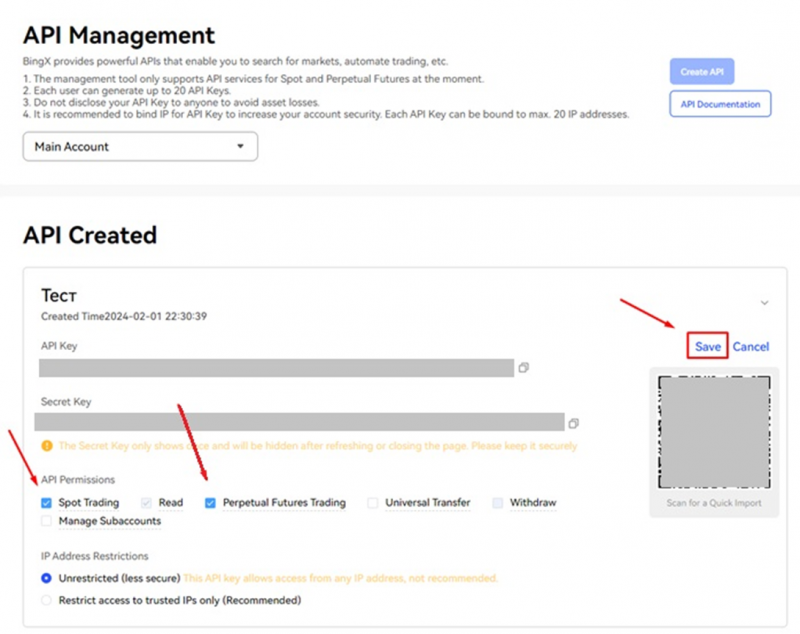
Save the API Key and Secret Key in a notepad. We will need them later.
Demo access does not work.
Demo APIs and demo trading are not provided in BingX.
2. Open OsEngine and go to the connection settings.
In the main menu, go to Bot station light:
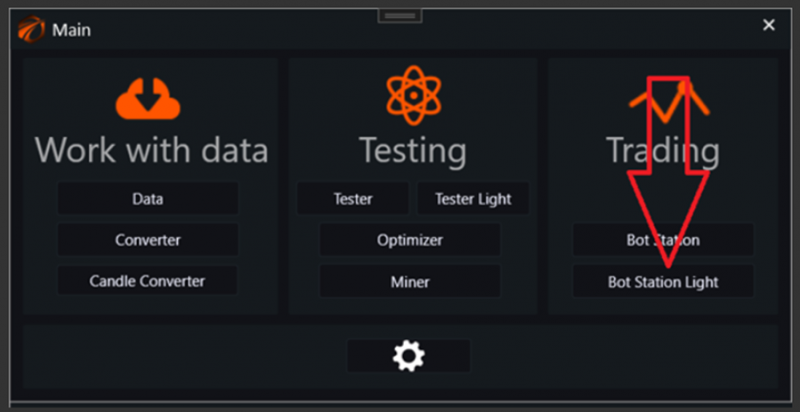
Then go to server connections and select the "BingX (Spot or Futures)" connection:
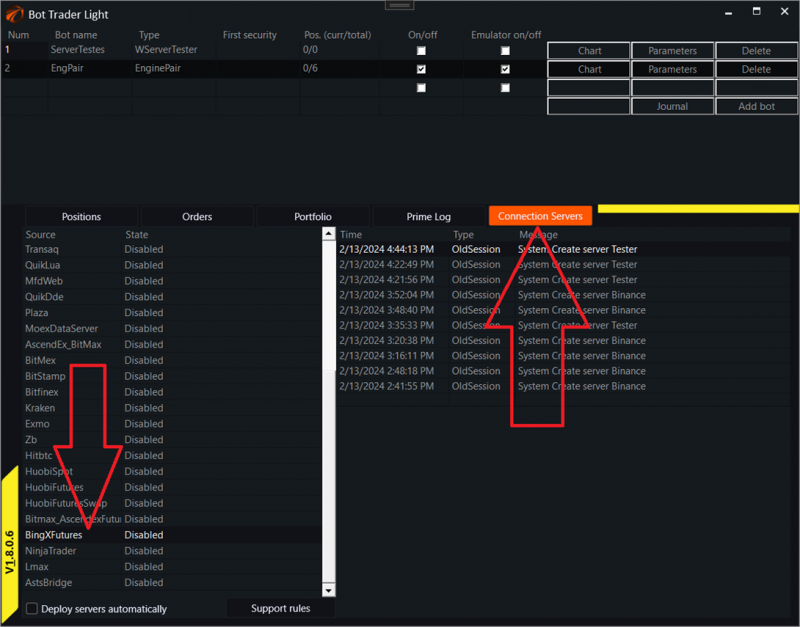
A window for connection will open:
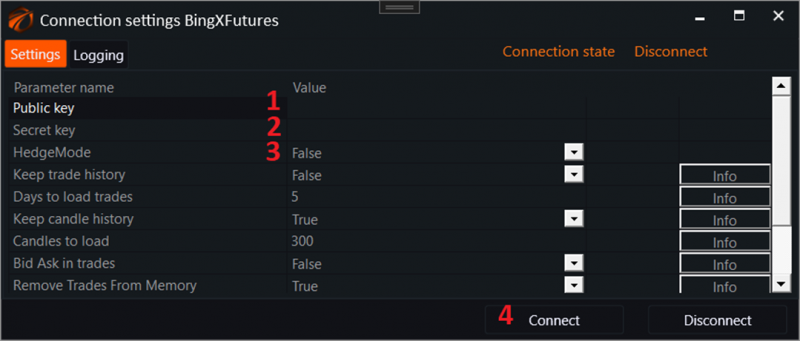
1. Insert the public API key.
2. Insert the secret API key.
3. Specify the position mode enabled on the exchange in the case of futures.
4. Click the "Connect" button.
IMPORTANT!!! How to choose a position mode for futures.
Go to the futures section - perpetual futures. This section displays all information about the futures account, including open positions, orders, account balance, etc. Then choose the position mode that you need. When connecting to the connector, set the HedgeMode checkbox to true or false, depending on whether you have selected hedging mode or not. If you do not understand what this is, leave HedgeMode as default.

3. Turn on any robot and start trading!
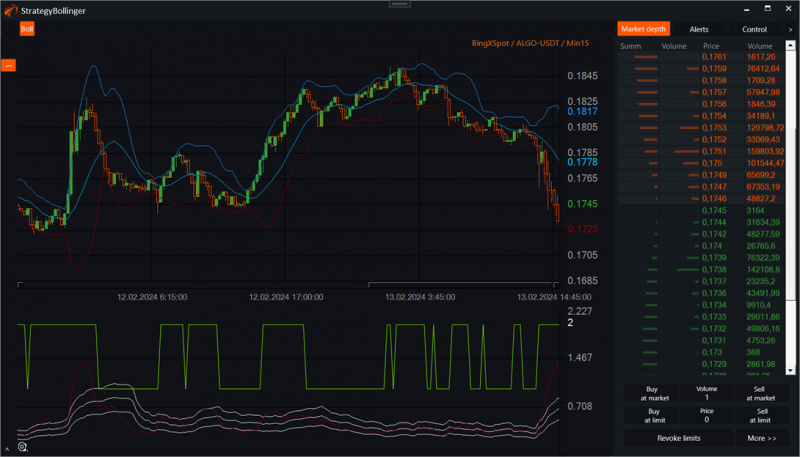
Connector source code: https://github.com/AlexWan/OsEngine
IMPORTANT!!!
To date, OsEngine has about 200 FREE trading robots with open source code built into it, with the ability to customize them to fit your needs. Enjoy!
IMPORTANT 2!!!!
On some coins, it is not possible to place limit orders exactly at the price you specified. So when placing a limit order, it may either not be placed at all, or rounded to an allowable value.