Trading robots for Alor OpenApi. Moscow Exchange.

In this article, we will learn how to connect OsEngine to Alor OpenApi. For those who are hearing about OsEngine for the first time, it is a ready-made terminal and ecosystem for algorithmic trading with dozens of free built-in robots, a tester, layers for robot creation, and much more. Links can be found in the header of our portal.
To receive discounts on commissions from the broker ALOR and bonuses from OsEngine, you can open a brokerage account through our referral link. Be sure to join!
https://www.alorbroker.ru/open?pr=L0745
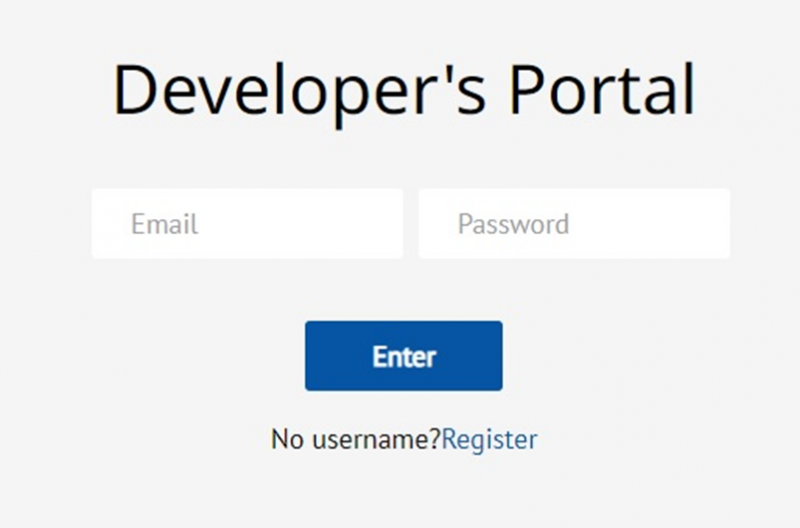
1. Developer portal.
We will need to obtain an access token to the exchange.
To do this, go to the developer portal.
This is a DIFFERENT account. Not the one you have after connecting to a broker. You will need to register separately. Be sure to save the access codes carefully, as the token needs to be updated every year.
2. Obtain the token.
In the developer portal's dashboard, you will see the "Tokens for accessing the API" button:
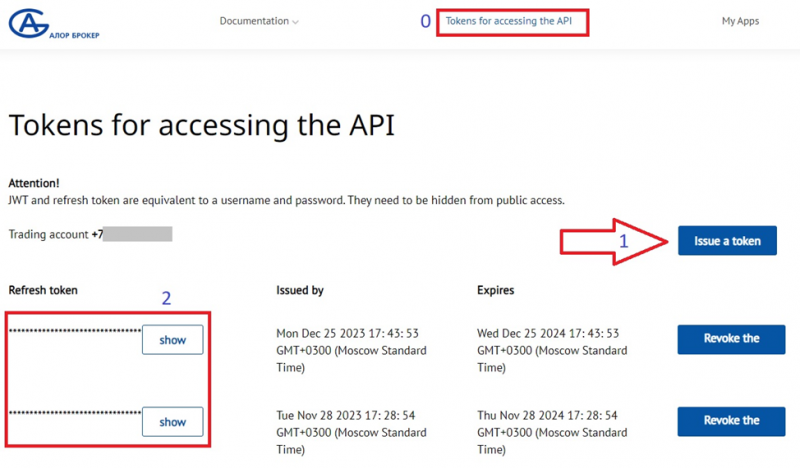
1. Click on the "Issue a token" button.
2. The token will be available on the left. Save it.
3. Briefcase.
The names of the trading portfolios will need to be entered into the connector manually. To do this, you need to find and record them in your client account.
Go to the client dashboard.
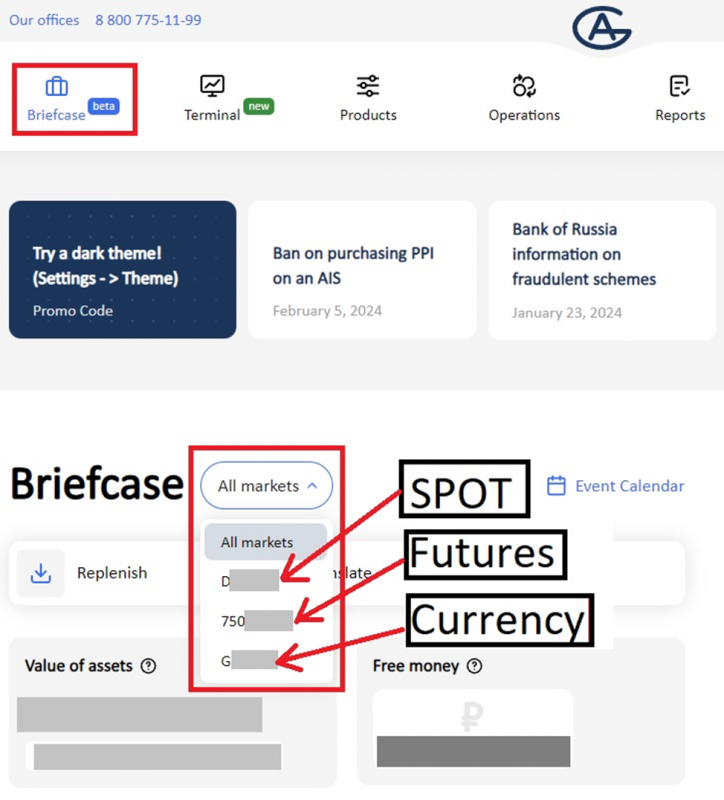
Carefully write down the names of the portfolios in a text document with a note about the platform:
1. Starting with the letter "D" - for trading stocks (Spot).
2. Starting with "750" - for trading derivatives (Futures).
3. Starting with "G" - for trading currencies (Currency).
4 Demo access does not work.
Demo APIs and demo trading do not work well in Alor API. Please do not try to connect to the demo platform. It won't work anyway. Only live trading.
5. Open OsEngine and go to the connection settings.
In the main menu, go to Bot Station Light:
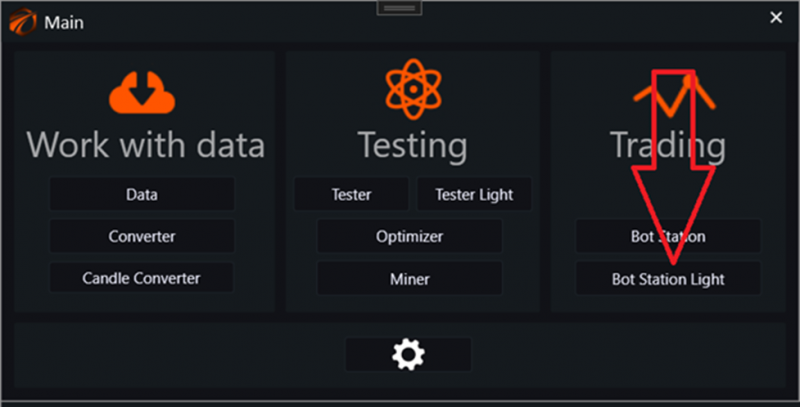
Next, go to server connection and choose the connection "Alor":
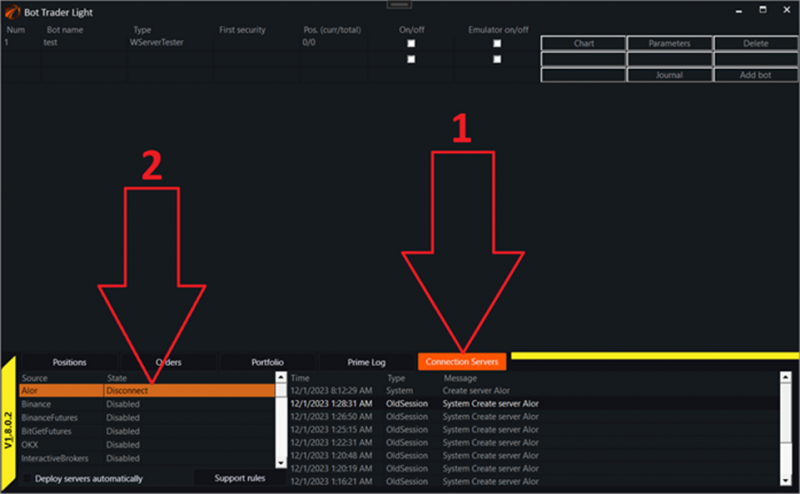
A window for connecting to the ALOR broker will open:
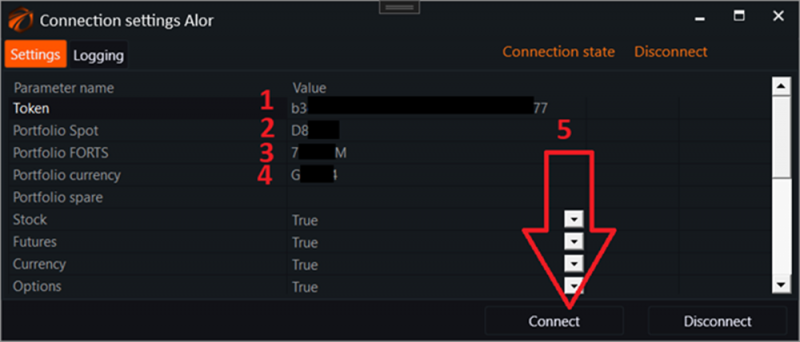
1. Enter the "Token" in the first field, which was obtained on the developer portal.
2. Enter the name for the Spot portfolio in the second field.
3. Enter the name for the Futures portfolio in the third field.
4. Enter the name for the Currency portfolio in the fourth field.
5. Click on the "Connect" button!
6. Activate any robot and start trading!
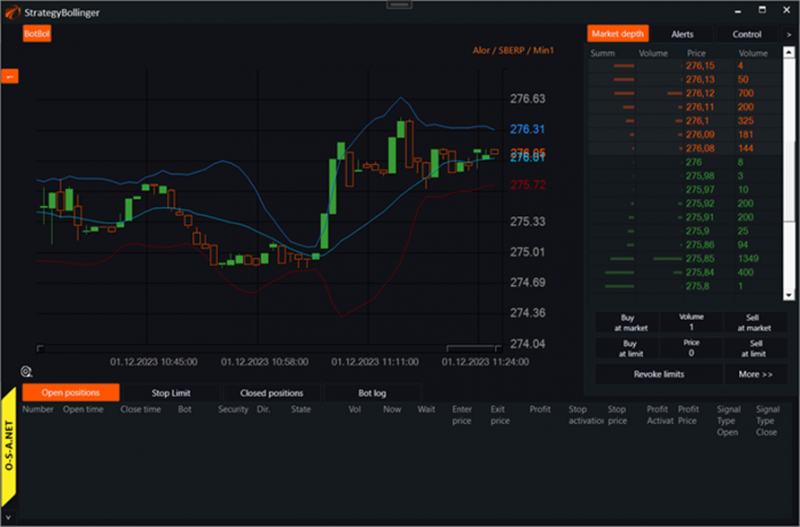
As of today, OsEngine has around 200 FREE trading robots with open source code, which can be customized for your needs. Take advantage of them!
IMPORTANT!!!
Set the Moscow time on your PC. It is unclear why the API provides data in three different time formats) We will figure out how to synchronize them at some point, but for now, set the Moscow time.