Time of Day. StrategyParameterTimeOfDay.

StrategyParameterTimeOfDay is a wrapper for a specific time of day. This allows the robot to activate or deactivate certain branches of logic depending on the current time.
Location in the GitHub Repository.
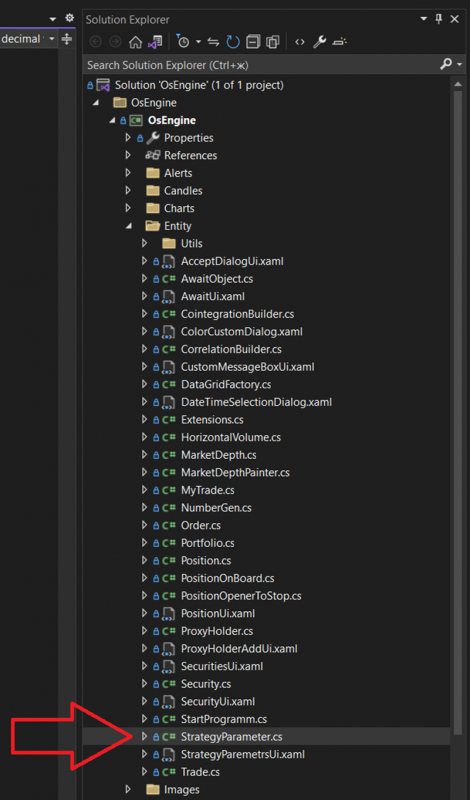
Location in the project when opened on a PC:
The class looks as follows:
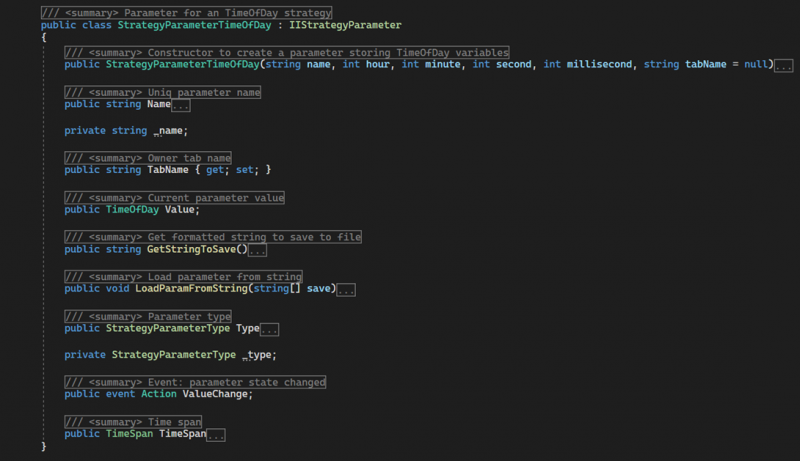
StrategyParameterTimeOfDay - a public constructor with parameters. Initializes the initial state of the object. Takes the following data:
name - the name for the instance;
hour - hours;
minute - minutes;
second - seconds;
millisecond - milliseconds;
tabName - the name of the tab where the parameter should be displayed;
Name - a public property of type string. Returns the displayed name of the parameter, which should be unique within the robot.
TabName - a public property of type string. Provides access to the name of the tab where the parameter will be displayed in the parameter window.
Value - a public field of type TimeOfDay. Contains the core value of the parameter - the time of day.
GetStringToSave - a public method. Returns a string with the parameter object settings for saving.
LoadParamFromString - a public method. Takes an array of strings with settings for the parameter and initializes the object's state.
Type - a public property of type StrategyParameterType. Returns the value StrategyParameterType.TimeOfDay.
ValueChange - a public event. Signals a change in the ValueBool.
TimeSpan - a public property of type TimeSpan. Returns the time of day converted to the TimeSpan type.
Example of usage.
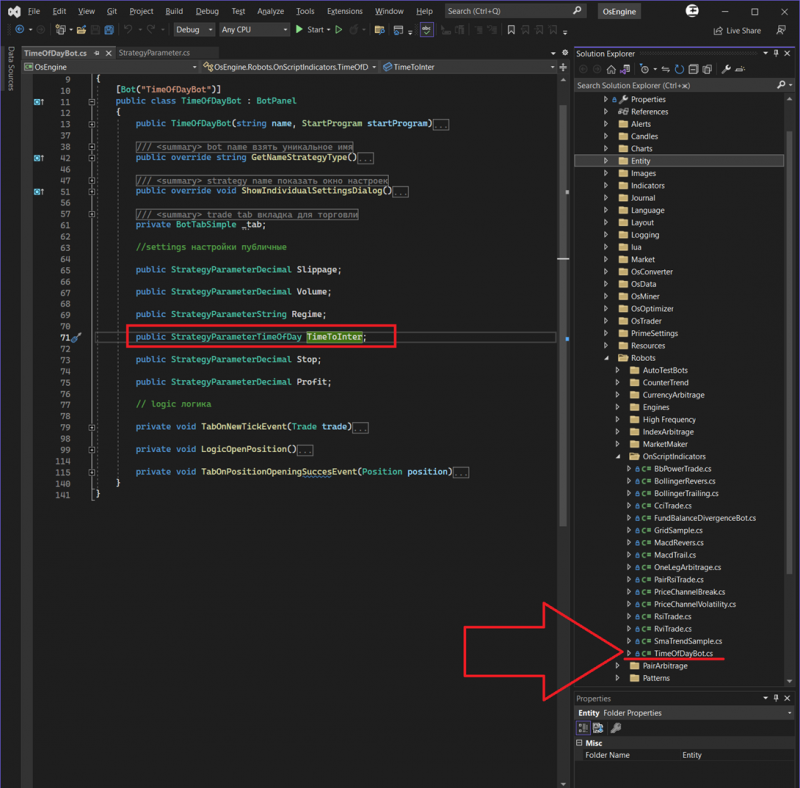
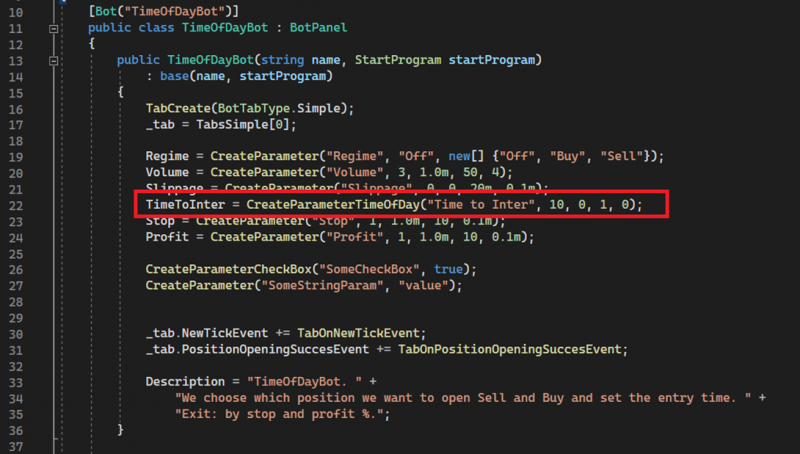
You can check the technical examples inside the OsEngine project, for example, in TimeOfDayBot. This is a robot that opens a position during the day at a precisely designated time.
Creating the parameter in the constructor of this robot:
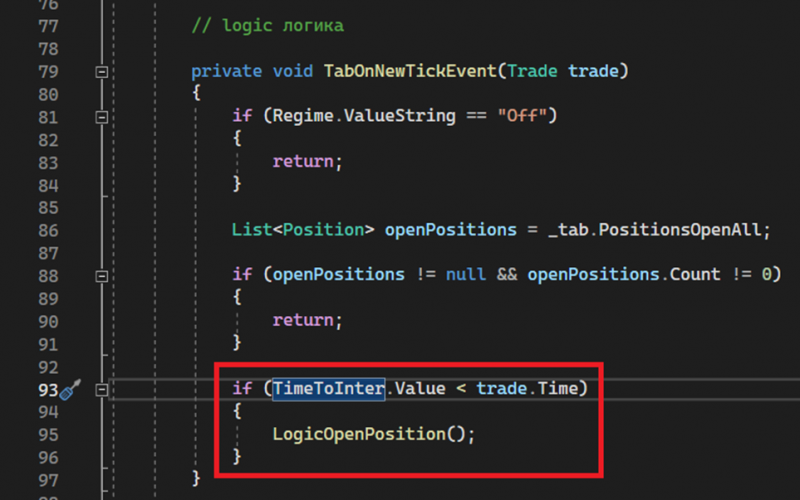
Using the parameter further down in the code:
View in interfaces.
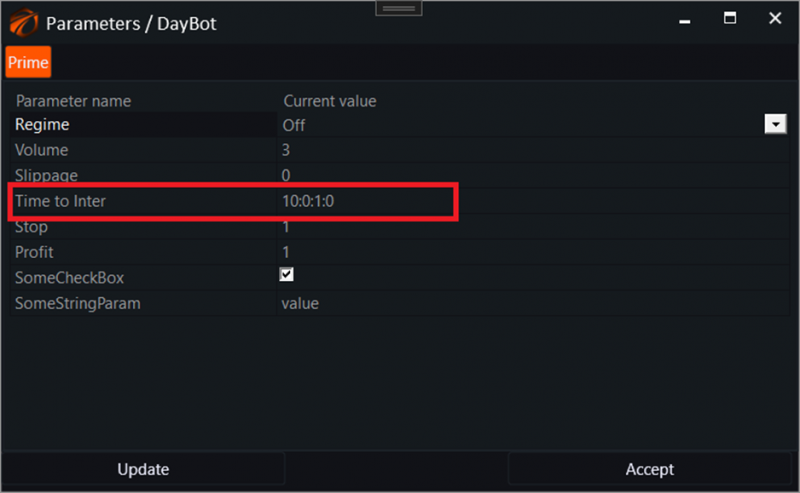
The TimeOfDay parameter appears in the robot's settings as a string that indicates the time of day.
This type of parameter cannot be optimized automatically. In the optimizer, it is assumed that the user will manually select the value before optimization begins in the Default column.

Successful algorithms!
If you have any difficulties or questions, please write to the support chat. Link