StrategyParameterInt – Description and Usage Examples in OsEngine

StrategyParameterInt is a wrapper for integer values.
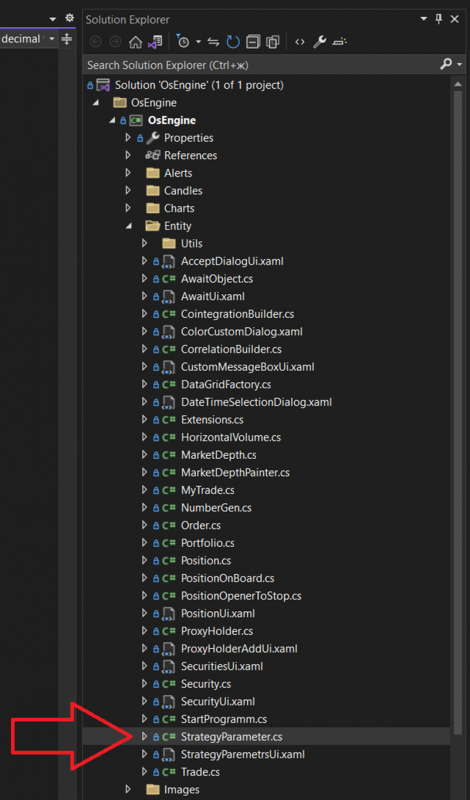
Location in the GitHub repository.
Location in the project when opened on a PC:
The class looks as follows:
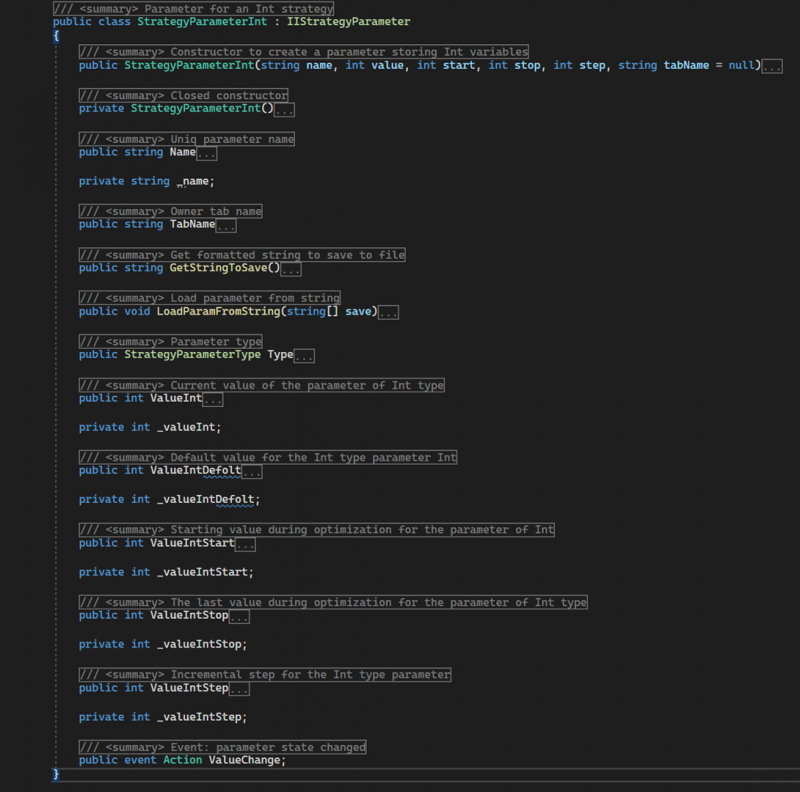
Includes the following members:
StrategyParameterInt – a public constructor with parameters. Initializes the initial state of the object. Takes the following data:=
name – the name for the instance;
value – default value;
start – lower bound of the range of values;
stop – upper bound of the range of values;
step – step of the range of values;
StrategyParameterInt – a private parameterless constructor.
Name – a public property of type string. Returns the displayed name of the parameter; it should be unique within the robot.
TabName – a public property of type string. Provides access to the name of the tab where the parameter will be displayed in the parameters window.
GetStringToSave - a public method. Returns a string with the settings of the parameter object for saving.
LoadParamFromString - a public method. Takes an array of strings with settings for the parameter and initializes the object's state.
Type – a public property of type StrategyParameterType. Returns the value StrategyParameterType.Int.
ValueInt – a public property of type int. Sets or returns the current main value of the parameter. This is the value that needs to be accessed from the robot's code. It holds the value chosen by the user in the interface.
ValueIntDefault – a public property of type int. Returns the default value specified when the object is created.
ValueIntStart – a public property of type int. Returns the lower bound of the range of values.
ValueIntStop – a public property of type int. Returns the upper bound of the range of values.
ValueIntStep – a public property of type int. Returns the step of the range of values.
ValueChange - a public event. Signals a change in the ValueInt value.
Example of Use.
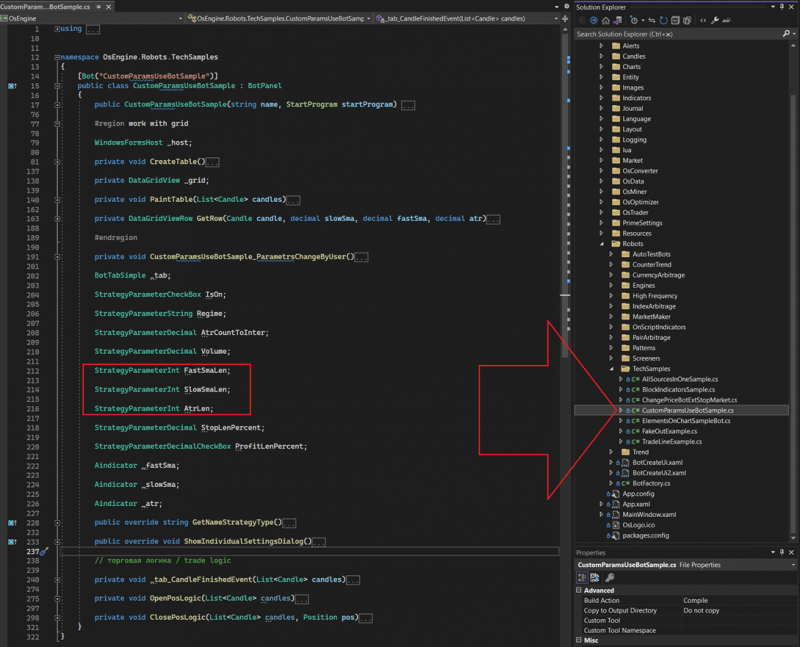
You can see it in the technical examples within the OsEngine project. For instance, in CustomParamsUseBotSample:
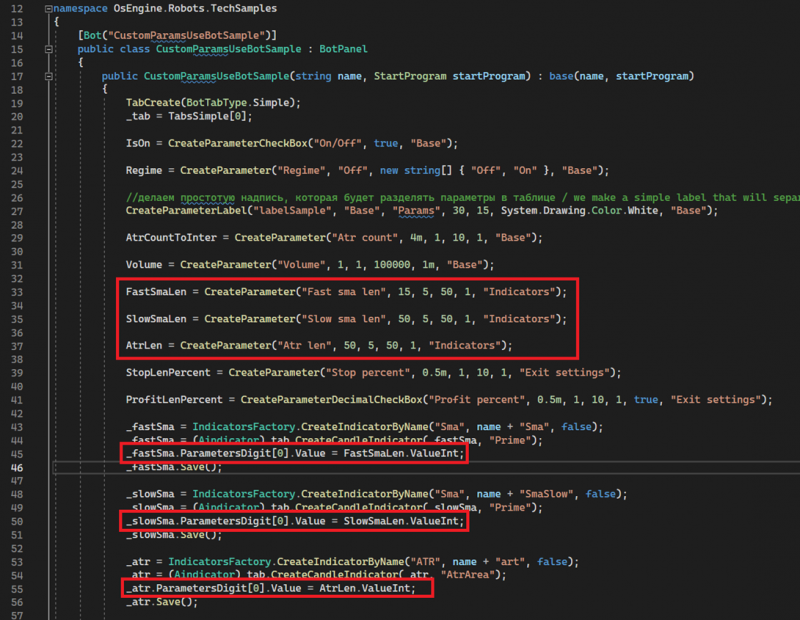
In the same robot, if you open the constructor, you can see the creation of parameters and their usage:
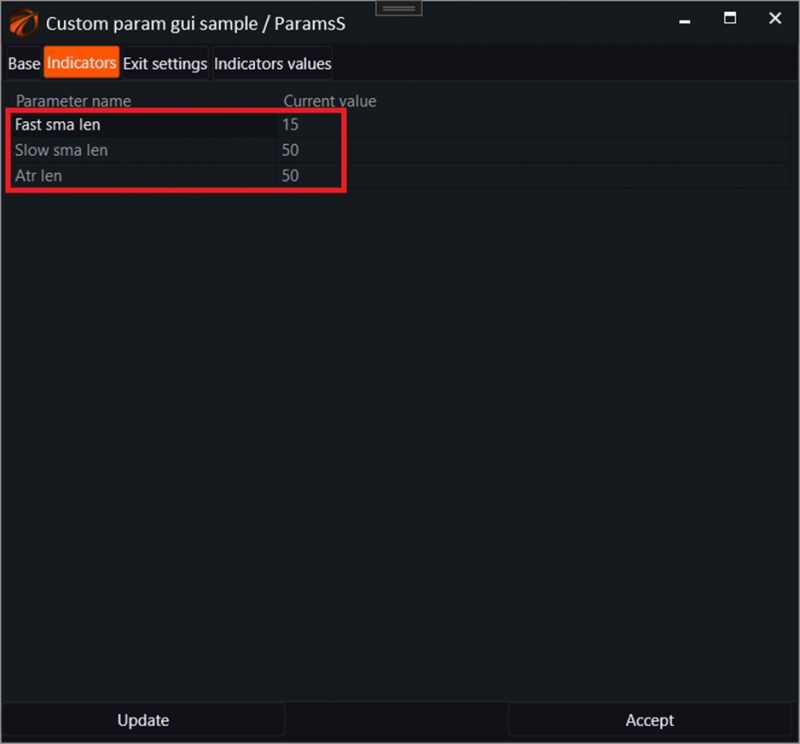
View in Interfaces.
In the robot's parameters window, this parameter is visible as a number:
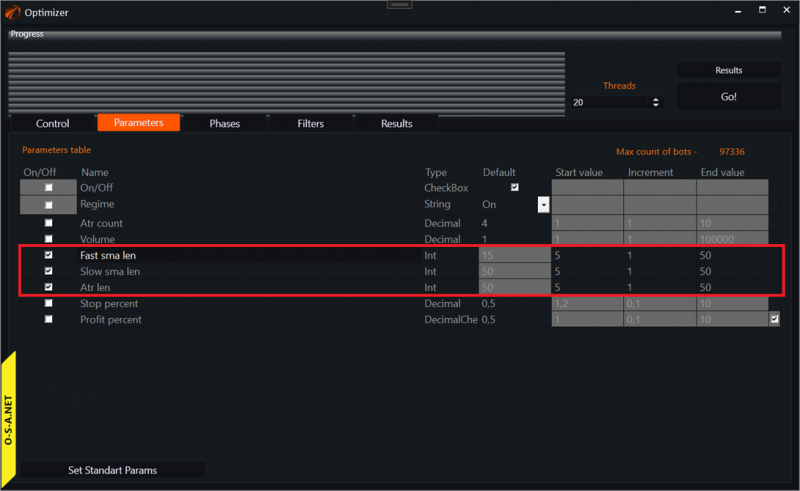
In the optimizer, it looks like this:
Good luck with your algorithms!
If you have any difficulties or questions, please write to the support chat. Link