Exchange Securities. Security Class.
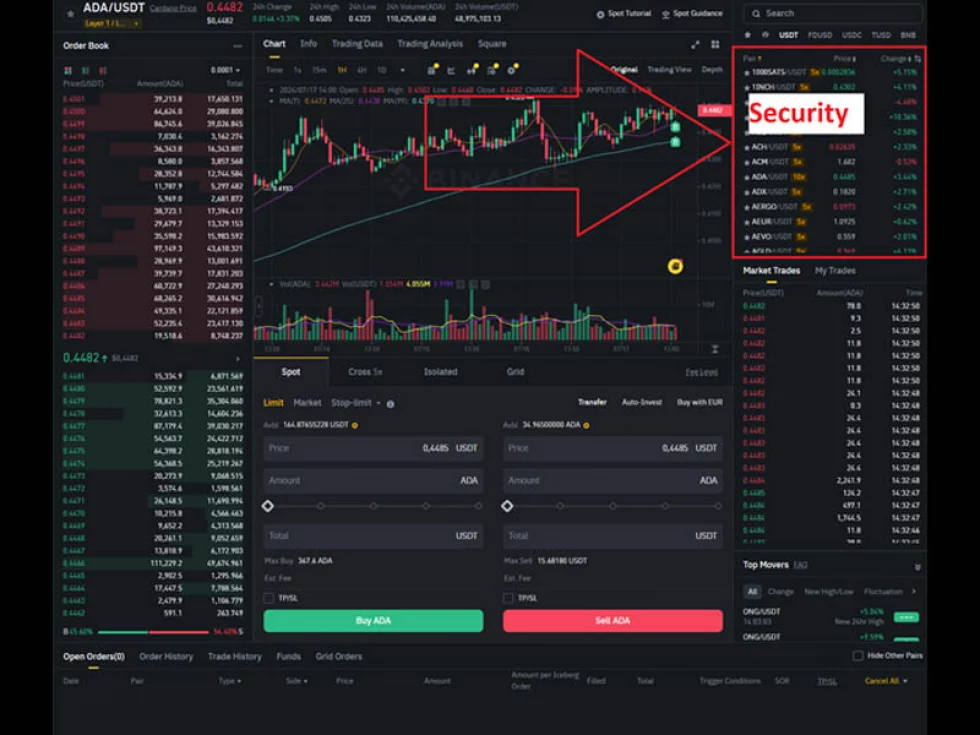
Let's talk about securities and how they are represented within OsEngine. They will definitely come in handy at some point, as they can provide a lot of useful information, such as margin requirements, price accuracy, maximum purchase price, etc.
In the terminal, we can see them somewhere here, in the picture above.
1. What is an exchange security?
Any trading security in OsEngine is described by the Security class. The object stores important parameters of the security that are often required in a trading algorithm.
In addition, an exchange security can also be an index. That is, it cannot be traded, but information about it can be obtained.
2. Security Class in OsEngine.
The Security class is responsible for providing information about securities in OsEngine. You can view it on GitHub here.
In the project, it is located here:
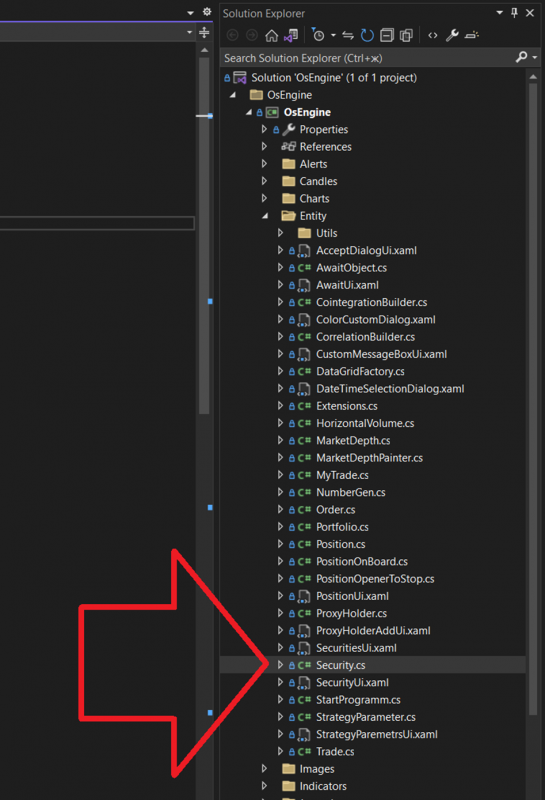
And the class itself looks like this:
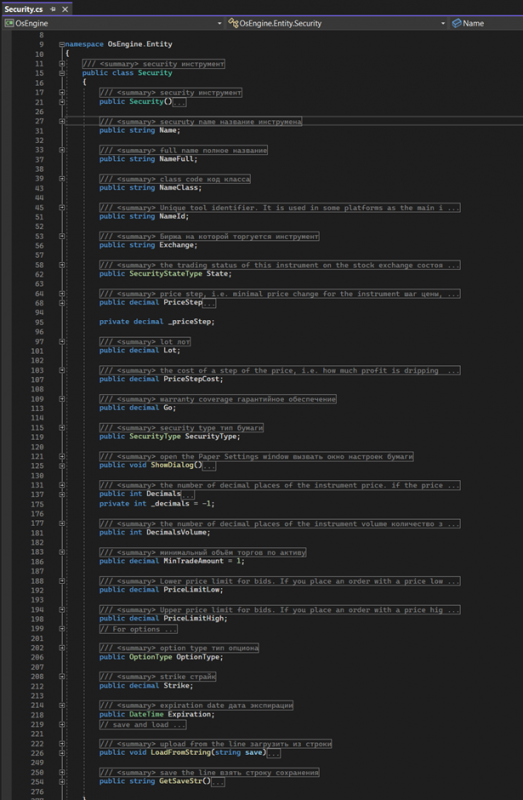
Let's consider all the members of this class.
Security – public constructor.
Name – short name of the security.
NameFull – full name of the trading asset.
NameClass – asset class. There are many classes: stocks, bonds, swaps, futures, options, currencies, cryptocurrency pairs, and others. This field indicates to which group the security belongs.
NameId – unique identifier within all securities on the exchange.
Exchange – name of the exchange where this security is traded.
State – contains a value of the SecurityStateType enumeration. Possible values are:
1. Activ – trading of the security is allowed;
2. Close – trading of the asset is prohibited;
3. UnKnown – the state is undefined;
PriceStep – price step, the minimum possible change in the price of the security.
Lot – the number of units of the stock or asset being purchased per contract. For example, for Sberbank shares, it is 100. That is, by buying one Sber contract on MOEX, we receive 100 shares. On cryptocurrency exchanges, this is usually one unit.
PriceStepCost – monetary value of price movement for one step. In other words, it is the amount of profit that will be obtained if one lot is bought and sold at one step higher price, excluding commissions.
Go – margin requirement for one contract, the amount of money that will be blocked when opening a position.
SecurityType – contains a value of the SecurityType enumeration that indicates the type of trading asset. Possible values are:
1. None - not specified.
2. CurrencyPair – currency, cryptocurrency pair.
3. Stock.
4. Bond.
5. Futures.
6. Option.
7. Index – stock index.
ShowDialog – public method that opens the settings window. This window allows manual configuration of significant fields of the object.
Decimals – indicates the number of decimal places in the security price. If the price is a whole number, its value is zero.
MinTradeAmount – minimum allowable trading volume for the security.
DecimalsVolume - number of decimal places in the minimum volume.
PriceLimitLow – minimum price of the security, below which orders are not allowed.
PriceLimitHigh - maximum price of the security, above which orders are not allowed.
OptionType – if the security belongs to the options class, this field indicates the type of option.
1. None - not specified;
2. Put – put option;
3. Call – call option;
Strike – indicates the fixed strike price if the security belongs to the options class.
Expiration – expiration date of the derivative contract if the security belongs to the futures and options class.
LoadFromString - public method, accepts a string containing data for all fields, parses it, and initializes the object state.
GetSaveStr - public method that does not take parameters. It returns a string that contains all object fields for further saving to a text file.
3. Required fields of Security.
It's important to understand that not all fields specified in the class will be available across all connectors in OsEngine. Depending on the API, we may have a completely different set of data.
The mandatory fields that are available everywhere:
1. Name
2. NameFull
3. NameClass
4. NameId
5. Exchange
6. Price Step
7. Lot
8. PriceStepCost
9. SecurityType
10. Decimals
11. DecimalsVolume
If you have any difficulties or questions, please write to the support chat. Link