Purpose and Description of the BotPanel Class in OsEngine.

The BotPanel class is the parent class for all robots in the program. It contains components that are reused by the robots and are necessary for their normal functioning within OsEngine.
Essentially, the BotPanel stores sources and parameters, and when you want to create robots on OsEngine, you need to keep this class open.
Creating any robot in the program should start with inheriting from BotPanel and implementing its abstract members; otherwise, the terminal simply won't be able to use your algorithm.
Let’s discuss the structure of the OsEngine logic that is responsible for interaction with the robots. Although the BotPanel serves as a bridge between the robot algorithm and the program, its interface does not provide all the functionality required by the bots. To address this issue, the program includes classes that implement the IIBotTab interface (data sources).
We will discuss them in detail in subsequent articles. For now, we are interested in the BotTabSimple class. It provides the robots with all the necessary trading logic and supplies market data for the instrument.
For simplicity, instances of the BotPanel class are referred to as robots (or panels). Instances of the BotTabSimple class are referred to as sources (or tabs). If we compare these abstractions with the visual interface of the program, they appear as follows:
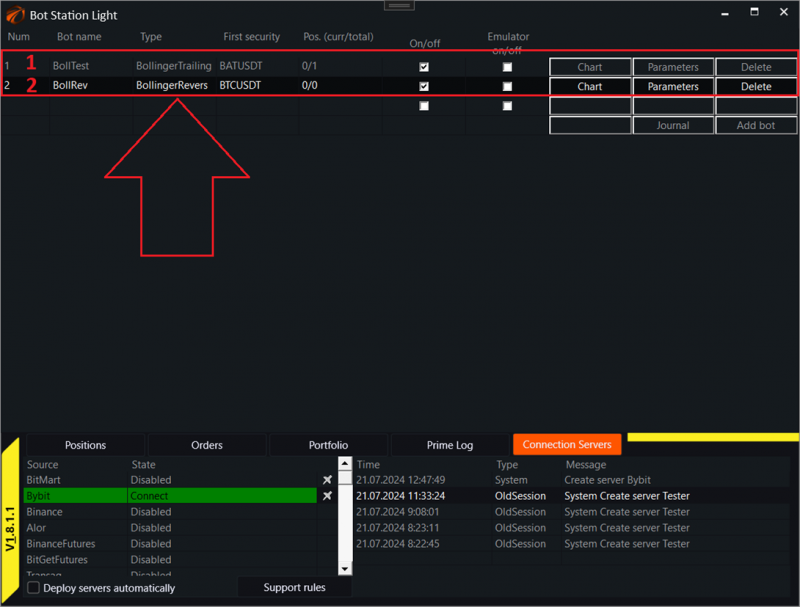
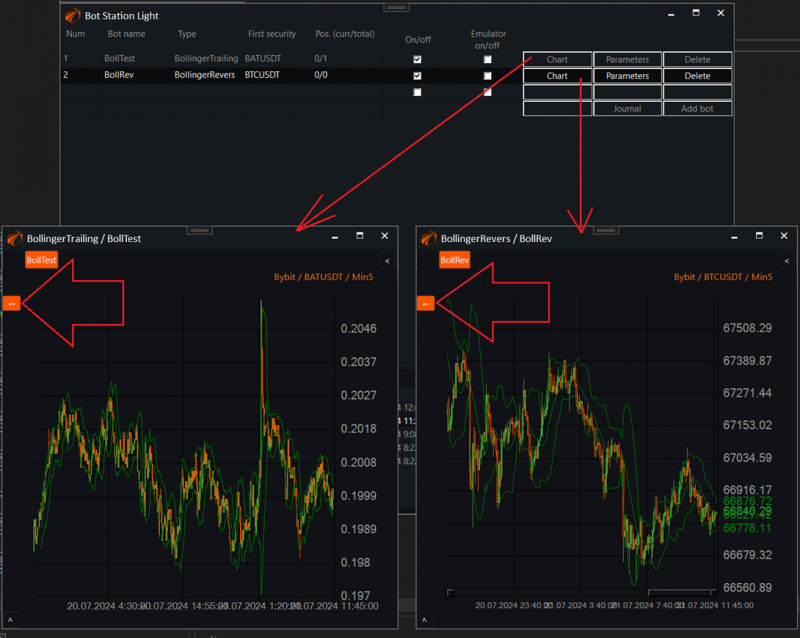
If you open each robot individually, you will see their sources (marked with arrows). One robot can have multiple sources:
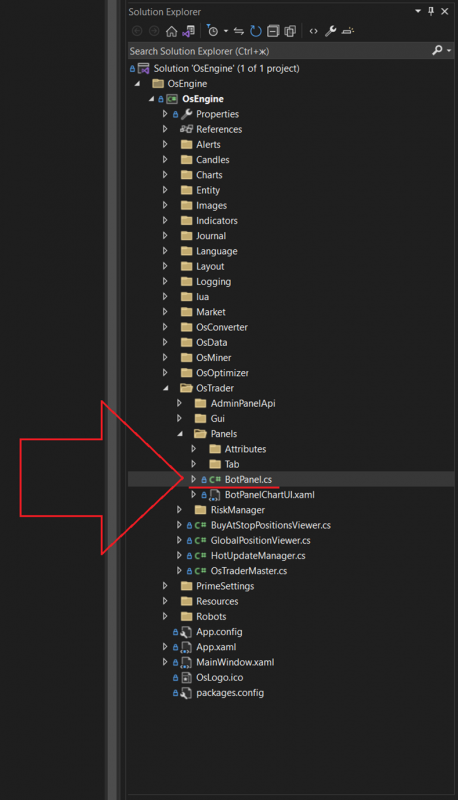
All the logic of the class is located in this file.
Inside the project, it can be found here:
At the top of the class, there is an enumeration of the sources available in OsEngine:
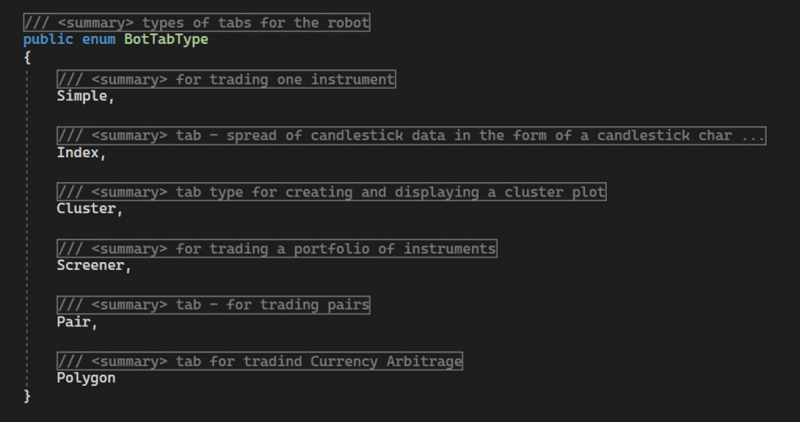
1. Simple – a simple, basic source.
2. Index – auto-index.
3. Cluster – a source for generating horizontal volume.
4. Screener – a source for trading multiple instruments simultaneously.
5. Pair – a source for trading pairs.
6. Polygon – a source for trading triangular arbitrages.
Part 1. Creating Sources.
The first thing that should interest you in this class is the code that creates sources. The method, marked in red below, will be used in your robots everywhere:
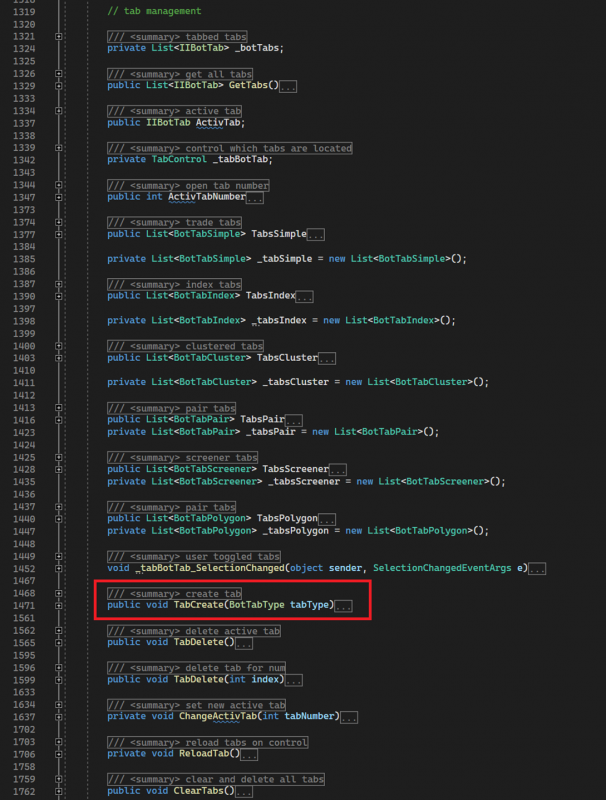
GetTabs – a public method. Returns a list of all sources belonging to the robot.
ActivTab – a public field. Points to the active tab of the robot; the one currently opened by the user.
ActivTabNumber – a public property of type int. Returns the number of the active tab.
TabsSimple – a public property. Returns a list of all tabs of type BotTabsSimple.
TabsIndex – a public property. Returns a list of all tabs of type BotTabsIndex.
TabsCluster – a public property. Returns a list of all tabs of type BotTabsCluster.
TabsPair – a public property. Returns a list of all tabs of type BotTabsPair.
TabsScreener – a public property. Returns a list of all tabs of type BotTabsScreener.
TabsPolygon – a public property. Returns a list of all tabs of type BotTabsPolygon.
tabBotTabSelectionChanged – an event handler for clicking on the tab header.
TabCreate – a public method. Creates a new source, accepting an enumeration value specifying the type of the necessary tab.
TabDelete – a public method. Deletes the active tab.
TabDelete – an overloaded version of the method. Deletes the active tab by index.
ChangeActivTab – a private method. Sets another tab as the active one displayed in the user interface.
ReloadTab – a private method. Reassigns a tab for the control.
ClearTabs – a public method. Clears all tabs in the robot.
Part 2. Creating Parameters.
The second most used part of the BotPanel class will be the code that creates and stores parameters:
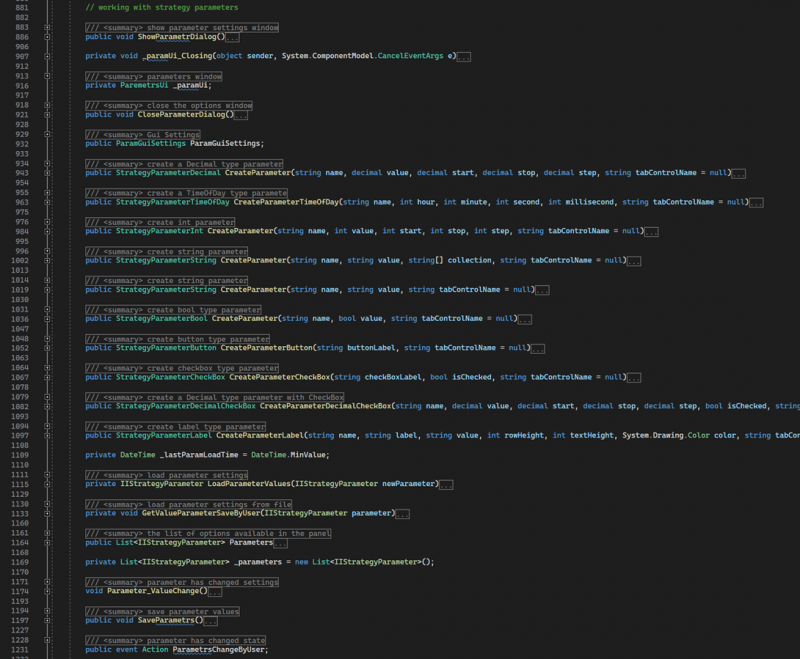
CreateParameter – public method. Creates an optimizable parameter of type StrategyParameterDecimal.
CreateParameterTimeOfDay – public method. Creates an optimizable parameter of type StrategyParameterTimeOfDay.
CreateParameter – overloaded version of the method. Creates an optimizable parameter of type StrategyParameterInt.
CreateParameter – overloaded version of the method. Creates an optimizable parameter of type StrategyParameterString. Initializes the parameter with a list of allowed values.
CreateParameter – overloaded version of the method. Creates an optimizable parameter of type StrategyParameterString. Creates the parameter without initializing the list of allowed values.
CreateParameter – overloaded version of the method. Creates an optimizable parameter of type StrategyParameterBool.
CreateParameterButton – public method. Creates an optimizable parameter of type StrategyParameterButton.
CreateParameterCheckBox – public method. Creates an optimizable parameter of type StrategyParameterCheckBox.
CreateParameterLabel – public method. Creates an optimizable parameter of type StrategyParameterLabel.
LoadParameterValues – private method. Sets the event handler for parameter value changes and adds the parameter to the stored list.
GetValueParameterSaveByUser – private method. If a data file exists, loads the settings into the parameter.
Parameters – public property. Returns a list of all robot parameters.
Parameter_ValueChange – event handler for parameter value changes.
SaveParameters – saves robot parameters to a file.
ParametersChangeByUser – public event, triggered when a parameter value is changed.
3 Part. General Trading Statistics of this Robot.
This also includes
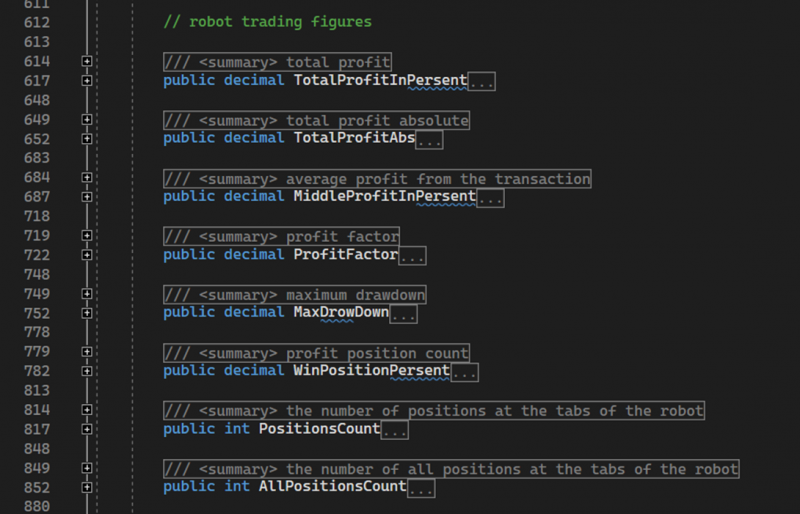
TotalProfitInPercent – public property of type decimal. Returns the total profit/loss value as a percentage across all robot trades.
TotalProfitAbs – public property of type decimal. Returns the total profit/loss value in absolute terms across all robot trades.
MiddleProfitInPercent – public property of type decimal. Returns the average profit/loss value as a percentage per contract.
ProfitFactor – public property of type decimal. Calculates and returns the overall profit factor for the robot.
MaxDrawDown – public property of type decimal. Calculates and returns the maximum drawdown for the robot.
WinPositionPercent – public property of type decimal. Calculates and returns the percentage of profitable positions.
MaxDrawDown – public property of type int. Calculates the number of all positions in the robot, excluding those that are not open, that is, those with a state equal to OpeningFall.
AllPositionsCount – public property of type int. Calculates the total number of all positions in the robot.
4 Part. What else might be useful?
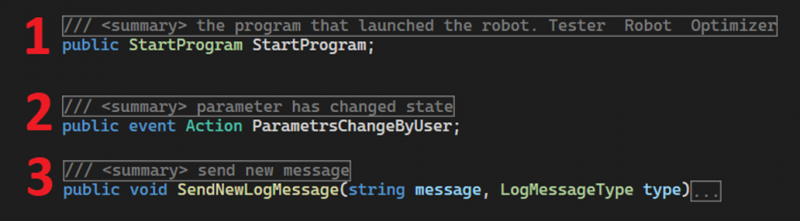
1. By referencing this variable, you can find out in which interface the robot is deployed: Tester / Optimizer / Live Trading.
2. An event that you need to subscribe to for the robot to respond to parameter changes made by the user.
3. A method to send messages to the log. Also a commonly used feature.
Happy algorithm development!
If you have any difficulties or questions, please write to the support chat. Link