Layer of candle creation in OsEngine. Overview of the Tick series. How it is structured.
Let's consider the Tick series and understand how it works. This should be enough to create your own series based on this.
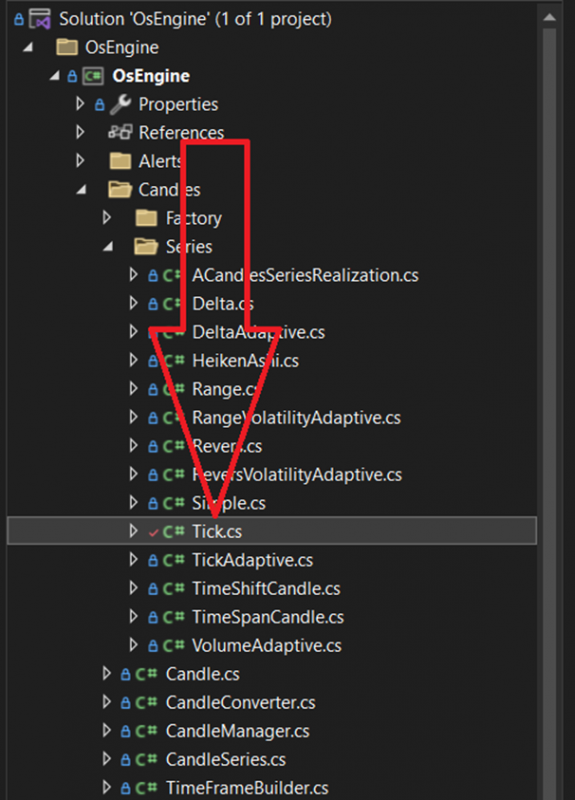
1. Where is the Tick series located?
2. Parameters and the OnStateChange method.
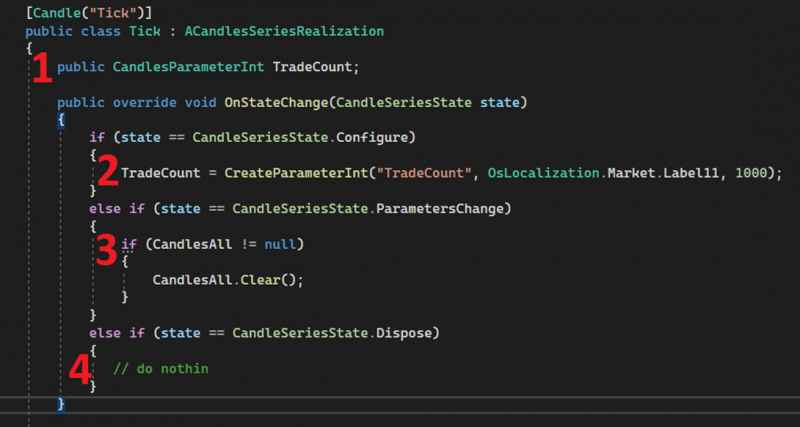
1. The only parameter of this candle series is TradeCount. This parameter is for an integer value, regulating the number of trades after which the candle closes.
2. The TradeCount parameter is created in the OnStateChange method when the method is called with the Configure status (i.e. when creating the series). You also need to create all parameters here.
3. When the OnStateChange method is called with the ParametersChange status, i.e. when the parameter value changes, the candles inside the series are cleared.
4. If this method is called with the Dispose status, nothing happens. However, in your series, you can clear any data here if you are accumulating it.
3. The UpDateCandle method. Method parameters.
This method receives market data. From the oldest trade to the freshest in the order of their appearance in the connector.
It is in this method that candles need to be collected, carefully stacking them in the CandlesAll array.
What is included in this method:

1. time - Data time.
2. price - Trade price or order book center price. Depending on which data is used to form the candle.
3. volume - Trade volume.
4. canPushUp - Whether to send price change data up. If FALSE, update candle events should not be triggered. This means that there is initial loading of the series at the start.
5. side - Trade side. Buy / Sell. This is necessary for some types of candles. For example, Delta.
4. The UpDateCandle method. Candle formation.
When forming any candle series, the logic can be roughly divided into three different stages:
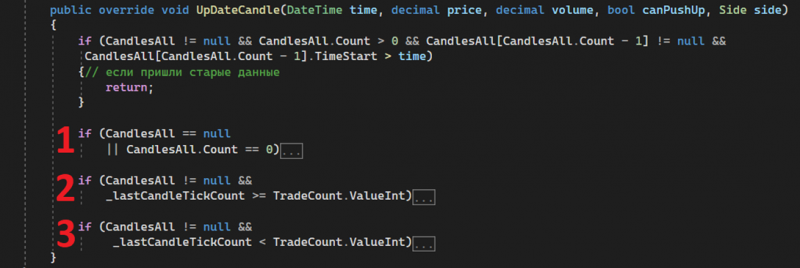
1. Data arrives for the first time, and the first candle needs to be formed.
2. There are already some candles, and by some indicator we understand that a candle needs to be closed. In this case, the closing indicator is exceeding the number of trades within the candle.
3. Data arrives within a candle. It needs to update its OHLC.
Let's take a closer look at these three situations.
Stage 1. Data arrives for the first time.
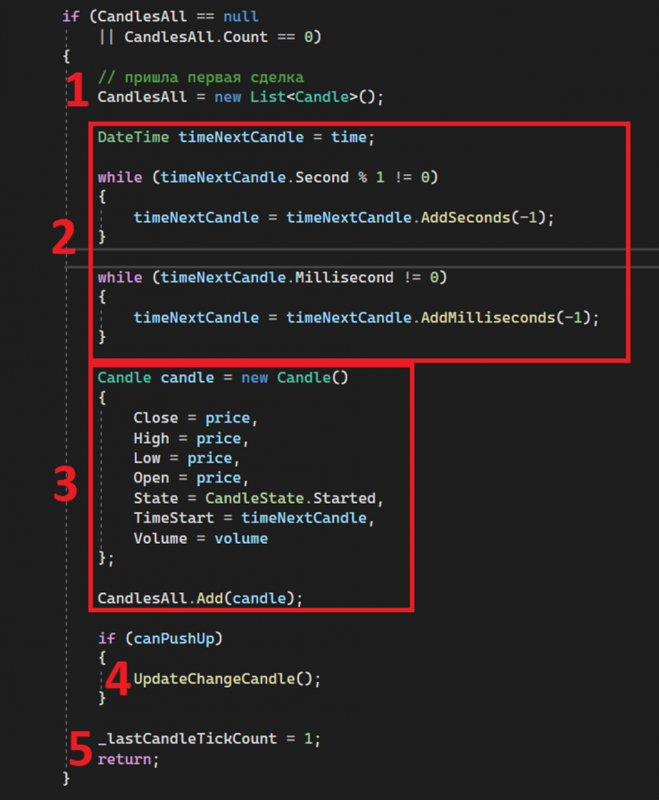
1. Create a new array to store candles.
2. Align the start time for the first candle.
3. Create a candle. Specify its OHLCV, time, and status Started. Add to the array.
4. Send up if allowed.
5. Set the current number of trades in the forming candle. This is only necessary for Tick candles.
Stage 2. Time to close the candle.
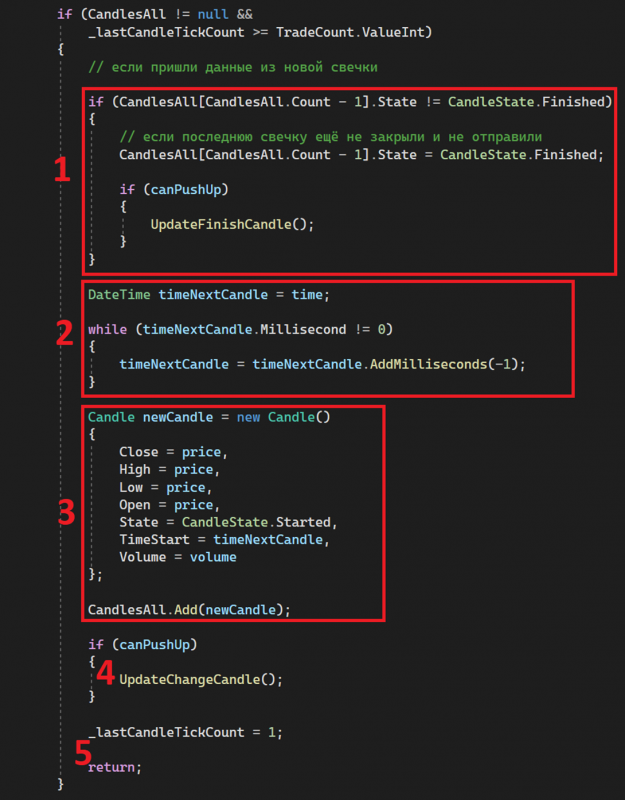
1. Set the status of Finished for the candle and send up if allowed.
2. Trim the start time for a new candle.
3. Create a candle. Specify its OHLCV, time, and status Started. Add to the array.
4. Send up if allowed.
5. Set the current number of trades in the forming candle. This is only necessary for Tick candles. Exit the method.
Stage 3. Data inside the candle.
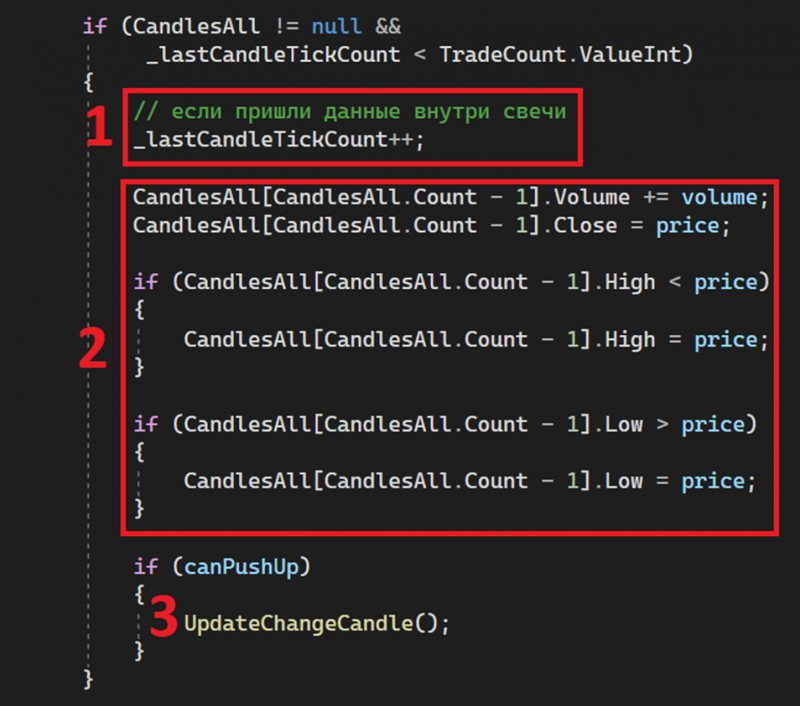
1. Add 1 to the number of trades in the forming candle. This is only necessary for Tick candles. Exit the method.
2. Update OHLCV for the current forming candle.
3. Send up if allowed.
Good luck with your algorithms!