Optimizer in OsEngine. Optimizer limitations.
It would be great if everything in the world could be optimized. And we often hear that it should be. By the way, perhaps modern AI capabilities will soon allow this, but at the moment, it is not the case.
The optimizer is a separate huge part of OsEngine that does NOT support all the data sources available in OsEngine and cannot optimize everything in the world. In this post, let's talk about the limitations of the optimizer in OsEngine.
1. Data supported by the optimizer.
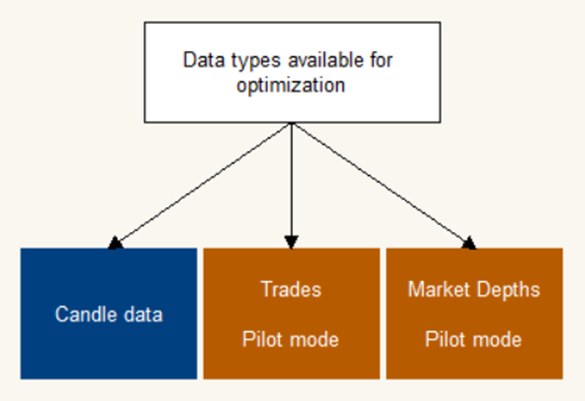
Candlestick data must be fully supported by the optimizer.
Transaction tape data and order book snapshots are supported in experimental mode. That is, unforeseen problems may arise.
2. Robot sources supported by the optimizer.
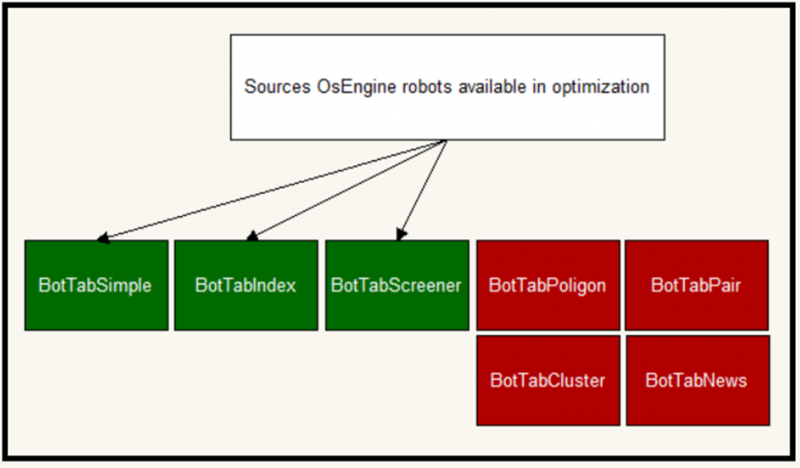
Full support in the optimizer for 2025 is provided by the following sources:
1. BotTabSimple
2. BotTabIndex
3. BotTabScreener
All other sources are not supported, and it will not be possible to optimize them. These include:
1. BotTabPolygon – Source for trading triangular arbitrage.
2. BotTabCluster – Source for trading horizontal volumes.
3. BotTabScreener – Source for simultaneous trading of hundreds of instruments.
4. BotTabPair – Source for trading pairs of instruments.
5. BotTabNews – news broadcasting.
3. Robot parameters that can and cannot be optimized.
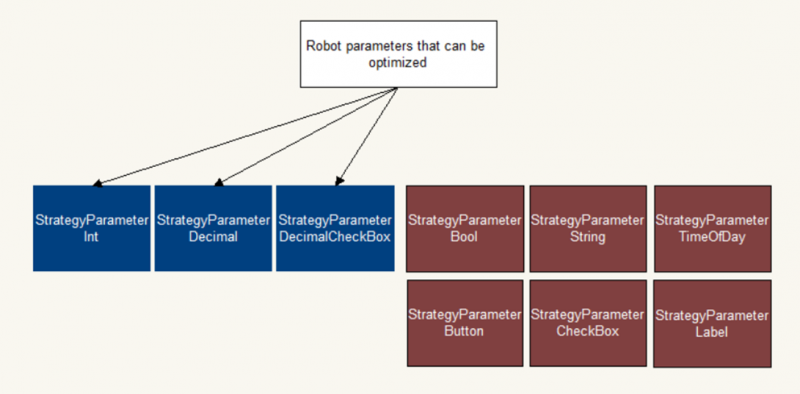
Parameters allowed for optimization:
1. StrategyParameterInt - integer parameter for robots.
2. StrategyParameterDecimal - parameter for a robot containing a floating-point number value.
3. StrategyParameterDecimalCheckBox - parameter for a robot containing a floating-point number value and a flag indicating whether the parameter is enabled or not.
Parameters that cannot be optimized:
1. StrategyParameterBool - a parameter containing a flag with a Boolean value. Displayed in settings as a pop-up menu with True / False selection.
2. StrategyParameterString - a parameter containing a string or a list of strings.
3. StrategyParameterTimeOfDay - a parameter containing time within a day.
4. StrategyParameterButton - a parameter encapsulating methods to invoke an event when the user presses a button.
5. StrategyParameterCheckBox - a parameter containing a flag with a Boolean value. Displayed in settings as a checkbox field.
6. StrategyParameterLabel - a label in the parameters window.
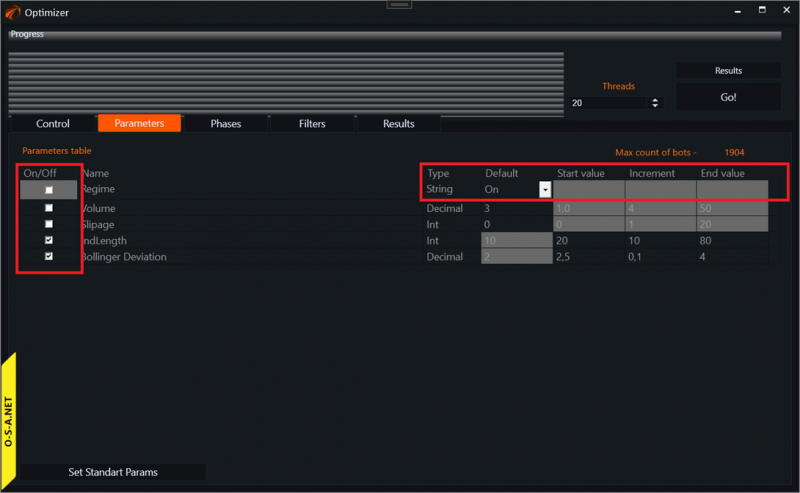
OsEngine automatically blocks unoptimizable parameters, but you need to know this to correctly build the logic of robots.
Good algorithms!
If something doesn't work out or if you have any questions, please write in the support chat, link.