Opening positions through Stop orders mechanics.

In this post, we will discuss how to open positions using pending orders.
1. Opening LONG positions through pending orders.
We are confident that after breaking through the level of 53000 in Bitcoin, it will definitely continue to 55000. But it's getting late and we want to sleep. In this case, a pending stop order can help us open a position.
Go to the robot panel, to the Order Book tab, and click on the "Additional" button:
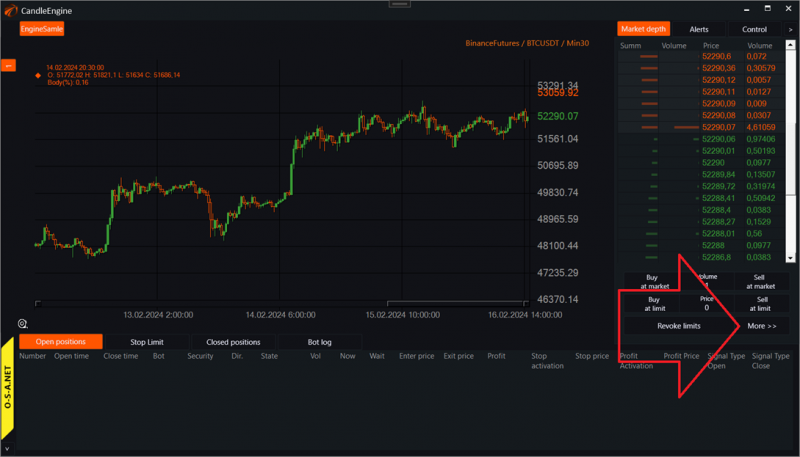
After that, an opening position window will appear:

1. We will open a position when the price breaks through a certain level upwards.
2. Choose NoLifeTime for the expiry time. Let the order be immortal.
3. If you had set a time limit, this is where the number of candles the order should have stayed alive would be shown.
4. Stop order activation price.
5. Price of the order that will be placed in the market after activation.
6. Quantity to open the position.
7. Click on the buy button.
After that, we can see our pending buy order in the interface tab and on the chart:
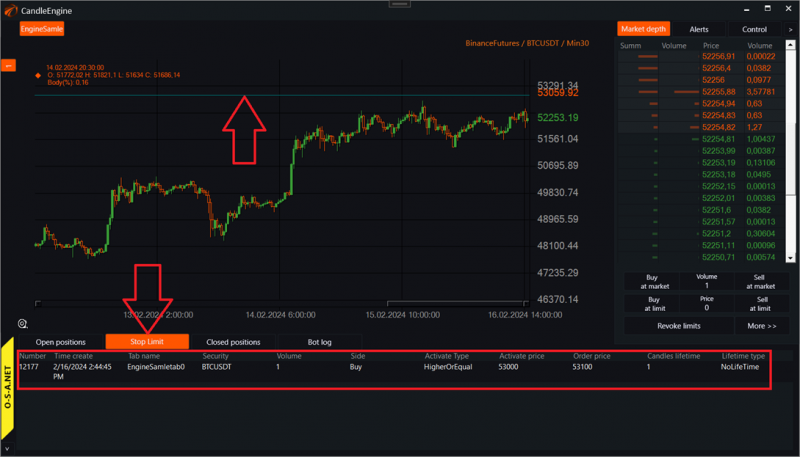
You can cancel such an order by right-clicking on the stop-limit table.

2. Opening SHORT positions through pending orders.
If you have an idea to go short after a certain level downwards, it's just as easy:
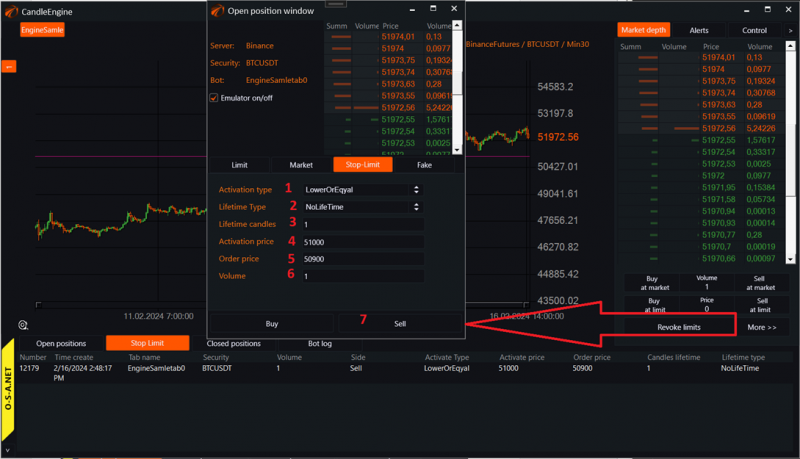
1. Choose the LowerOrEqual mode below or equal.
2. Do not set an expiry time.
3. Time to live in candles, if necessary.
4. Activation price.
5. Price of the order that will be placed after activation.
6. Quantity.
7. Click the Sell button.
After that, you will see this pending order on the chart and in the pending orders table.
3. All stop orders in OsEngine are internal.
As of the beginning of 2024, all types of stop orders in OsEngine are internal. That is, only orders are sent to the market after reaching activation prices.
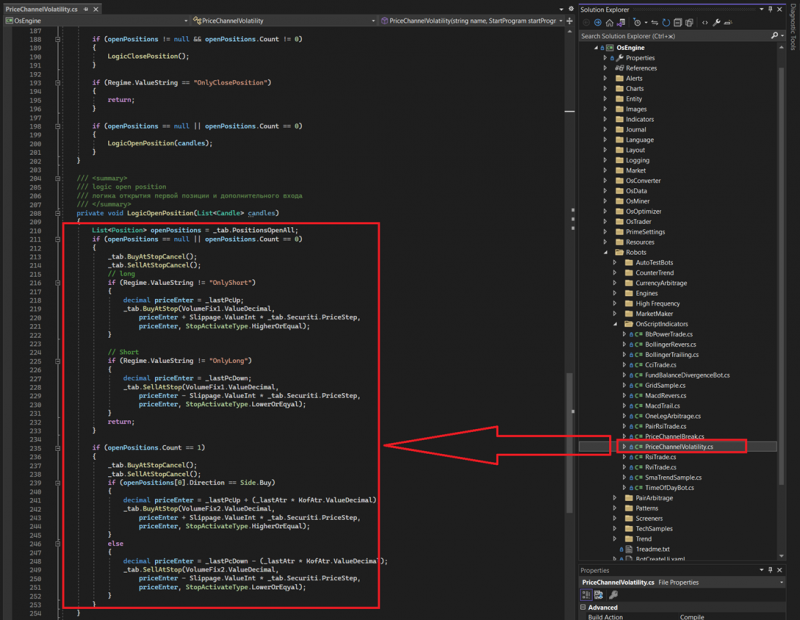
4. How it works in the code.
You can see in the script PriceChannelVolatility.cs:
5. In the tester and optimizer, slippage for such types of orders is not taken into account!
This is a common practice among trading platforms. At least in Wealth-Lab, it is the same.
Stops in the tester are executed strictly at the activation price without slippage. There is no need to set slippage in the tester... And if it is set in the code, you still won't see it in the interface.
This is because such orders need to be executed upon touching in the tester. If an order is activated at a different price after touching, it must also be executed. This led to users "drawing" profits in the tester in a rather simple way, which has been fixed for over a year now.
Therefore, when setting stops and profits in the tester, do not be alarmed if the activation price/order price columns show the same values. This is absolutely normal.
Good luck with your algorithms!
If you have any difficulties or questions, please write to the support chat. Link
OsEngine: https://github.com/AlexWan/OsEngine