The mechanics of Stop and Profit orders for open positions in OsEngine.

In this article, we delve into the mechanics of working with pending orders in OsEngine. In particular, we will look at how to set stops and profits for already open positions. First, let's see how this can be done from the visual interface and then delve into how it can be done in the source code.
1. Closing a LONG (Buy) position with a stop loss.
We have a Long position, bought BTC/USDT at $52,000.
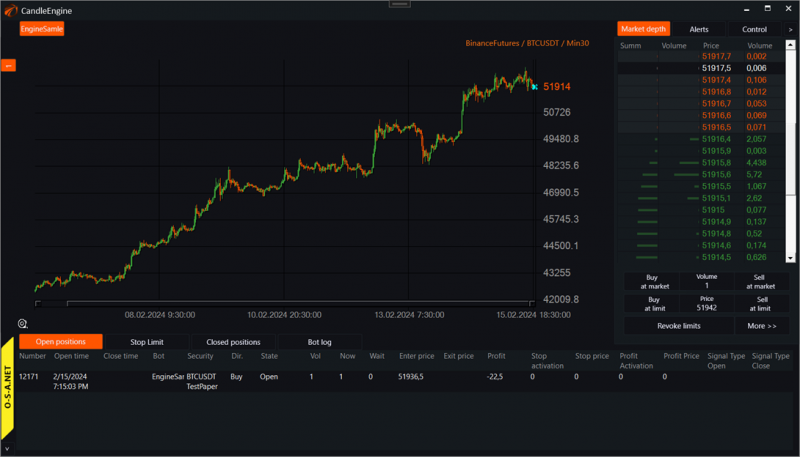
Naturally, we fear that the price might suddenly drop to $40,000. This has happened before. We want to protect our position in case the price goes down while we sleep. In this case, we need to place a stop order, an order that will close the position if the price goes down.
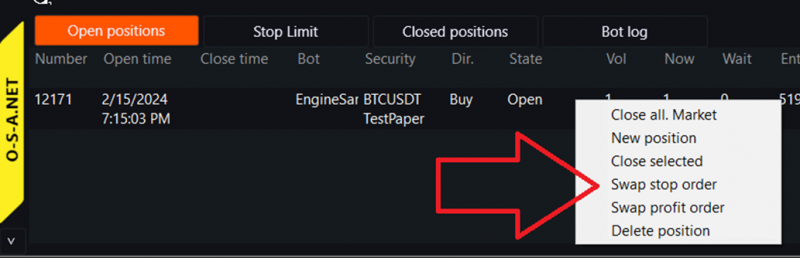
Right-click on the position you want to secure and select change stop order price from the pop-up menu:
A window for closing the position will open:
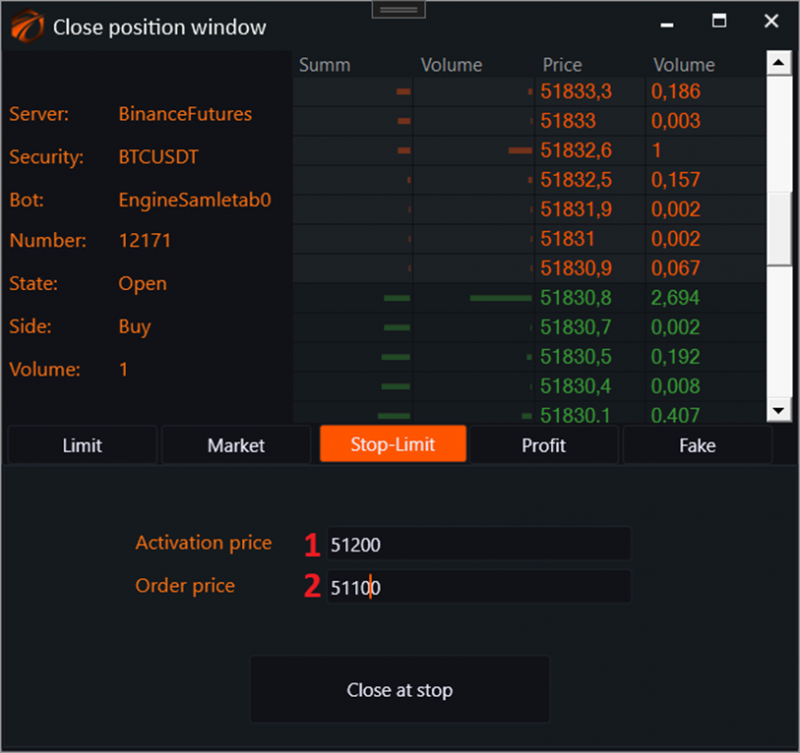
1. Select the stop order activation price.
2. Choose the order price that will be placed to close the position. Include a $100 slippage to ensure accuracy, and click "accept".
After that, we will see the level on the chart at which our position will be closed. Changes will also be visible in the position table.
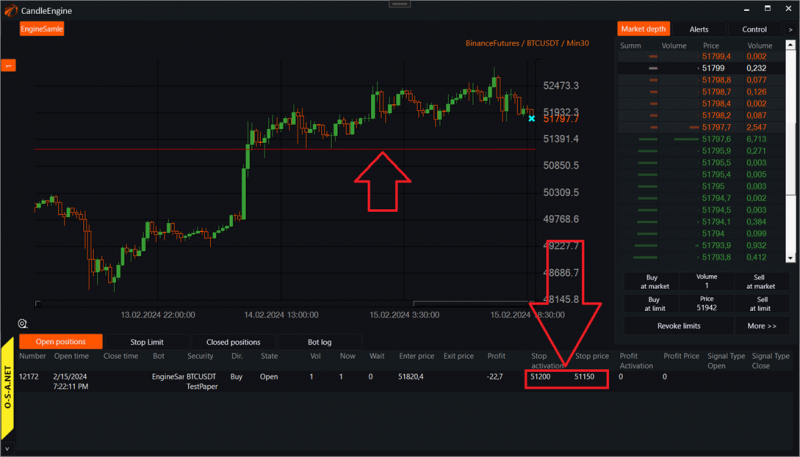
Now, when the price drops to $51,200, an order to sell at $51,150 will be placed in the market, and the position will close.
2. Closing a LONG (Buy) position with a profit.
We are optimists. Bought Bitcoin at $52,000 and expect the price to rise.
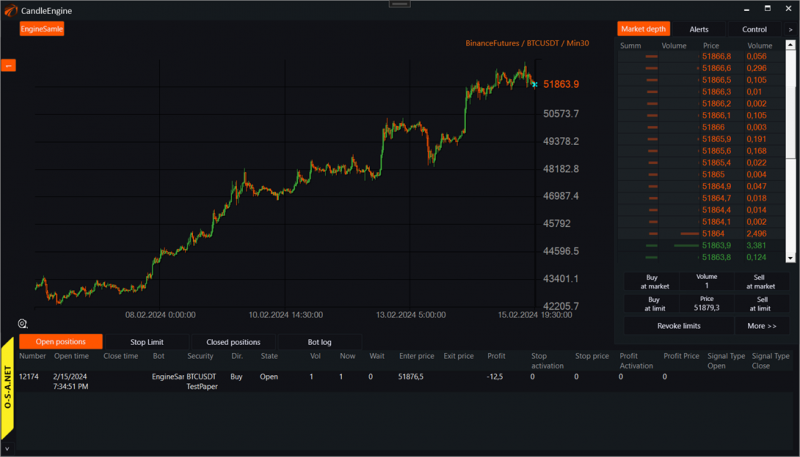
Of course, we cannot go to sleep until we are sure our profit will be secured when Bitcoin hits $53,000.
Right-click on the position, choose "Swap profit order":
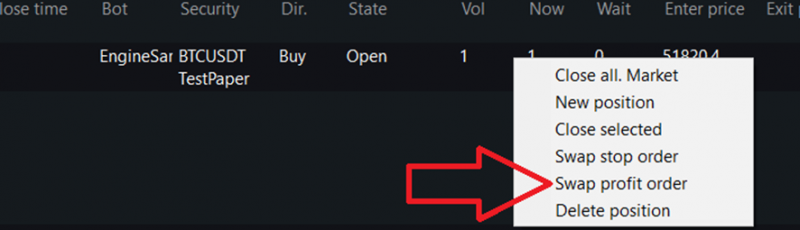
A window for closing the position at a profit will open:
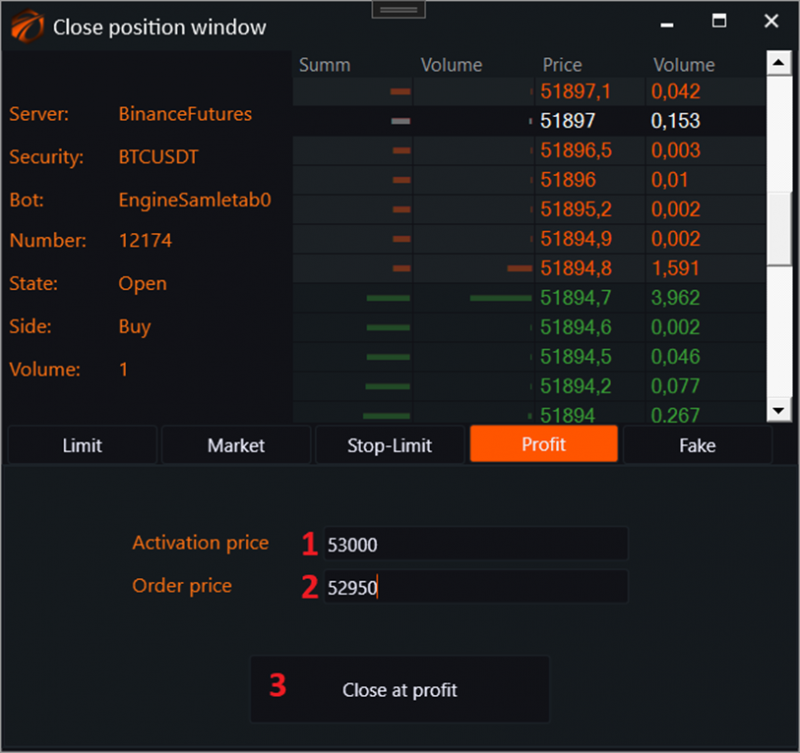
1. Enter the activation price.
2. Enter the order price that will be placed after activation.
3. Click the "Close at profit" button. While we sleep, the robot will know where to lock in the profit.
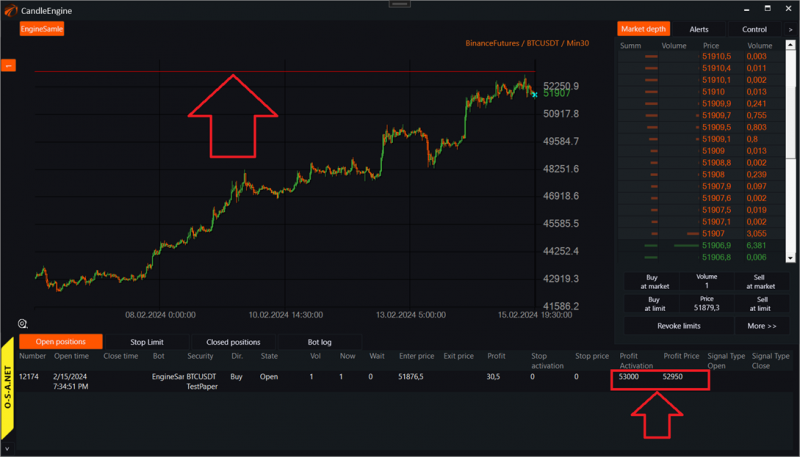
Now, when the price rises to $53,000, an order to sell at $52,950 will be placed in the market, and the position will close.
3. Closing a SHORT (Sell) position with a stop loss.
We are a cautious pessimist. We are almost certain that Bitcoin should fall from $52,000. Therefore, we shorted it (expecting to profit from a decrease):
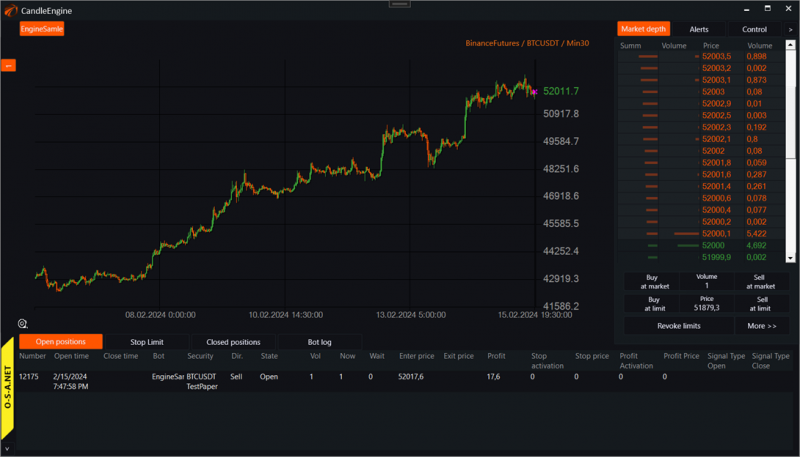
But what if the price starts to rise and wipes out our deposit? We can't allow that. In case of an increase, we decided to place a stop order below the previous low. At $52,500. And if the price reaches there, we want our position to close with a slight loss. Right-click on the position:
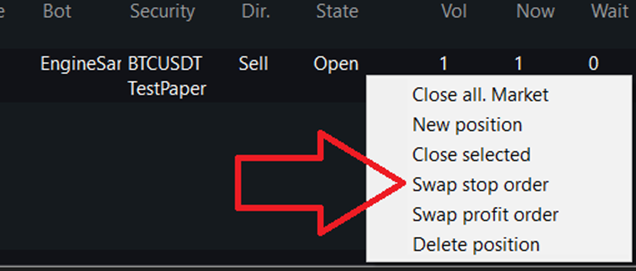
A window for closing the position with a stop loss will open:
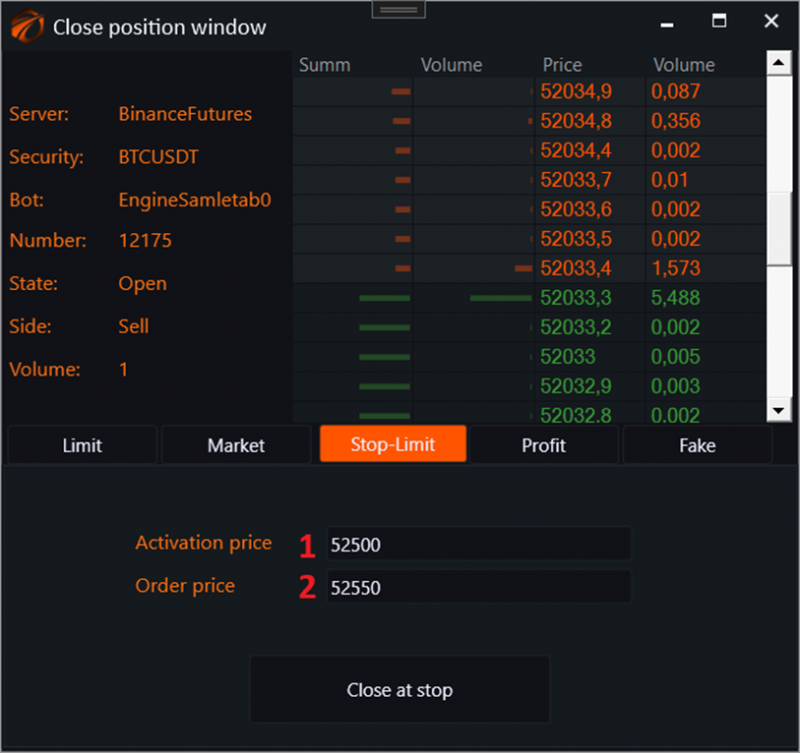
Enter the necessary numbers and accept:
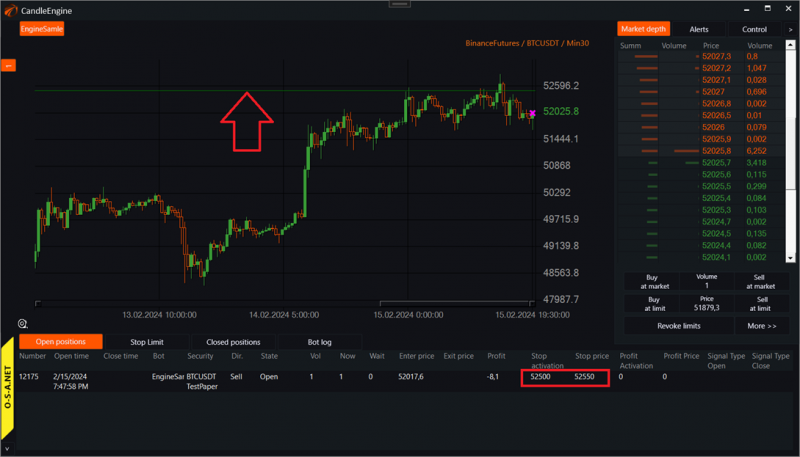
Now, when the price rises to $52,500, an order to buy at $52,550 will be placed in the market, and the position will close.
4. Closing a SHORT (Sell) position with a profit.
We are a confident pessimist. We know for sure that the price of Bitcoin should plummet from $52,000. Fall sharply down to at least $49,000. So we sold 1 contract at $52,000 and are waiting for profit when the price drops:
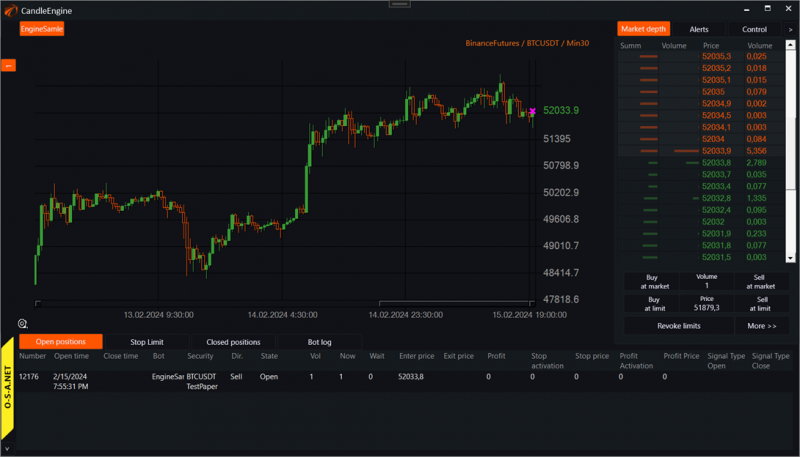
At the same time, we want to ensure that while we walk the dog with our girlfriend, our profit will be locked in at $39,000. For this, we need to place a stop order for this short position. Right-click on the position:
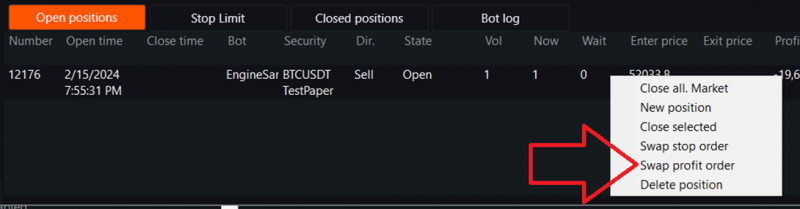
A window for closing the position at a profit will open:
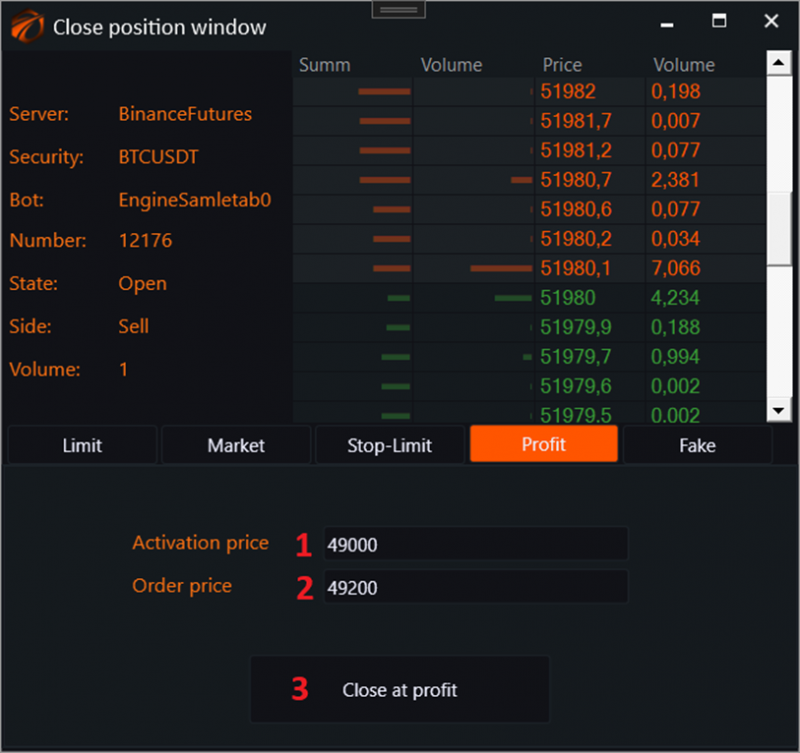
1. Set the activation price. For a short position, the profit price should be below the market.
2. Enter the order price that will be placed after the activation of the order. This order will be for a buy. Therefore, set it slightly above the activation price to ensure execution.
3. Click the "Place" button.
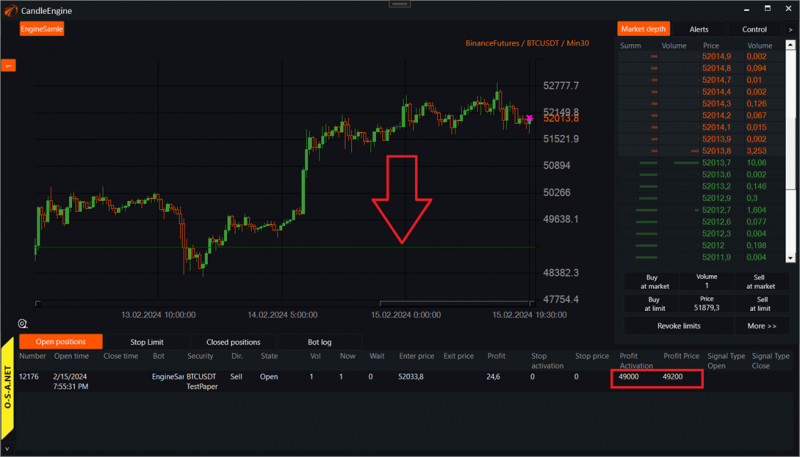
Now, when the market price reaches $49,000, our short position will close with an order at $49,200.
5. All stop orders in OsEngine are internal.
As of the beginning of 2024, all types of stop orders in OsEngine are internal. This means that only orders are sent to the market after the activation price is reached.
6. From the code.
As an example, you can take the robot "PriceChannelBreak" from the examples built into OsEngine:
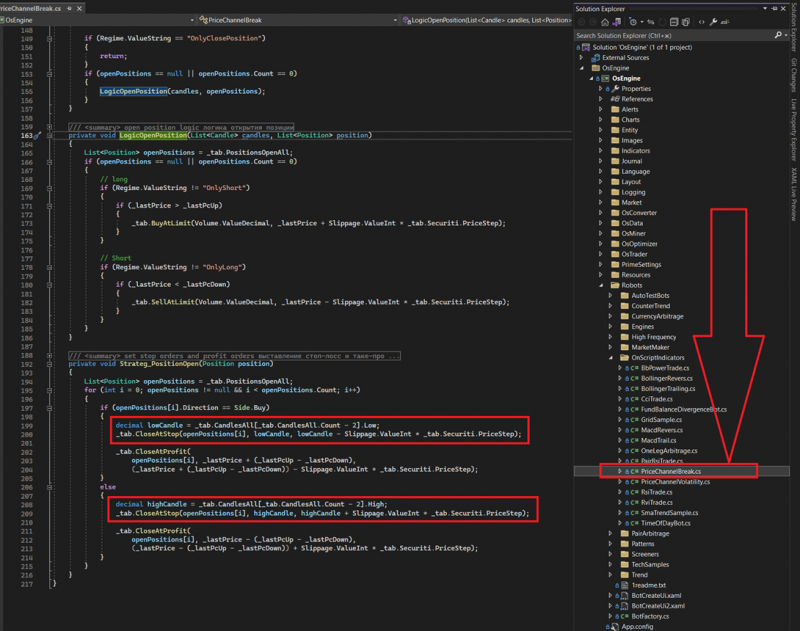
Here we can see:
1. The robot is subscribed to the position opening event.
2. The logic for setting stops and profits is divided into BUY and SELL. Just as it should be.
3. Setting stop and profit orders with slippage in the instrument's price steps.
7. In the tester and optimizer, slippage is not taken into account for stops and profits!
This is a common practice among trading platforms for creating robots. At least in Wealth-Lab, it is the same.
Stops and Profits in the tester are executed strictly at the activation price without slippage. And slippage does not need to be set in the tester... And if it is set in the code, you still won't see it in the interface.
This is related to the fact that such orders need to be executed upon touching in the tester. If an order is activated at a different price after touching, it must also be executed. This led to users "drawing" profits in the tester in a rather simple way, which has been fixed for over a year now.
Therefore, when setting stops and profits in the tester, do not be alarmed if the activation price/order price columns show the same values. This is absolutely normal.
If you have any difficulties or questions, please write to the support chat. Link
OsEngine: https://github.com/AlexWan/OsEngine