Logging
Almost Immediately After You Start Writing Your First Bots, You Will Need to Learn How to Log Messages. This is Essential for Understanding Whether Your Bots Are Working Correctly.
In this article, we will look at how this is done from the bot's code.
1. Each Bot Contains a Method for Sending Messages to the Log.
SendNewLogMessage
It takes the following parameters:
1. A string (String);
2. Message Type (Logging.LogMessageType).
In the bot’s code, it looks like this:

The Logging.LogMessageType enumeration contains the following constants:
1. System – System message, used only in the internal layers of the program.
2. Signal – Used in bots when a trading signal is received.
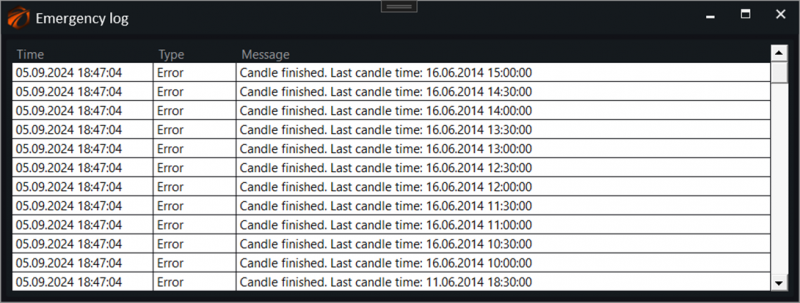
3. Error – Used to send errors. Messages of this type are displayed in a popup window over the program. In the emergency log.
4. Connect – Messages from the connector inform about the connection status.
5. Trade – Information about the trading logic.
6. NoName – Messages without specific designation.
7. User – Indicate actions taken by users.
8. OldSession – Messages from the previous session of the program.
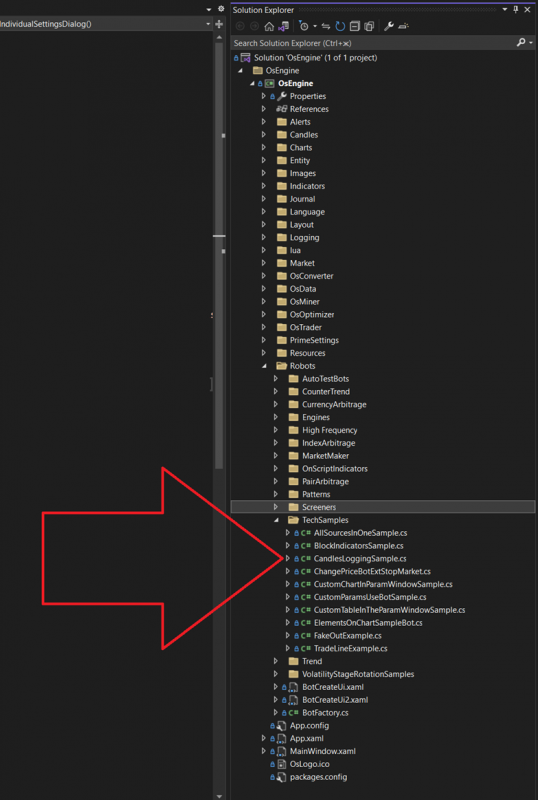
2. Open the Example Bot CandlesLoggingSample.
You can view it on GitHub here.
Inside the project, the example is here:
3. What Is in the Example?
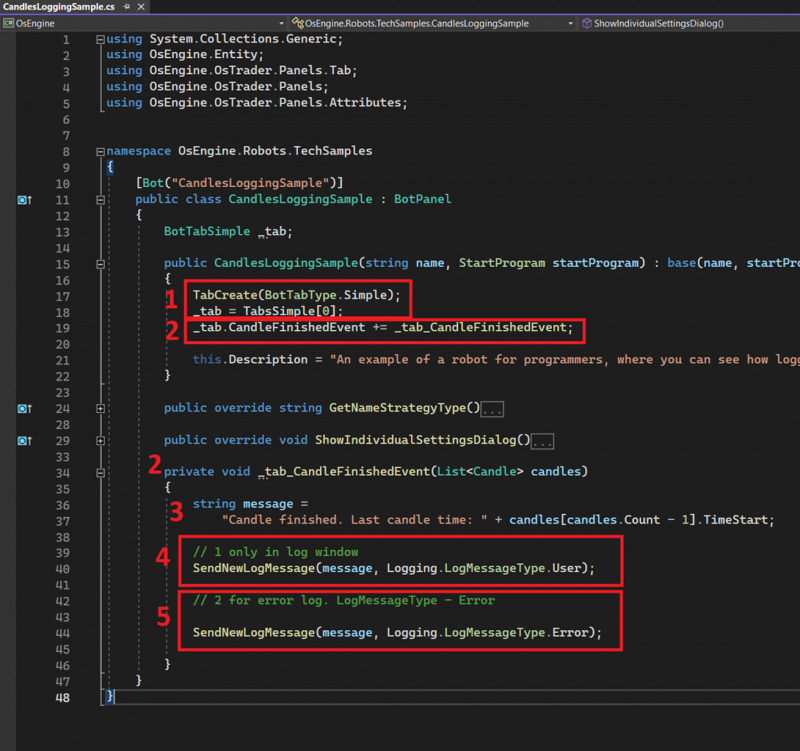
1. Standard creation of the BotTabSimple source and its storage in the variable _tab.
2. Subscribe to the candle close event from the source and create a handler.
3. Create a message that we will send to the log.
4. Send a log message with the type User.
5. Send a log message with the type Error. This message will also go to the emergency log.
4. Where Will the Log Entries Be in This Example?
The standard bot log can be seen in the “Bot Log” tab of the bot itself. Any type of message will be recorded here:
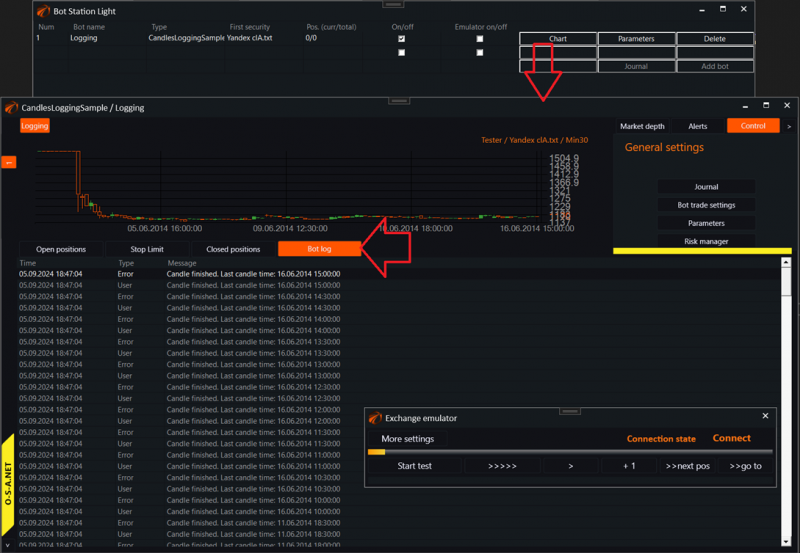
Additionally, we will see a popup “Emergency Log,” which will contain messages marked as Error:
Wishing you successful algorithms!
If you have any difficulties or questions, please write to the support chat. Link