Layer of creating candles in Os Engine. ACandleSeriesRealization.
In this article, we will talk about ACandleSeriesRealization - this is an abstract parent class for all candle series in OsEngine.
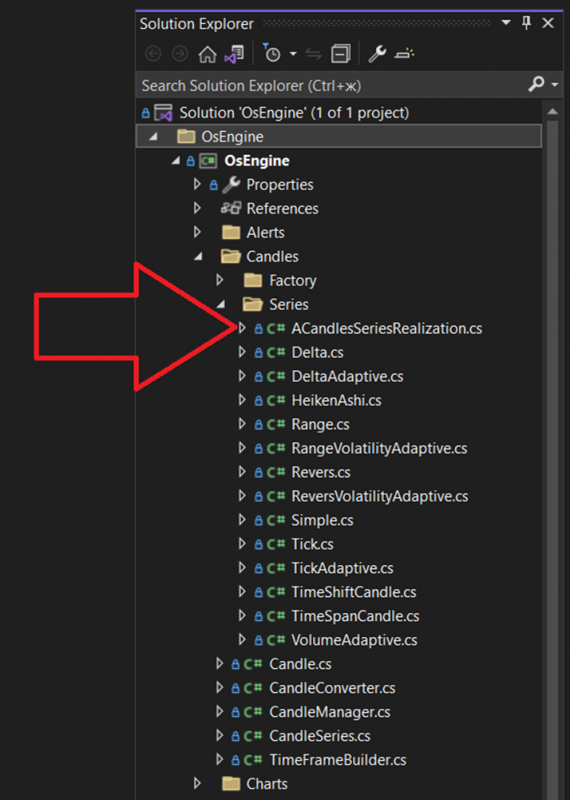
To create your candle series, you need to understand how it works. It is abstract because you cannot create a separate instance of a class with this name. This is half of the class, an inheritor is required. It is located here:
Inside the class itself, there are 4 regions:
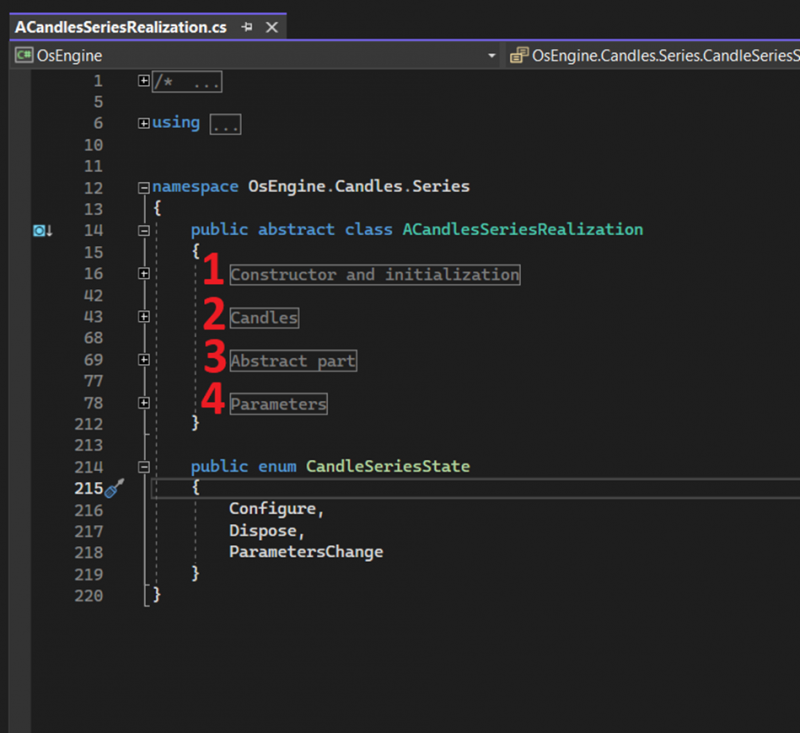
1. Constructor and initialization - needed for the creation and deletion of the series object.
2. Candles - a place to store candles and trigger events for their updates.
3. Abstract part - the part of the class that needs to be overloaded in the inheritor and in the final candle implementation.
4. Parameters - region responsible for the series' parameter work.
Let's expand on each region separately and take a closer look:
Constructor and initialization region.
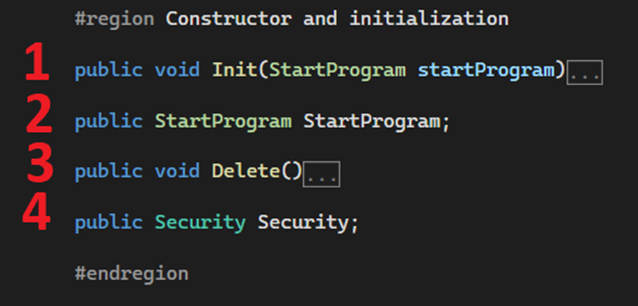
1. Series initialization method. Called automatically after the series is created.
2. The program that created the series. Tester, Optimizer, or station for live trading.
3. Delete the series.
4. The asset for which the candles are built.
Candles region.
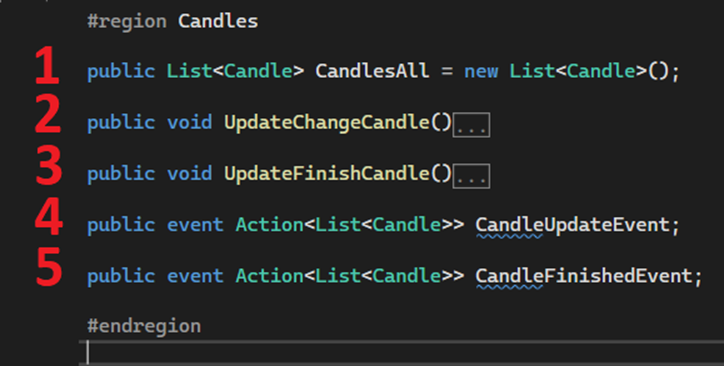
1. Candles that the series builds. They are requested from this array.
2. Method that triggers the candle update event.
3. Method that triggers the candle completion event.
4. Candle update event.
5. Candle completion event.
Abstract part region.
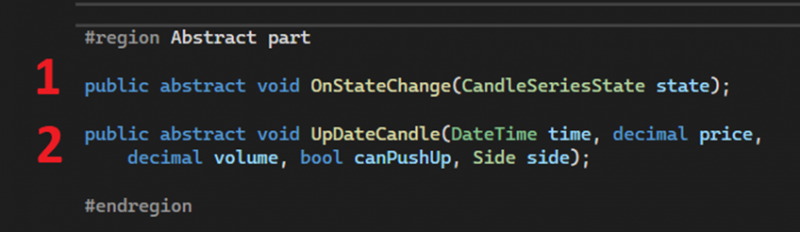
These are mandatory methods to override that need to be implemented in the new series of data.
1. Series status change event. Possible statuses:
a. Configure - called on creation. At this point, parameters and variables necessary for candle calculation should be created. Called once.
b. Dispose - called on series removal.
c. ParametersChange - called when parameter values change.
2. UpdateCandle - method where the logic for building custom candle series needs to be implemented.
Parameters region.
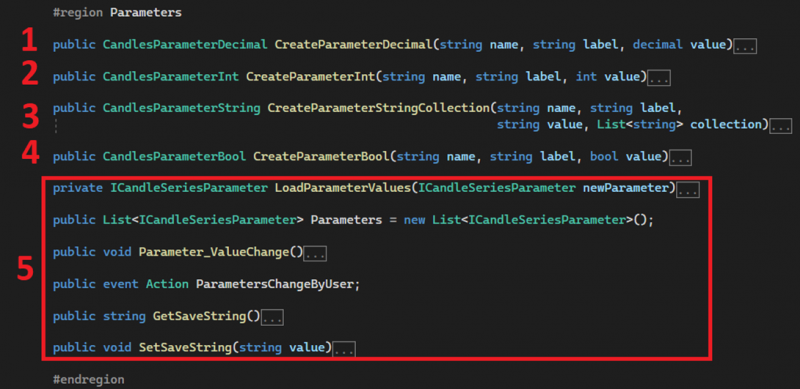
Region responsible for the series' parameter work. Each parameter created through the first four methods will be displayed in the series parameter settings interface. The rest is service code.
1. CreateParameterDecimal: Method for creating a parameter of type Decimal. Floating-point numbers.
a. name - system name of the parameter.
b. label - label in the parameter window for the user.
c. value - initial value of the parameter. Can be negative.
2. CreateParameterInt: Method for creating a parameter of type Int. Integer number.
a. name - system name of the parameter.
b. label - label in the parameter window for the user.
c. value - initial value of the parameter. Can be negative.
3. CreateParameterStringCollection: Method for creating a parameter to store a collection of strings.
a. name - system name of the parameter.
b. label - label in the parameter window for the user.
c. value - initial value of the parameter.
d. collection - a collection of strings to be displayed for user selection in the interface.
4. CreateParameterBool: Method for creating a parameter of type Bool. Boolean value. True / False.
a. name - system name of the parameter.
b. label - label in the parameter window for the user.
c. value - initial value of the parameter. Can be negative.
5. Service code supporting the operation of parameters in the series.
To declare a class implementation of candles, let's look at the example of the Delta class.
To make the platform recognize your candle series, you need to:
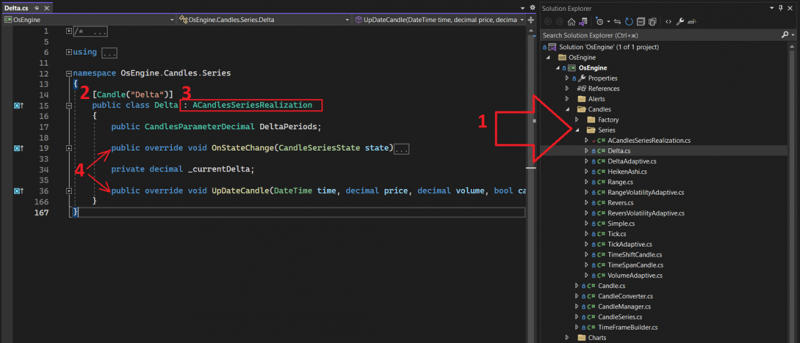
1. Create a new class with a unique name for your new series in the Candles/Series folder of the project.
2. Add this attribute for the class, specifying the class name inside the parentheses.
3. Inherit from ACandleSeriesRealization for the new class.
4. Override the required methods: OnStateChange and UpdateCandle. We will discuss them in detail in the next articles on this topic.
5. That's it. After this, you can build the project, and the platform will see your new candles and add them to the list for selection in the interfaces.
The implementation of candles is used within the OsEngine project:
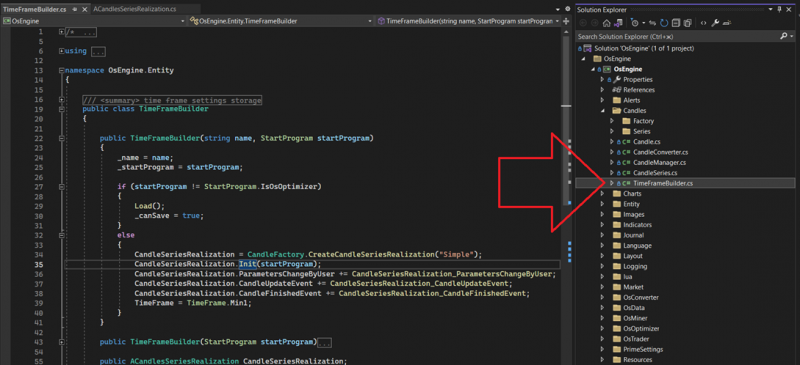
TimeFrameBuilder stores it.
The implementations are mainly stored here. This class is used in OsEngine sources to know exactly which candles the user has ordered for assembly:
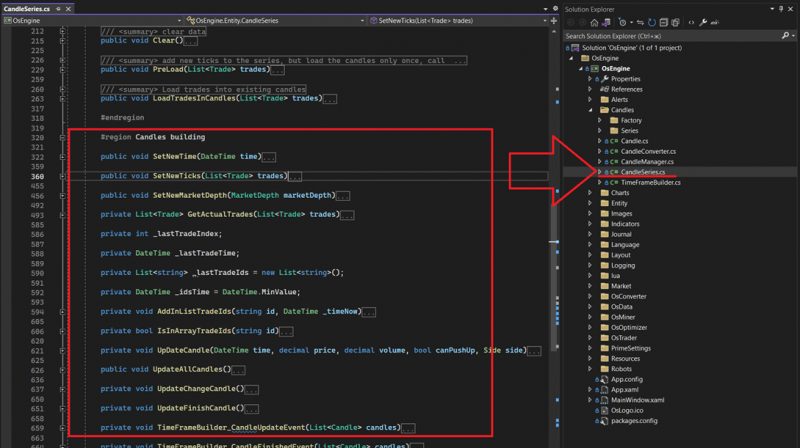
CandleSeries manages and feeds data inside.
Good luck with your algorithms!