Increasing the paging file and adjusting the processor priority on a remote server.

Sometimes, the remote server may not have optimal conditions for OsEngine to work. This may include:
- Absence of a paging file for the system. And during moments of memory overflow, the server restarts. Priority given to background tasks rather than application work.
- Following this server setup guide can significantly simplify your life.
Be sure to read to the end and follow the instructions with the help of images!
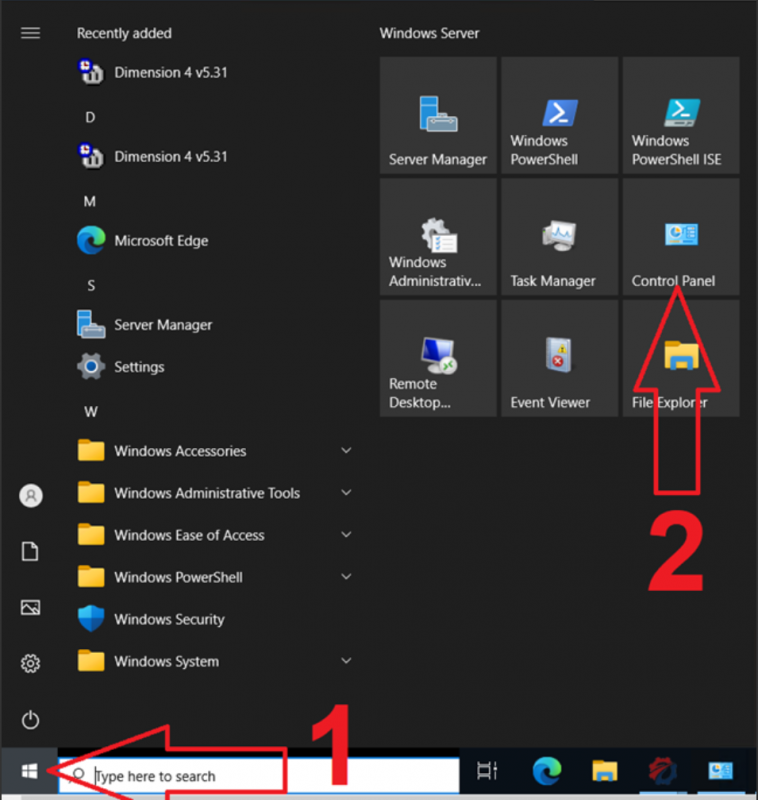
Go to the start menu and access the control panel:
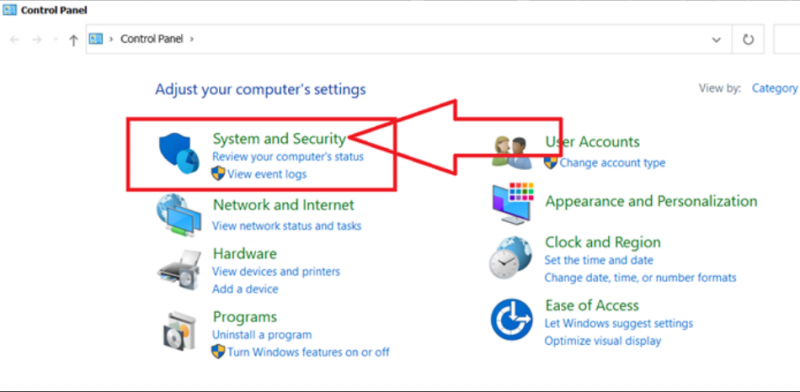
Select the «System and Security» option:
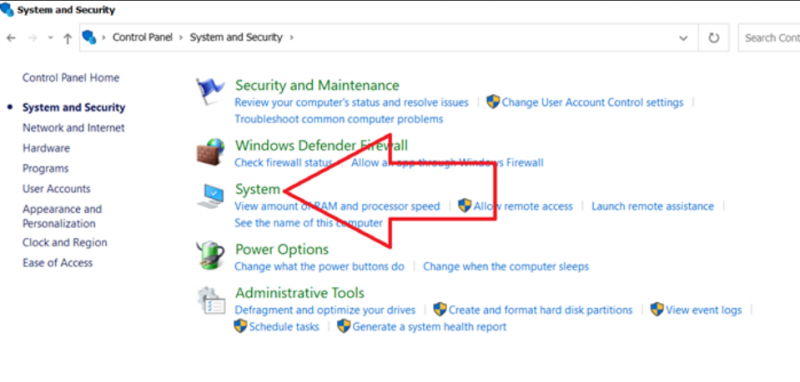
Click on «System settings»:
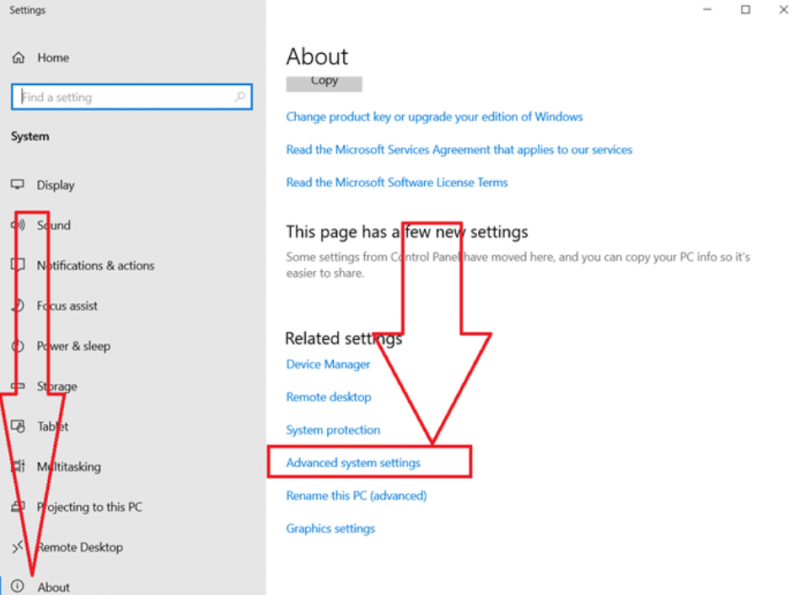
Select «Advanced system settings»:
In the tabs, choose «Advanced» and in the visual effects and paging file settings menu, click on «Customize»:
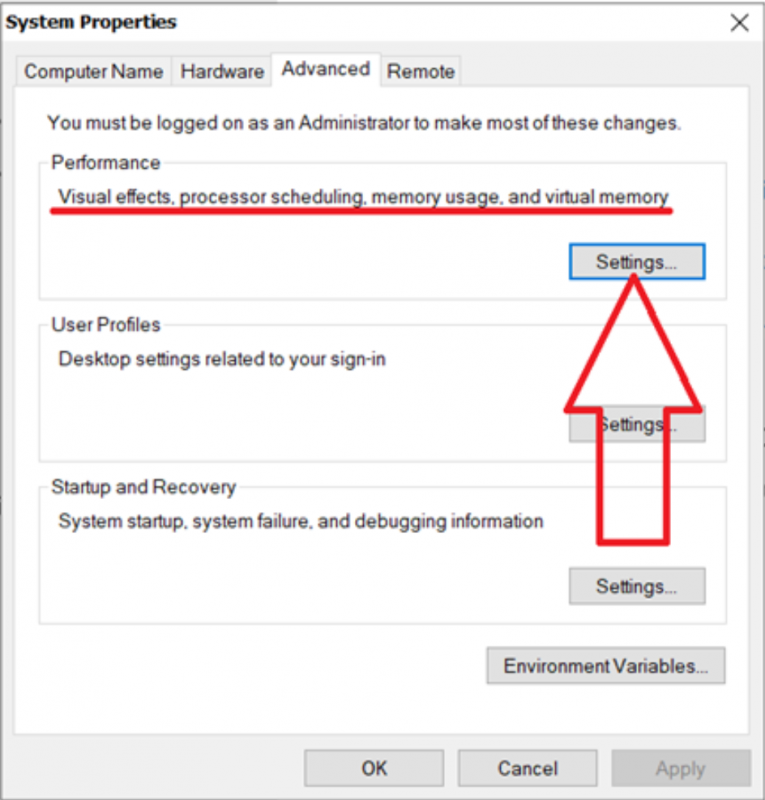
Here you will find descriptions by numbers:
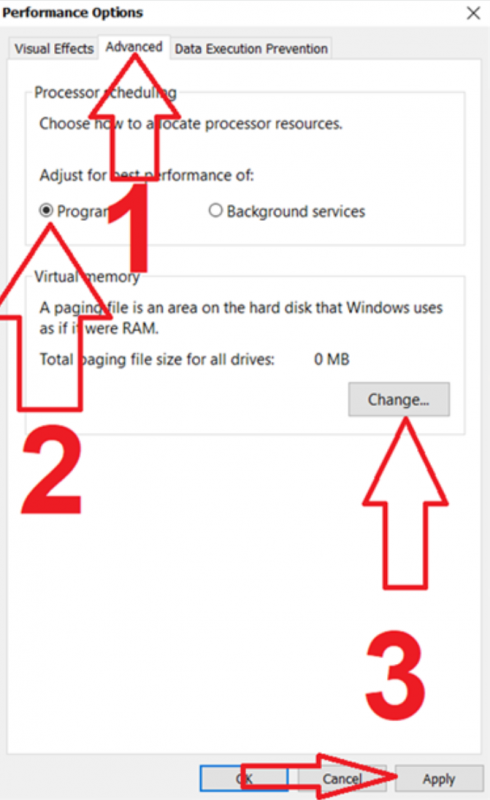
- Click on «Advanced settings».
- Choose processor priority for applications.
- Click on Apply and then go to the paging file creation menu:
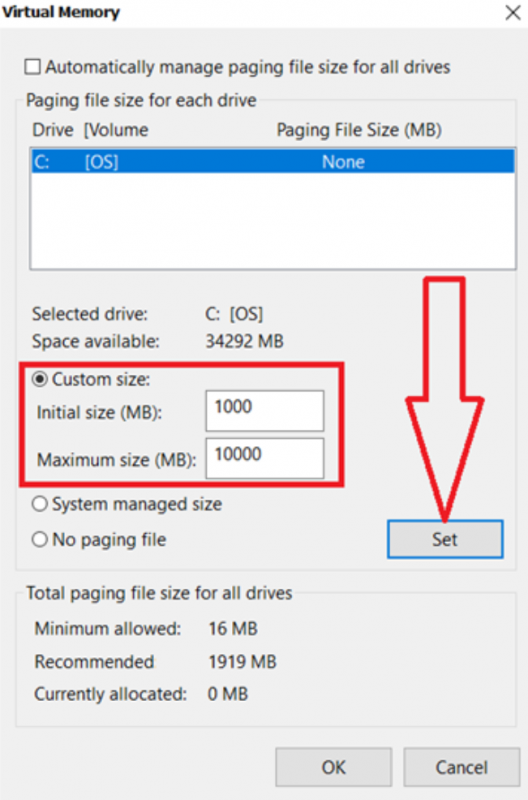
Choose the paging file size as shown in the image. And click on the «Set» button.
After this, the operating system will work more stable.
IMPORTANT!!!
Even with a paging file, you will still likely need to monitor the amount of memory consumed by OsEngine.
If it is a pair of robots using standard indicators and everything is set up correctly, system restart may be needed once a month.
If it is a set of 50-100-N robots subscribed to hundreds of sources, OsEngine restart may be required several times a week.
Good luck with your algorithms!
If you have any difficulties or questions, please write to the support chat. Link