Trading robots for Binance Api

Let's talk about how to run trading robots for the Binance exchange. We will do this using our open and free library for algorithmic trading - OsEngine.
You can download Os Engine and robots here.
And if you register through this link on the exchange, you will receive an additional discount.
For those who came from a search engine, a small reference. OsEngine is a full set of programs necessary for an algorithmic trader. Data download, testing, optimization, and trading. All completely free and open to individuals. We make software for algorithmic funds and algorithmic traders. The library was born in this process. Use it. We have training and support for beginner programmers. Beginners will quickly understand everything.
1. Setting up the API on Binance.
The first thing you need to do is set up keys to access trading through the API. This is done from the user's personal account on the Binance exchange. In the user menu, select:
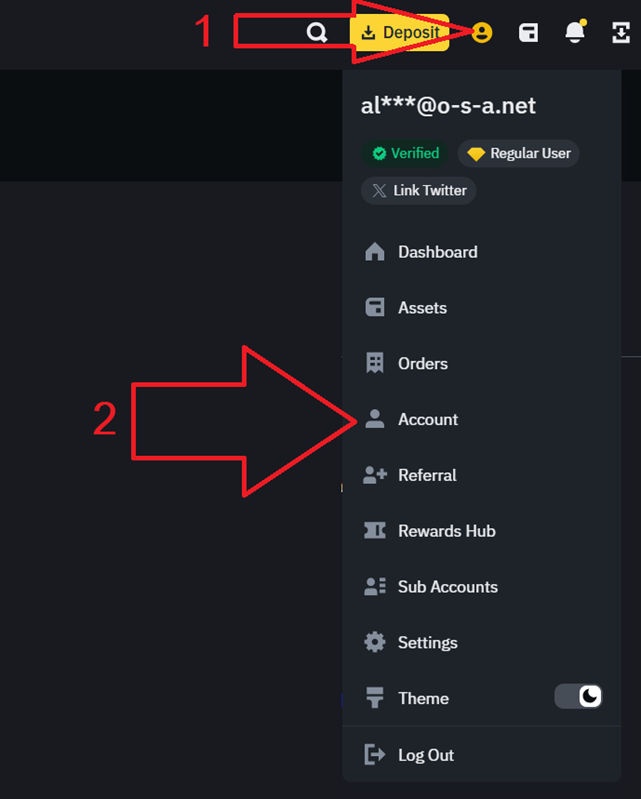
Then go to API Management:

Find the API settings block and click on the "Api Setting" button.
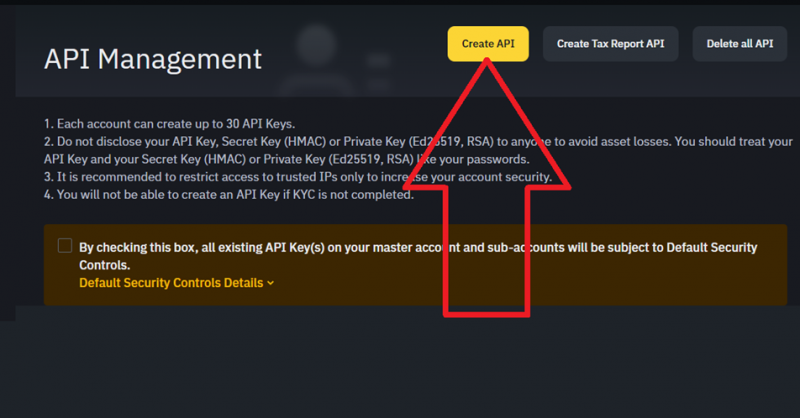
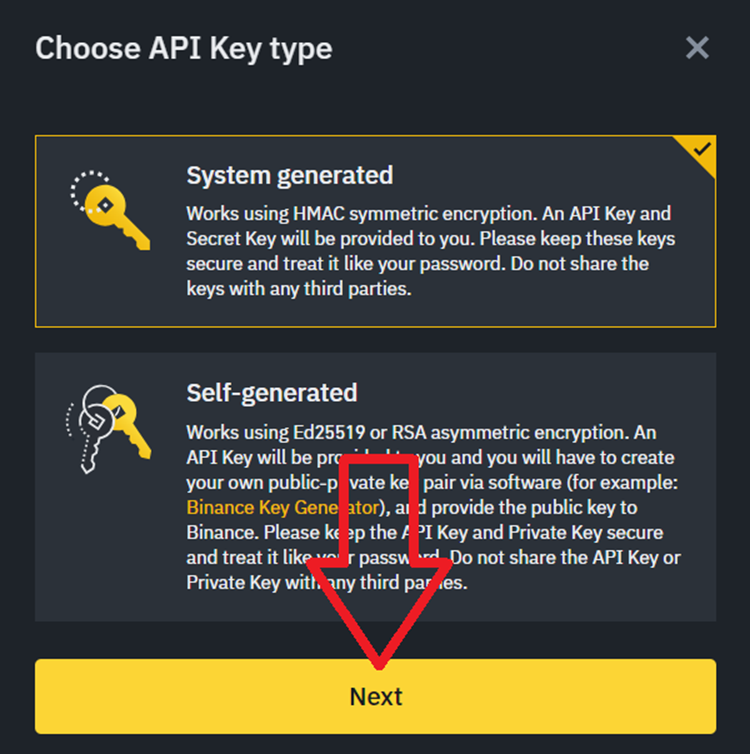
You need to create a key generated by the system:
After that, go through the verification process, and the key should be created. You will see your keys, you need to save them immediately:
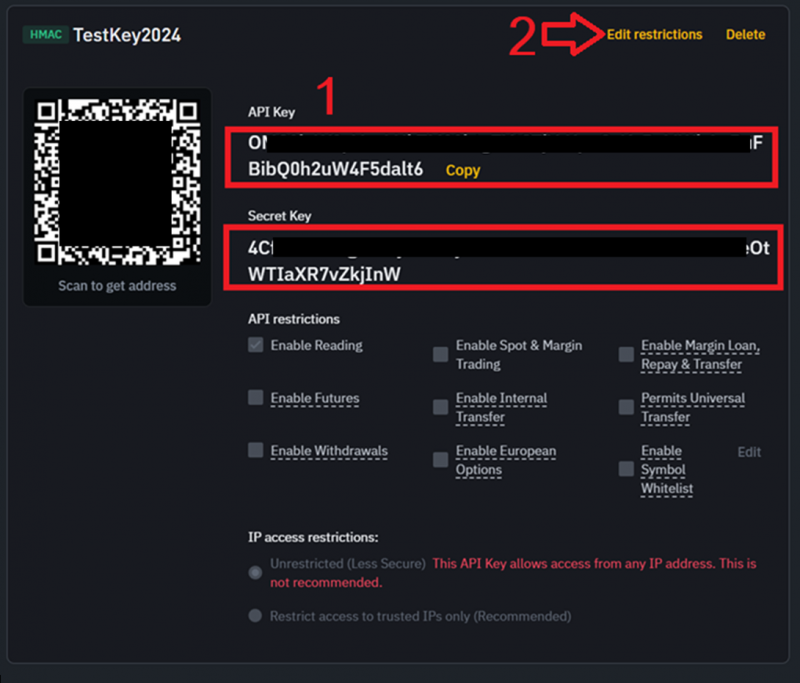
1. Save the keys to a folder. We will need them to connect to the exchange from OsEngine.
2. Go to editing the key. We need to give it the necessary permissions.
In editing the key, allow it to make trading operations for futures and spot and save:

2. Connect trading robots to Binance.
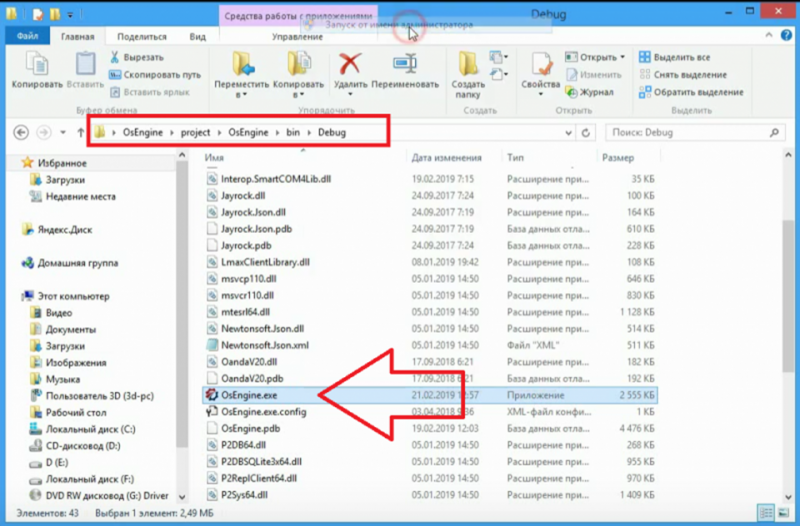
To do this, download Os Engine from GitHub.
Go to the EXE file and run it:
In the main menu, select the Bot Station Light program:

Then go to connection management:

1. Open the connections tab.
2. Click on the Binance connector with the left mouse button.
After that, the Binance server settings window should open in front of us:
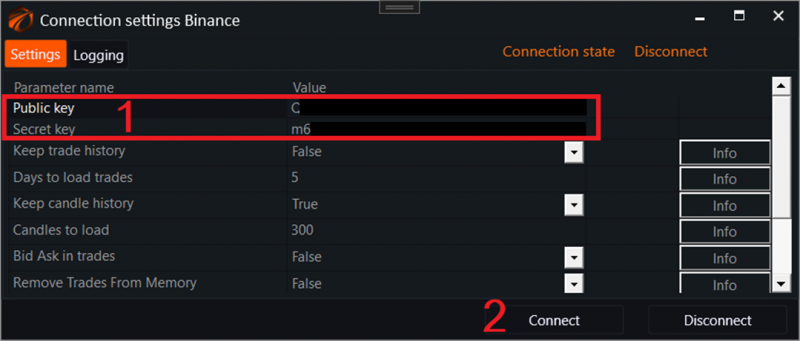
Now let's move on to creating robots:

The robot selection menu will open:
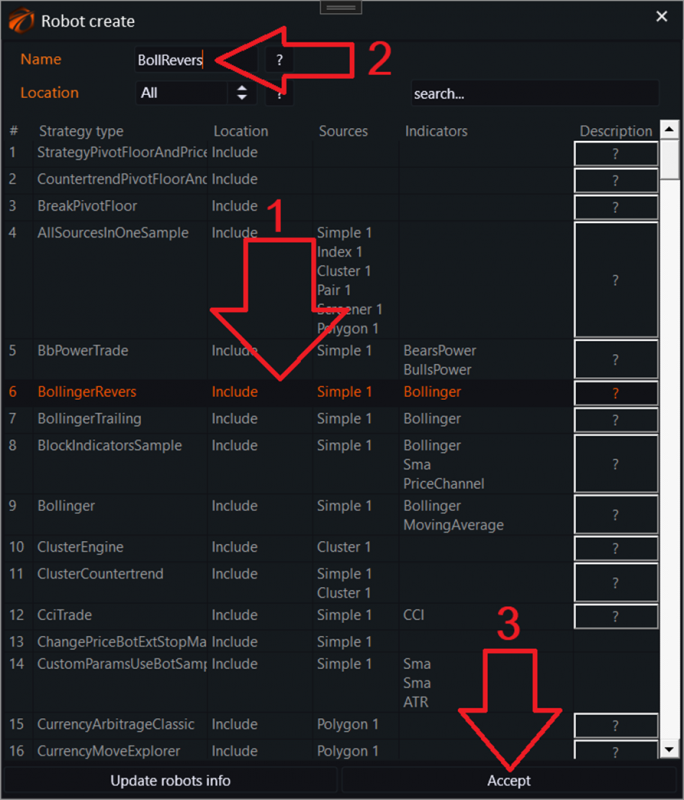
1. Choose a robot.
2. Give it a name.
3. Click the "Accept" button.
Then configure the connected data:
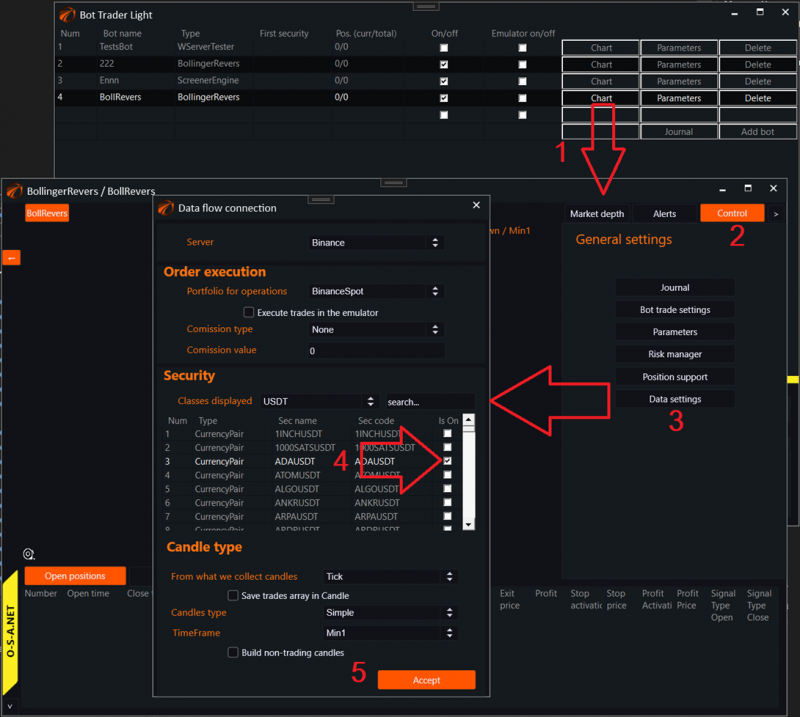
1. Open a separate window for the robot.
2. Go to the tab for managing this robot.
3. Click on the Data Settings button.
4. In the window that opens, select the instrument.
5. Click the accept button.

You can now trade with robots on Binance!
Successful algorithmic trading to everyone!