Datasets for testing inter-exchange algorithms. Trading from index.
The third article about preparing datasets for tests. In the first one, we talked about gaps in candle data. In the second one, we discussed the start and end time of the dataset. Now let's talk about how to collect datasets from different sources and exchanges.
Where is this needed?
In any variations of inter-exchange arbitrage.
Sets can download data only from one exchange. However, testing inter-exchange arbitrage needs to be done simultaneously on multiple platforms.
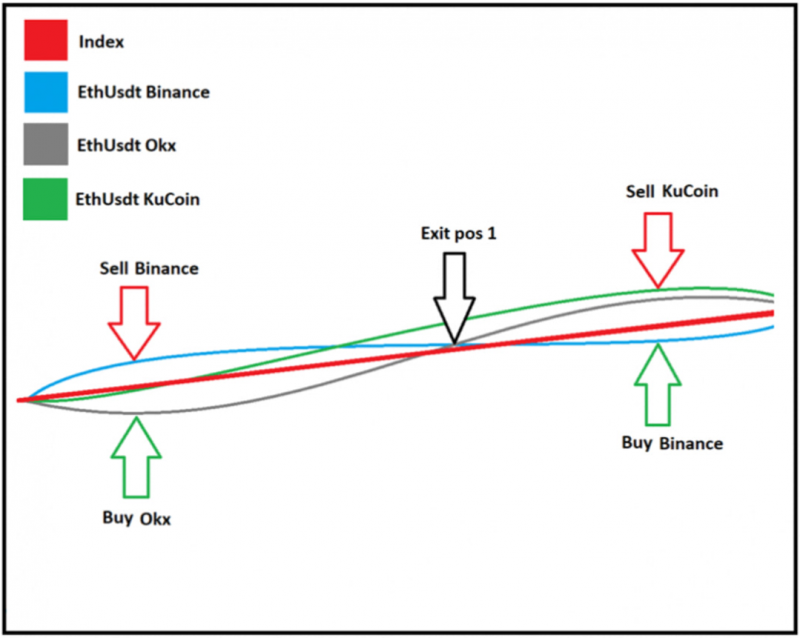
Including those on the index:
1. Download data from different exchanges into separate sets.
For example, let's download two sets with the same securities. From Binance and ByBit:
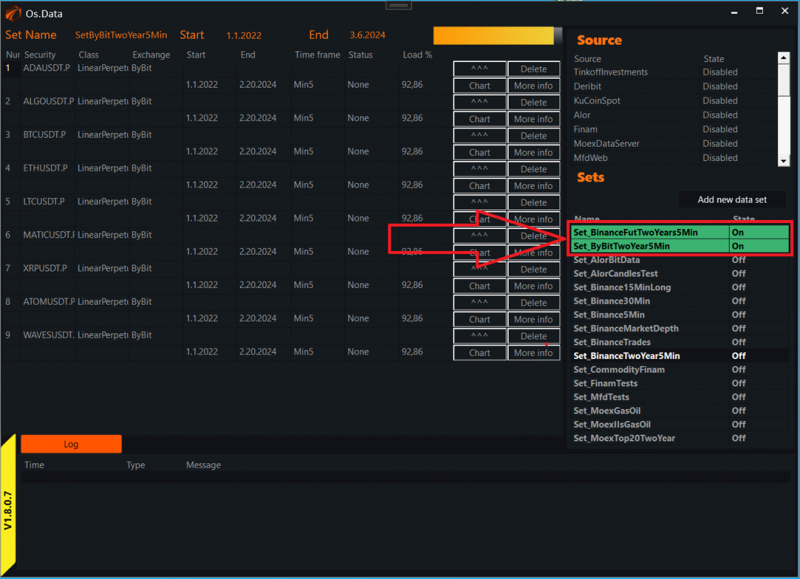
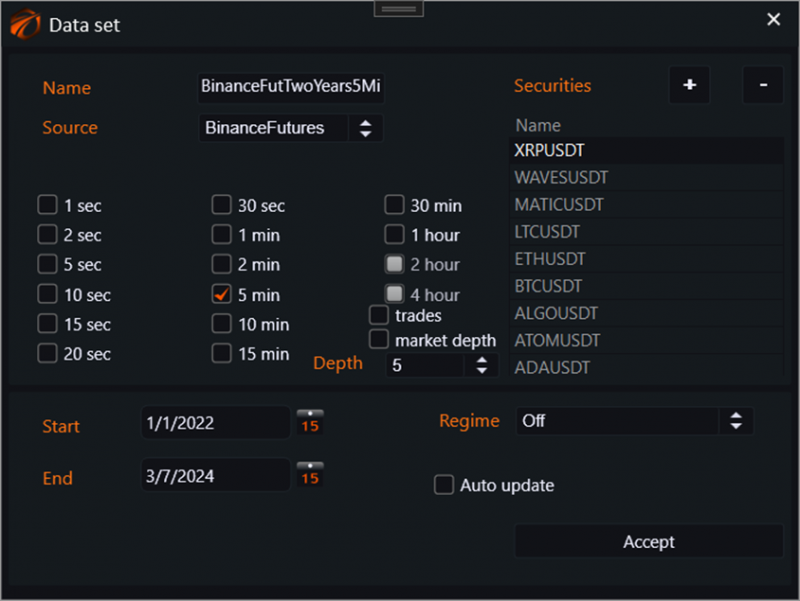
Download five-minute futures data for two years.
Settings for Binance:
Settings for ByBit:
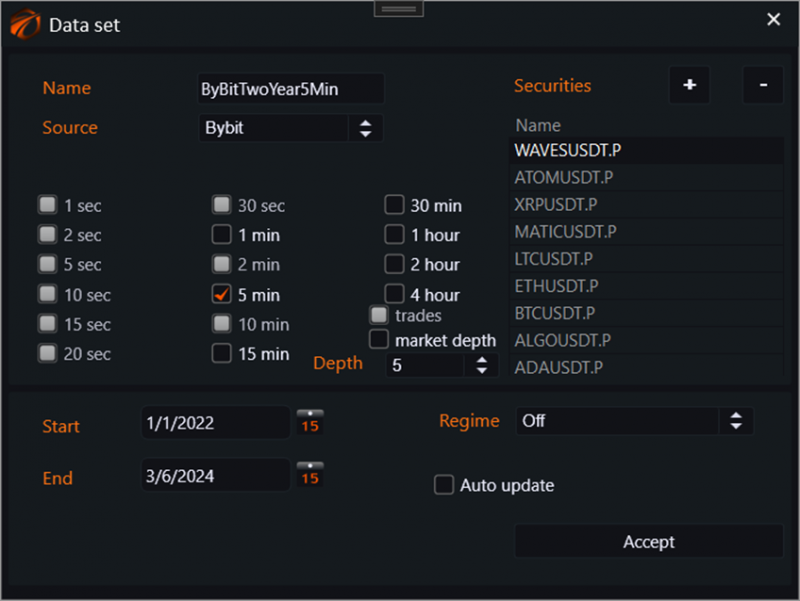
2. Go to the file system and combine the data in one folder.
In the file system, go to the OsEngine exe file and next to it find the Data folder. Inside the Data folder, you will see folders for the corresponding sets of data:
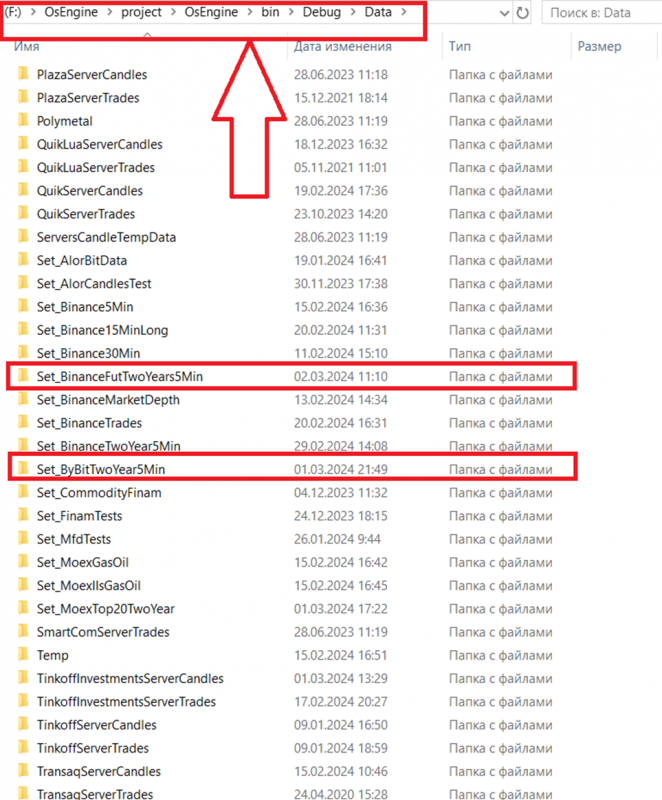
Now we need to transfer the data from these two sets to one folder:
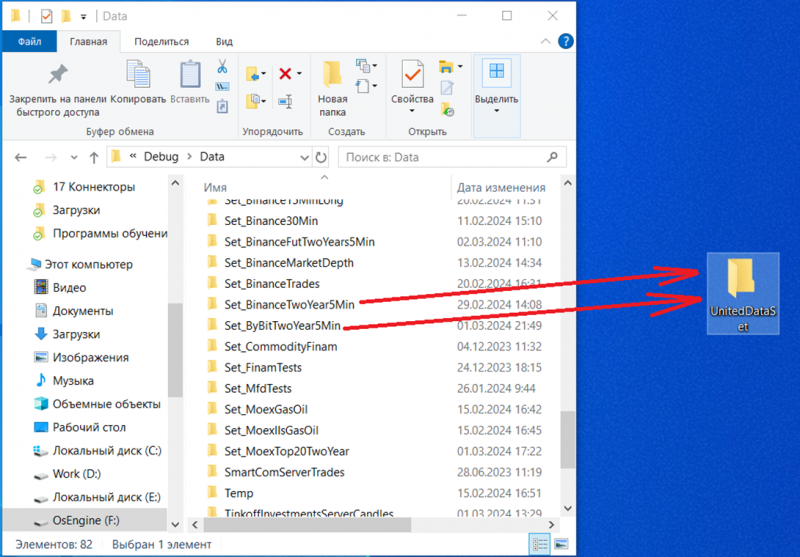
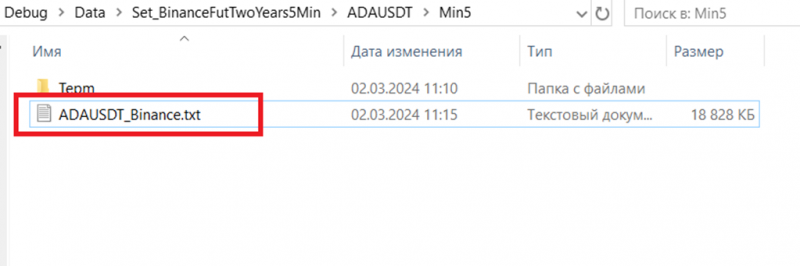
Transfer ONLY the candle file! Inside the set, it is located in a separate folder:
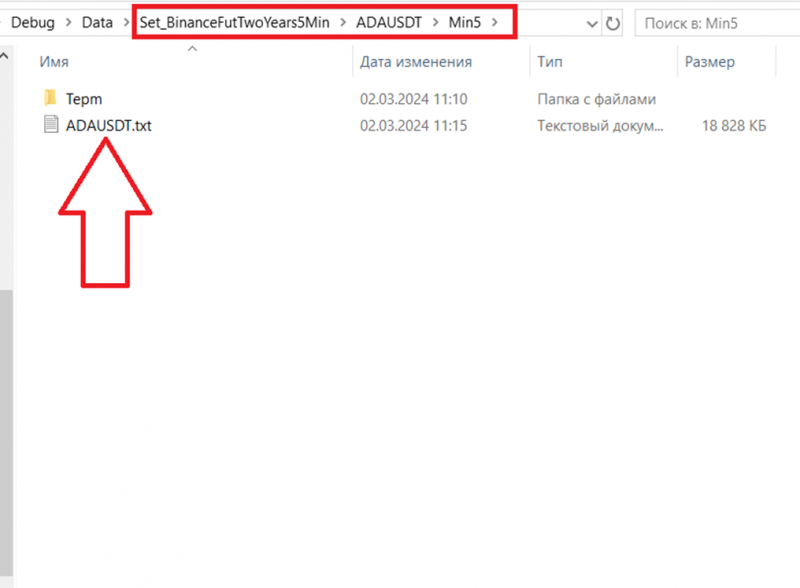
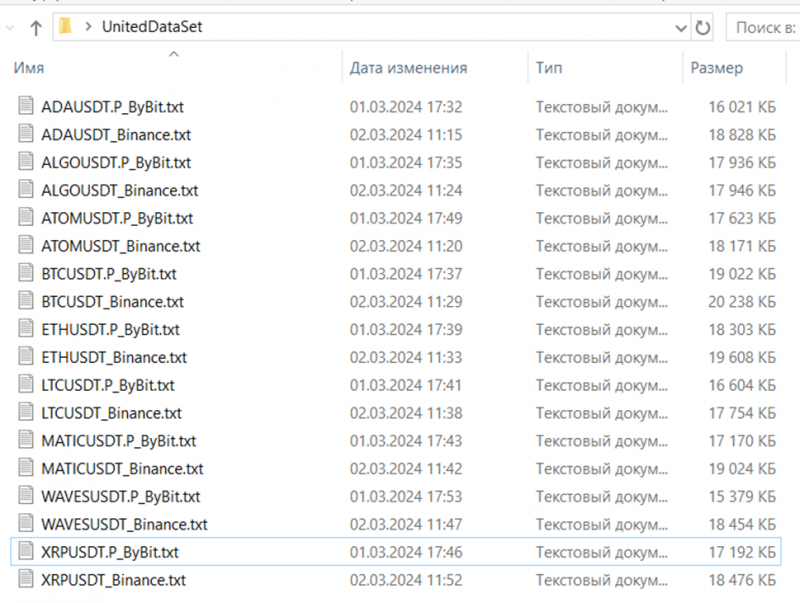
Also, add the exchange name to the file name. So it should look like this:
As a result, the folder with the combined data should look like this:
3. Run the tester on the combined data.
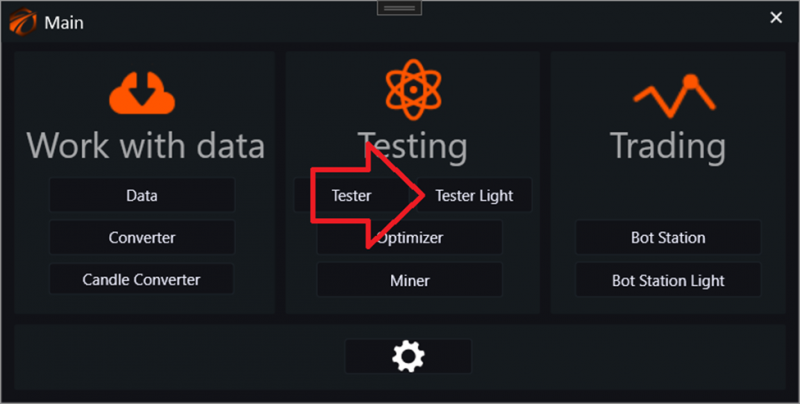
And go to the exchange emulator:
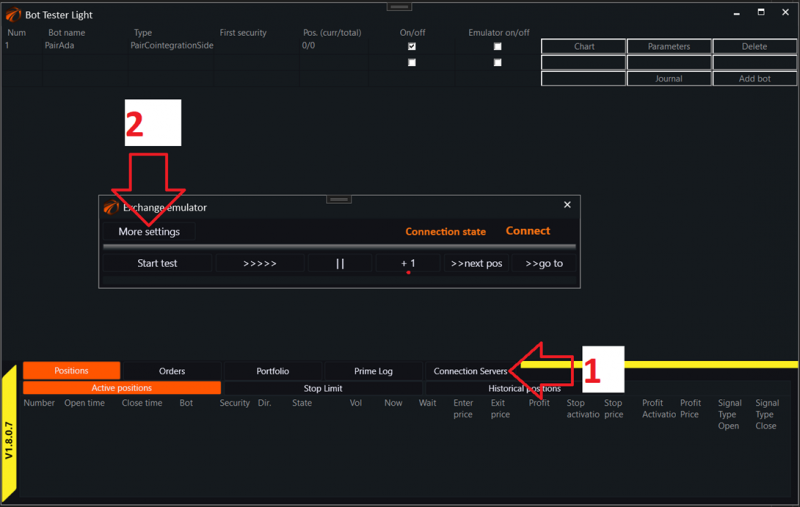
Next:
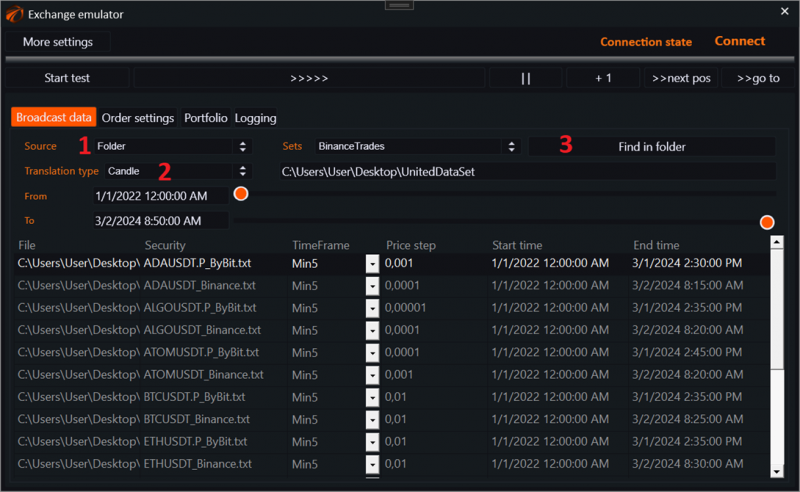
1. Select the source type - FOLDER.
2. Transmission type - CANDLES.
3. Specify the folder where the data is located.
4. Create a robot and connect to the data.
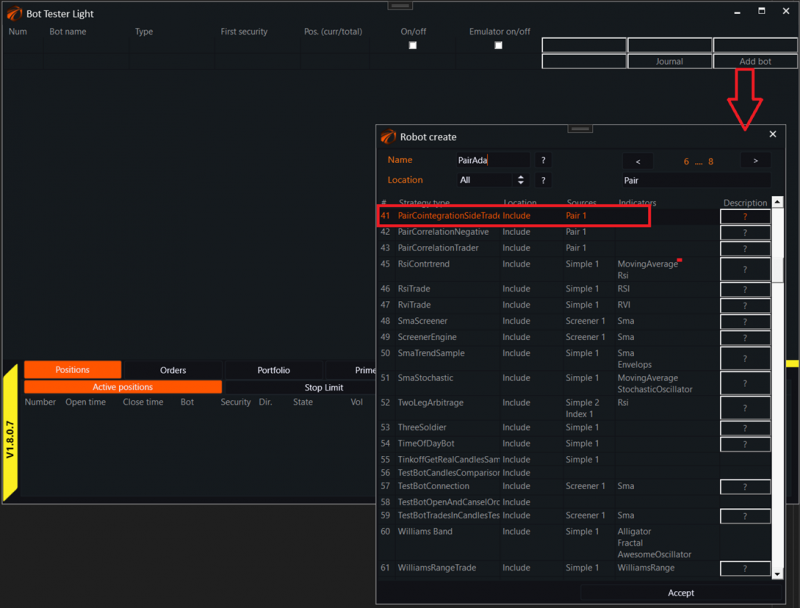
Open a unique robot window and create a new pair:
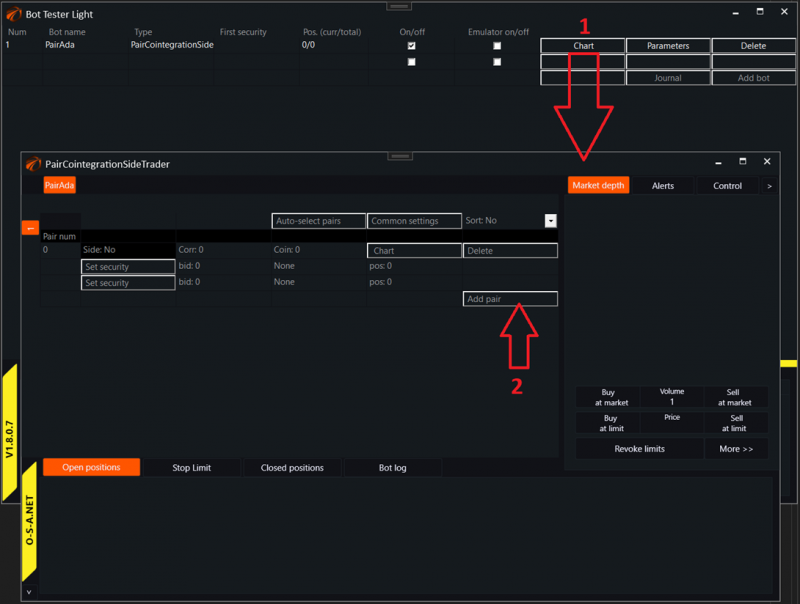
Add securities to the pair. One from ByBit, the other from Binance:
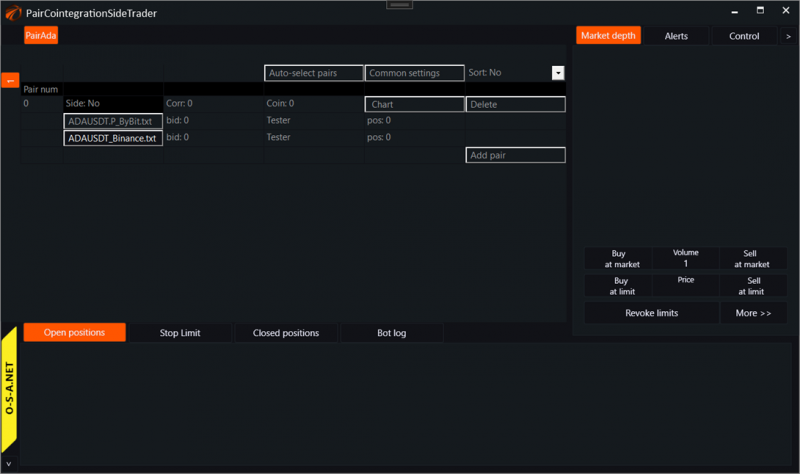
After that, you can start the exchange emulator and see how the robots are trading:

If you have any difficulties or questions, please write to the support chat. Link
OsEngine: https://github.com/AlexWan/OsEngine