Converting time to UTC format.

Most cryptocurrency exchanges, and perhaps even all of them, broadcast data in UTC format. If you trade on such exchanges, you definitely need to convert the time to UTC format to avoid errors. It does not matter whether you trade on a home PC or a remote server. Changing the time format is also necessary when downloading quote history (not for all exchanges) or if an error like «Invalid request, please check server timestamp or recv_window param» occurs.
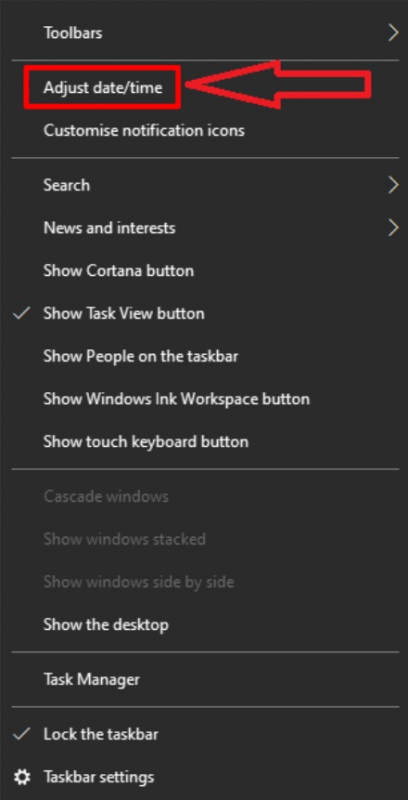
On the desktop, find the date and time, usually located in the bottom right corner, and right-click on it.

In the pop-up window, select «Adjust date/time».
A window with date and time parameters will open. Find where it says «Time Zone» and click on the «˅» with the left mouse button.

In the pop-up window, select «(UTC) Co-ordinated Universal Time».

Close the date and time parameters window.
PS:
If something does not work out, or if you have any questions, write in the support chat, link.