OsEngine. Main menu. Converter. Candle converter.
In this article, we will introduce two modules of OsEngine - «Converter» and «Candle converter».
But first, we need to open the main menu of the platform.

Let's start with the Converter. Click on the button with the corresponding name.
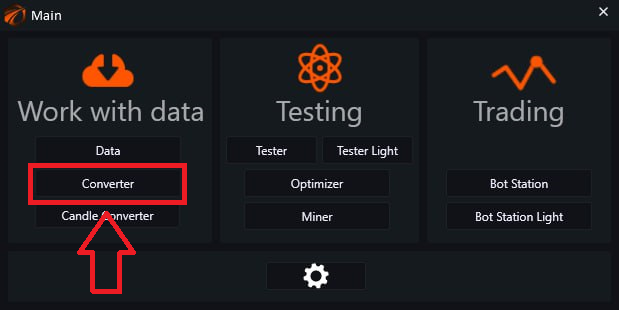
This module converts trades into candles.
Working principle.
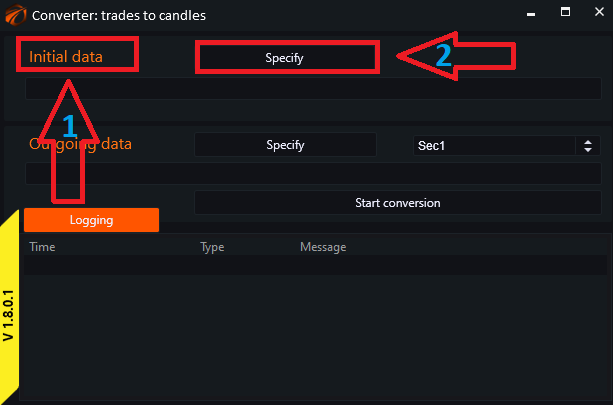
In the opened window, go from top to bottom and perform the following actions:
- «Initial data» - the location on the computer from which we take the data.
- Click on the «Specify» button.
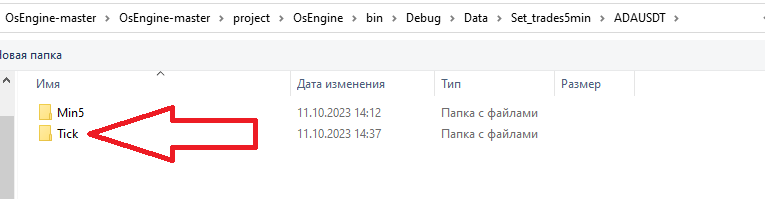
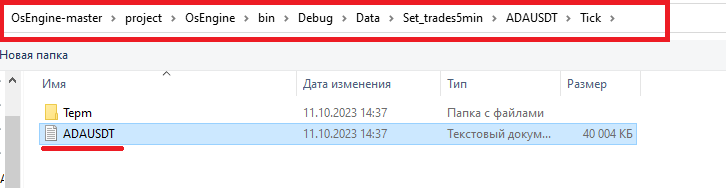
We locate the folder with the necessary data. Pay attention to the path. We need to select the text file in the Tick folder. Read here on how to download trades.
In it, we select the text file that we need.
3. The line that displays the path to the folder.
4. Outgoing data - the location where we save the data (it is recommended to create a folder in advance and create a text document in it).
5. Click «Specify» and navigate to the folder you created earlier where you will store the new data. Alternatively, you can create it right now wherever convenient for you and create a text document in that folder, give it a name, and select it. The system may prompt you to replace the file - agree.
6. Line displaying the path to the folder.
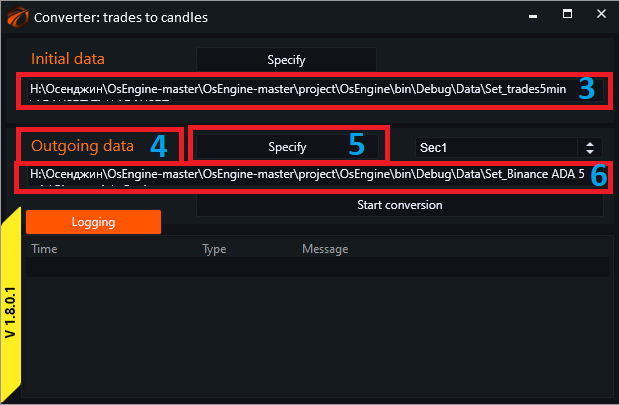
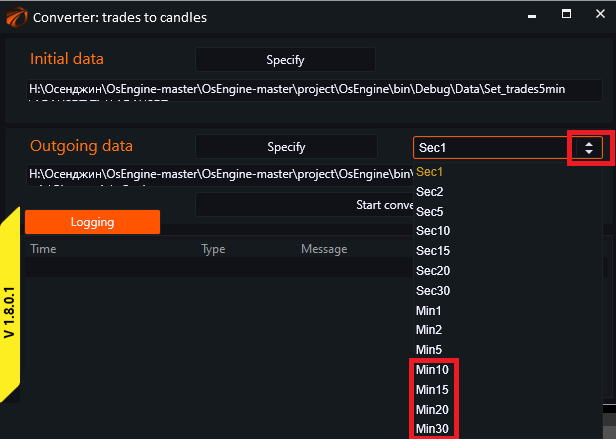
Make sure to select the timeframe (it should be larger than the original) by clicking on the arrows.
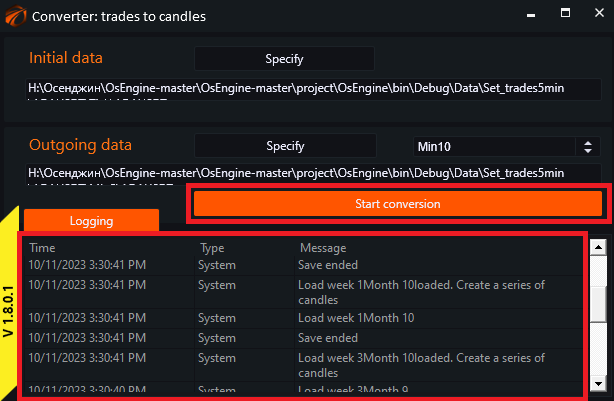
Now just click on the «Start conversion» button.
The process is displayed in the logging panel.
The working principle of the Candle Converter is exactly the same as that of the Converter. The difference is that it works only with candle data.
In the main menu, click on the «Candle Converter» button.
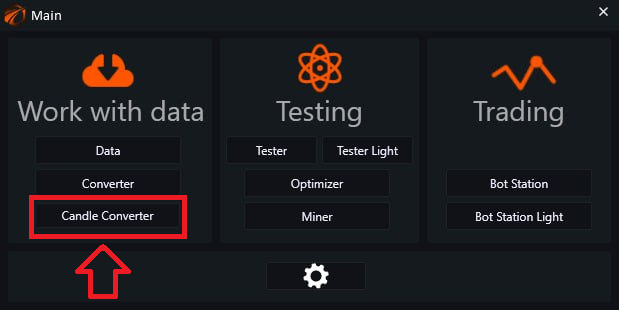
Another difference is that you need to specify the timeframe for both the input data and the output data.

In all other aspects, the algorithm is repeated.
If something didn't work out or if you have any questions, please feel free to reach out to our support chat.