Connecting Os Engine to ByBit API.

In this article, we will learn how to connect OsEngine to the Bybit cryptocurrency exchange API version V5 to work with Unified Trading Account.

1. Obtain API keys from the exchange.
To do this, go to the exchange portal at https://www.bybit.com/app/user/api-management

2. Create new keys by clicking on the "Create new Key" button and choose to generate keys by the system.

3. Name the key and set permissions.


Click on the "Submit" button.
4. Complete two-factor verification using the Google 2FA Code app and enter the code.

5. Remember the obtained API keys in a secure place.
The secret key is visible only at this stage and will become hidden and no longer accessible for reading after clicking the "Understood" button.

6. IMPORTANT!!! For Bybit, you need to connect a Unified Trading Account!
Without this, it will not work at all. Go to the portfolio and in the header see the menu to switch to a unified account:

Confirm everything and you're ready.
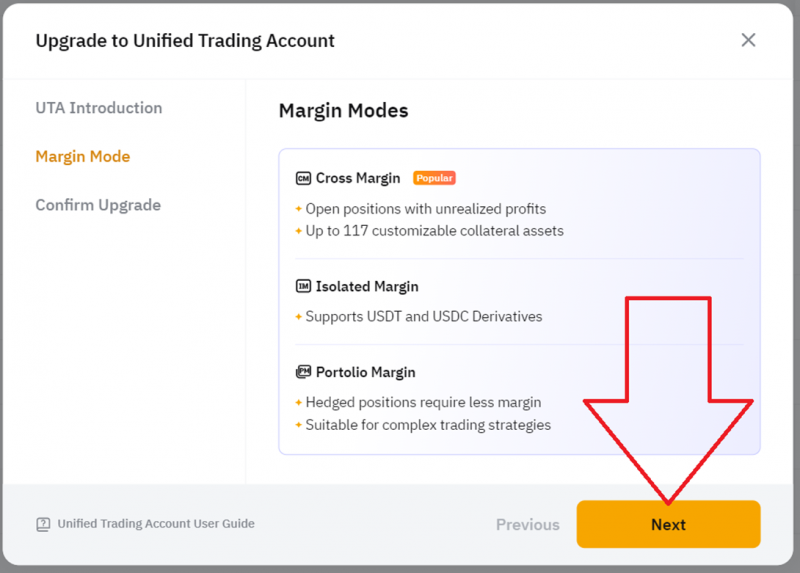
It's really cool that ByBit has this feature. It's an equivalent to the Unified Brokerage Account on MOEX.

7. Set up trading mode in Cross Margin.
To do this, go back to the portfolio and click on the account details here:

Then change the "Margin Mode" to Cross Margin:

If it's already set this way, do not change anything.
This trading mode can also be changed in the web terminal here:

Select Cross Margin. Otherwise, the connector will malfunction.
8. Launch OsEngine, click on "Connection Servers" and select Bybit.
Enter the Public key, Secret key, and API keys obtained from the Bybit portal in the fields.

Click connect.
9. Turn on any robot and start trading!
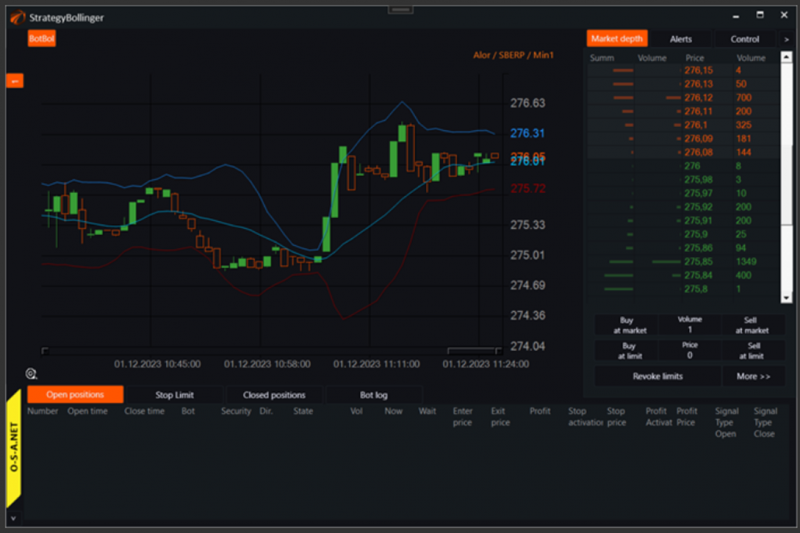
IMPORTANT!!!
As of today, OsEngine has around 200 FREE trading robots with open-source code that can be modified to suit your needs. Use them!
IMPORTANT2!!!
Set UTC time on your work PC.